Quick Answer
A phone stand charger combines a charging dock with a viewing stand in one device—perfect if you’re tired of cluttering your desk with separate cables and holders. The best options like the Anker MagGo Charging Stand and Belkin BoostCharge Pro offer fast charging, stable holds, and good viewing angles. Most range from $30–$120 depending on features, cable type, and build quality.
—
What is a Phone Stand Charger and How Does It Work?
A phone stand charger is exactly what it sounds like: a single device that charges your phone while holding it upright or at an angle for hands-free viewing. Instead of laying your phone flat on a charging cable or fumbling with a separate stand, you get both functions in one compact accessory.
Here’s how it typically works:
The Basic Setup
– A charging cable (usually USB-C or Lightning) connects to a power adapter
– The cable feeds into a stand base or arm
– Your phone rests against or clips into the charging connector, making contact with charging pins or wireless charging coils
– The stand holds your phone at a comfortable angle while it charges
Why You’d Want One
If you work at a desk, take video calls throughout the day, watch videos, or stream content, a phone stand charger eliminates the need to hold your phone or find a makeshift stand. It’s one less cable cluttering your space, and your phone stays accessible while juicing up.
—
Key Features to Look For in a Phone Stand Charger
Not all phone stand chargers are created equal. Here are the must-know features before you buy:
Charging Speed and Power
Look for chargers that deliver 18W or higher for fast charging. Some premium models support 25W or 30W, which charges most modern phones in under an hour.
– Wired models typically offer faster speeds than wireless
– Wireless charging is slower but more convenient (no alignment issues)
– Check if it supports PD (Power Delivery) for compatibility with iPhones, Samsung, and USB-C devices
Stability and Build Quality
A wobbly stand defeats the purpose. Look for:
– Non-slip bases that won’t slide on your desk
– Rubber pads on contact points to protect your phone
– Sturdy materials like aluminum or reinforced plastic
– Weight that won’t tip over easily
Angle and Adjustability
The best stands let you adjust the viewing angle. You might want:
– Portrait orientation for video calls
– Landscape orientation for watching videos
– Multiple angle positions for flexibility
Some stands have fixed angles (usually 30–45 degrees), which limits versatility.
Phone Compatibility
Check that the charger works with:
– Your specific phone model (iPhone 15, Samsung S25, etc.)
– Phone size range (some only fit smaller phones)
– With or without a case (important—many cheap stands don’t fit phones in cases)
Cable Type and Length
– Lightning cables for iPhones
– USB-C cables for newer Android phones
– Micro-USB for older devices (less common now)
– Wireless charging for maximum flexibility
Cable length matters—you want enough slack to position the stand comfortably away from the outlet.
Additional Features
– Foldable design for travel
– Built-in cable storage
– Fan cooling (useful if you game or stream)
– Multiple device charging (phone + watch + earbuds)
—
Top Picks at a Glance
| Product | Best For | Price Range | Charging Type |
| Anker MagGo Charging Stand | iPhone users wanting wireless | $35–$50 | Wireless (15W) |
| Belkin BoostCharge Pro | Fast-charging Android phones | $50–$70 | Wired (30W) |
| Mophie Stand and Charge | Premium dual-angle design | $60–$85 | Wired (25W) |
| Lamicall Phone Stand Charger | Budget-friendly option | $20–$35 | Wired (18W) |
—
Best Phone Stand Chargers for iPhone Users
Anker MagGo Charging Stand
If you have an iPhone 12 or newer, the Anker MagGo Charging Stand is hard to beat. It uses MagSafe technology, so alignment is effortless—just snap your iPhone on and it connects to the charging pins automatically.
Why it’s great for iPhone:
– Works with MagSafe cases and clear cases
– 15W wireless charging (fast for wireless)
– Compact footprint—won’t eat up desk space
– Adjustable viewing angle
– Looks sleek and minimal
Drawbacks:
– No wired charging (slower than wired alternatives)
– Requires iPhone 12 or later for MagSafe
– Less suitable for devices without MagSafe
—
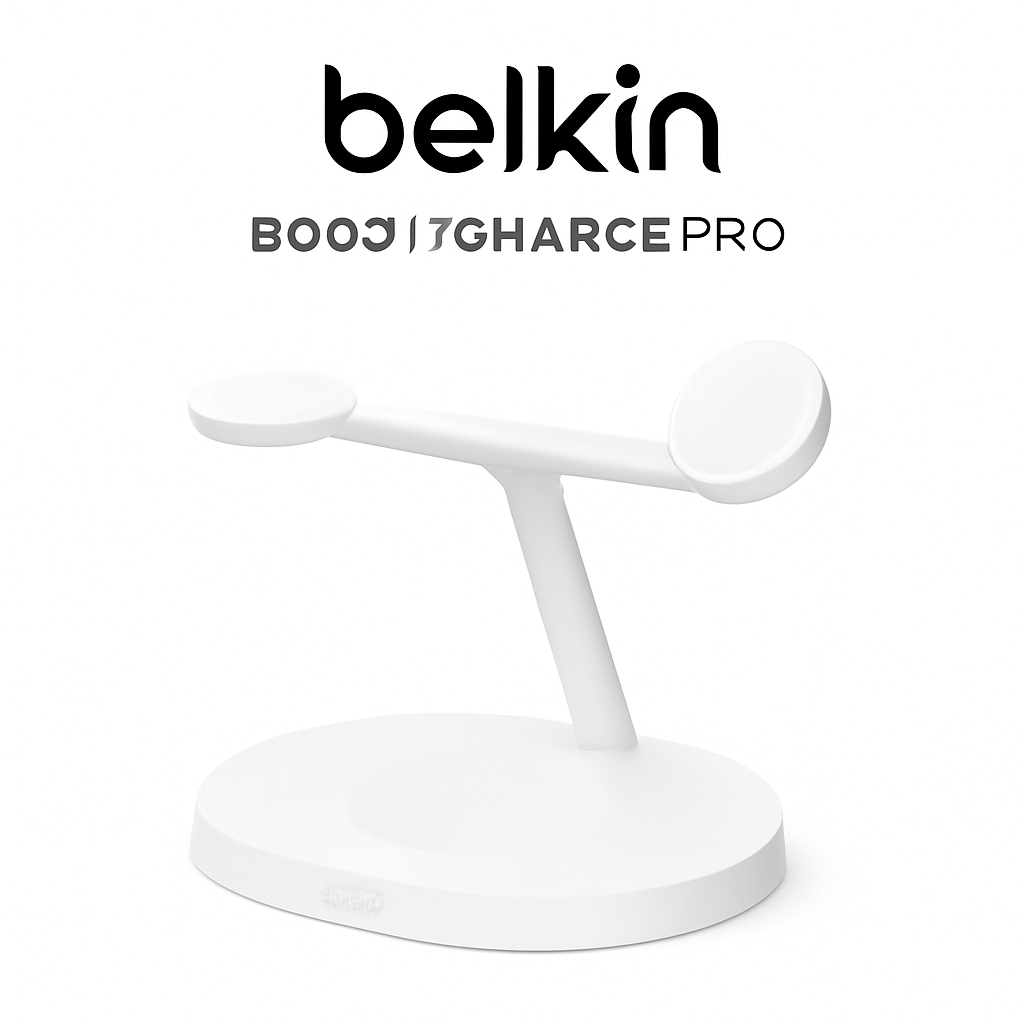
Belkin BoostCharge Pro
This premium stand is built for power users. The Belkin BoostCharge Pro offers 25W charging through USB-C, making it one of the fastest wired options for iPhones with USB-C (iPhone 15 and later).
Why it’s great for iPhone:
– Fast 25W wired charging
– Adjustable stand with multiple angles
– Sturdy, premium build quality
– Works with or without phone cases
– Great for landscape video viewing
Drawbacks:
– Higher price point ($50–$70)
– Requires USB-C iPhone models (iPhone 15+)
– Bulkier than compact alternatives
—
Best Phone Stand Chargers for Android Devices
Mophie Stand and Charge
Android users benefit from Mophie’s robust ecosystem. The Mophie Stand and Charge is a solid middle-ground option that supports most Android phones and delivers reliable charging speeds.
Why it’s great for Android:
– 25W USB-C charging works with all USB-C Android flagships
– Dual-angle position (portrait and landscape)
– Works with thick cases
– Good cable length for desk flexibility
– Compatible with Samsung, OnePlus, Google Pixel, and more
Drawbacks:
– Not as fast as some premium Android chargers (25W vs. 30W+)
– Less aesthetic appeal than some competitors
– Cable is non-removable
—
Lamicall Phone Stand Charger
For Android users on a budget, the Lamicall Phone Stand Charger delivers solid fundamentals without breaking the bank. It’s available in both USB-C and Micro-USB versions.
Why it’s great for Android:
– Very affordable ($20–$35)
– Lightweight and portable
– Works with any Android phone
– Adjustable viewing angle
– Easy to use
Drawbacks:
– Slower 18W charging (not “fast charging” by 2026 standards)
– Flimsier build than premium options
– Not ideal for heavy daily use
—
Phone Stand Charger Compatibility and Cable Types
Lightning vs. USB-C vs. Micro-USB
Your cable choice depends on your device:
| Cable Type | Compatible Devices | 2026 Relevance |
| Lightning | iPhone XS and older | Phasing out; older iPhones only |
| USB-C | iPhone 15+, most Android phones | Current standard; go here if buying new |
| Micro-USB | Older Android, some accessories | Outdated; avoid for new purchases |
| Wireless (MagSafe) | iPhone 12+, some Android | Future-proof; no cable alignment needed |
Pro tip: If you own both iPhone and Android devices, look for a stand that accepts multiple cable types or go wireless. The Anker MagGo works great for iPhones, but you’ll need a separate Android charger if you switch between devices.
Charging Speeds by Standard
– 5W = Trickle charging (avoid)
– 18W = Acceptable, but slow by 2026 standards
– 25W–30W = Fast charging (recommended)
– 35W+ = Ultra-fast (premium only; overkill for most phones)
– Wireless 15W = Best for wireless without wires
—
Budget vs. Premium: Which Phone Stand Charger is Right for You?
Budget Option: $20–$40
Best for: Occasional users, backup chargers, travel
– Examples: Lamicall Phone Stand Charger
– Pros: Affordable, compact, multiple cable options
– Cons: Slower charging, less stable, shorter lifespan
Reality check: Budget stands work fine if you’re not constantly using them or if you’re not in a hurry to charge. But if you dock your phone daily and demand fast charging, you’ll get frustrated.
Mid-Range Option: $40–$75
Best for: Daily desk use, video calls, content viewing
– Examples: Belkin BoostCharge Pro, Mophie Stand and Charge
– Pros: Good build quality, faster charging (25W+), stable
– Cons: Takes up more desk space, less portable
Reality check: This is the sweet spot for most people. You get reliability, decent speed, and longevity without spending premium prices.
Premium Option: $75–$120+
Best for: Power users, multiple device charging, aesthetics
– Examples: Specialized dual-device chargers, desktop charging ecosystems
– Pros: Can charge phone + watch + earbuds simultaneously, premium materials, advanced features
– Cons: Expensive, may be overkill if you only charge one device
Reality check: Premium stands shine if you’re already invested in an ecosystem (Apple or Samsung) and want everything to match. Otherwise, mid-range covers 95% of needs.
—
How to Choose the Perfect Phone Stand Charger for Your Needs
Follow this simple decision tree:
Step 1: What’s Your Phone?
– iPhone 15+ with USB-C? → Go with wired fast chargers like Belkin BoostCharge Pro
– iPhone 12–14? → Magnetic wireless chargers like Anker MagGo are perfect
– Android with USB-C? → Mid-range options like Mophie Stand and Charge are your friend
Step 2: What’s Your Use Case?
– Occasional charging, light desk use → Budget option ($20–$40)
– Daily work, video calls, streaming → Mid-range ($40–$75)
– Everything, everywhere, always → Premium ($75+)
Step 3: How Much Desk Space Do You Have?
– Minimal space → Compact wireless stands (Anker MagGo)
– Standard desk → Most mid-range stands fit fine
– Large desk → You can go bigger for stability and features
Step 4: Do You Travel?
– Yes → Look for foldable designs or lightweight stands
– No → Bigger, heavier stands are fine (more stable)
Step 5: What’s Your Budget?
– Under $40? → Lamicall or similar brands
– $40–$75? → Belkin or Mophie
– $75+? → Premium ecosystem chargers
—
Pros and Cons Comparison
Anker MagGo Charging Stand
| Pros | Cons |
| Effortless alignment (MagSafe) | iPhone 12+ only |
| Compact and clean design | 15W wireless (slower than wired) |
| Works with cases | Premium pricing for wireless |
| Great viewing angles | Not suitable for older iPhones |
—
Belkin BoostCharge Pro
| Pros | Cons |
| Fast 25W wired charging | Requires USB-C (iPhone 15+ or newer) |
| Premium build quality | Larger footprint |
| Works with cases | Higher price point |
| Multiple viewing angles | Less portable |
—
Lamicall Phone Stand Charger
| Pros | Cons |
| Very affordable | Slow 18W charging |
| Lightweight and portable | Feels flimsy |
| Works with most phones | Limited durability |
| Multiple cable options | Not ideal for daily heavy use |
—
Common Questions About Phone Stand Chargers
Can I use a phone stand charger with a thick case?
Most quality stands (Belkin, Mophie) work fine with cases up to 3–4mm thick. Budget stands sometimes struggle. Check the product specs before buying.
Will a phone stand charger damage my battery?
No, not if you buy from reputable brands. Quality chargers have over-current protection and won’t overcharge. However, wireless charging does generate slightly more heat, which can stress batteries over years of use.
Do I need fast charging if I use a stand charger?
Not necessarily. If your phone sits on the stand all day (like at a desk), even 10W charging gets the job done. But if you want a quick top-up, 25W+ is worth the extra cost.
Can I charge two devices at once?
Some premium stands support dual charging (phone + watch). Most budget and mid-range stands charge only one device at a time.
What’s the difference between wired and wireless stand chargers?
Wireless: Slower (10–15W), no cable to align, cleaner look, more universal.
Wired: Faster (18–30W), requires alignment, cable management, more reliable.
For stands, wired is usually better since the phone stays in one spot anyway.
—
Our Verdict
Best Overall: Belkin BoostCharge Pro
If you have a newer iPhone or Android with USB-C, this is the most balanced choice. You get fast 25W charging, premium build, and reliable performance. It’s not the cheapest, but it’s worth the investment for daily use.
Best for iPhone Users: Anker MagGo Charging Stand
If you have iPhone 12 or newer, MagSafe technology makes this stand effortless and satisfying to use. It’s compact, looks great, and eliminates alignment frustration.
Best Budget Pick: Lamicall Phone Stand Charger
If you’re on a tight budget or want a backup charger, this delivers basic functionality at a low price. Don’t expect durability or speed, but it works.
Best for Android Power Users: Mophie Stand and Charge
Solid 25W charging, dual-angle design, and reliable compatibility with Samsung, Pixel, OnePlus, and other flagships. It’s the Goldilocks option for most Android folks.
—
Final Recommendation
In 2026, phone stand chargers are table stakes for anyone with a desk job or content consumption habit. The technology is mature, and good options exist at every price point.
Buy the Belkin BoostCharge Pro if you want the best overall experience and have a USB-C device. Buy the Anker MagGo if you’re an iPhone user who values simplicity and design. Buy the Lamicall if you’re broke and just need something that works.
Whatever you choose, you’ll never go back to holding your phone or balancing it against a water bottle. A quality stand charger is one of those small investments that genuinely improves daily life.