# Best Office Chairs With Lumbar Support 2026
Quick Answer
If you spend 6+ hours daily in an office chair, proper lumbar support isn’t a luxury—it’s essential for preventing chronic back pain. The best office chairs with lumbar support in 2026 combine adjustable lumbar systems with quality materials and realistic ergonomic design. Herman Miller Aeron CHECK PRICE] remains the gold standard, while [Steelcase Leap CHECK PRICE] offers excellent value, and [Secretlab Omega 2024 [CHECK PRICE] (still widely available in 2026) delivers gaming-grade comfort for professionals.
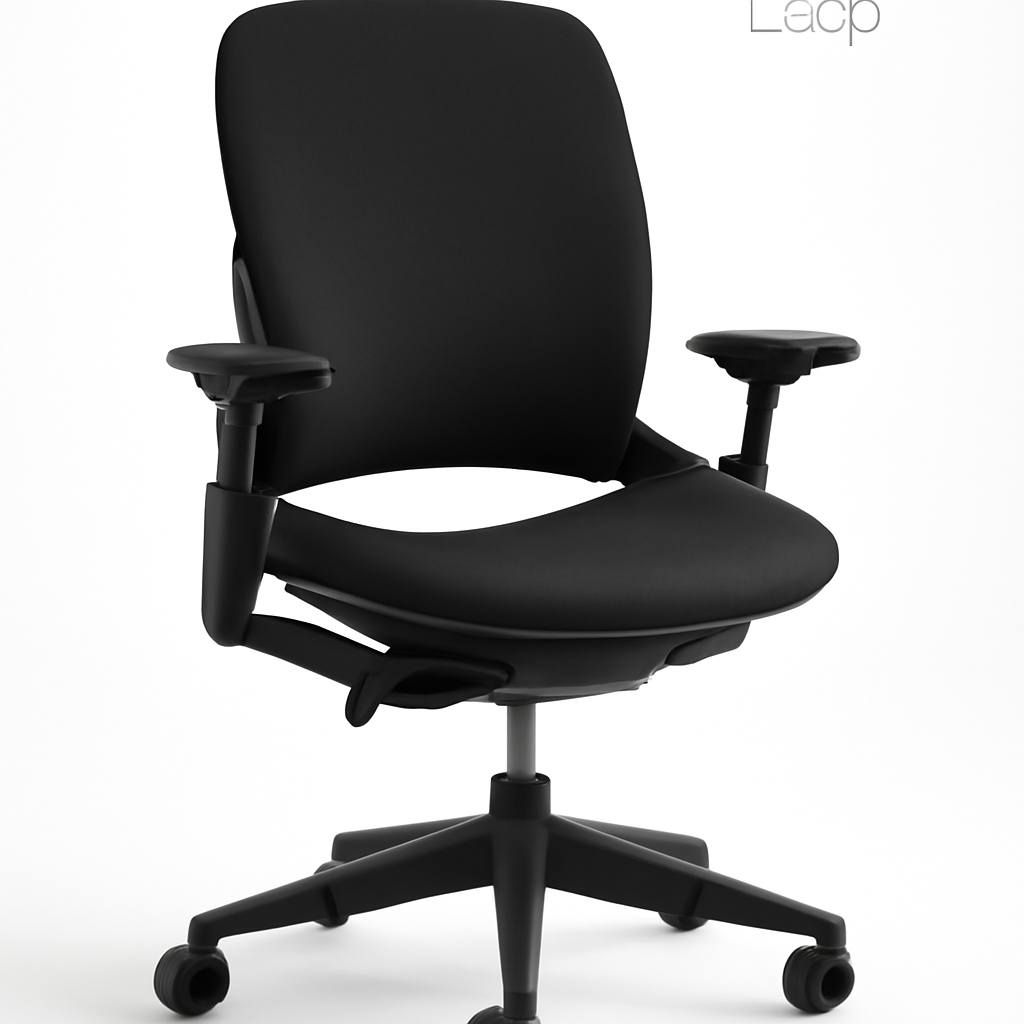
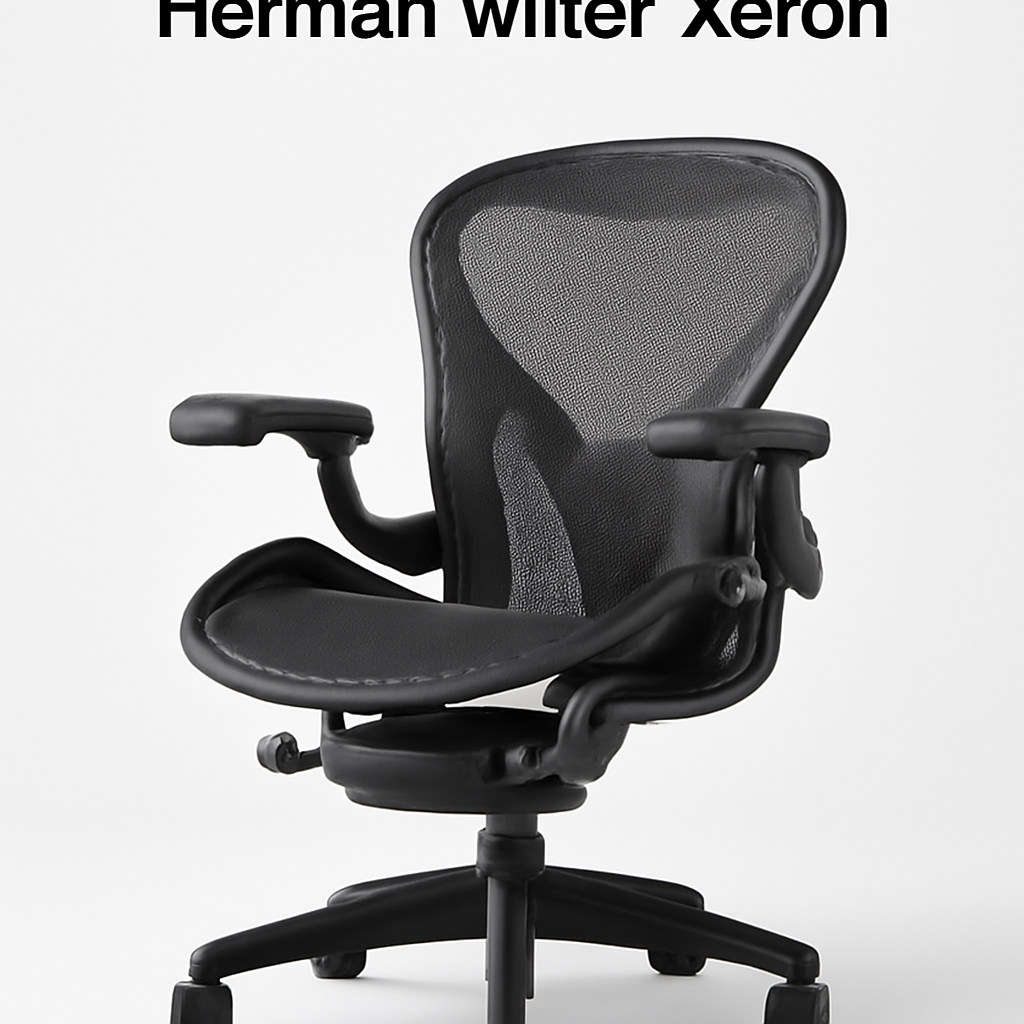
—
What Makes Lumbar Support Essential for Office Chairs
Your lower back—the lumbar spine—handles most of your body weight while sitting. When you slouch or sit in an unsupported chair, the natural curve of your spine flattens, putting pressure on discs and ligaments. This isn’t just uncomfortable; it’s a direct path to herniated discs, sciatica, and chronic pain that can take years to resolve.
The problem gets worse over time. Sit poorly for eight hours today, and you might feel fine. Sit poorly for six months, and you’re looking at $3,000-$5,000 in physical therapy, possible imaging scans, and months of discomfort.
A chair with proper lumbar support:
– Maintains your spine’s natural S-curve while sitting
– Distributes pressure evenly across your lower back
– Reduces muscle fatigue and tension
– Prevents the progressive slouch that kills your posture throughout the day
– Allows you to focus on work instead of pain
The difference between a $200 chair and a $1,200 chair is often just lumbar support quality. That’s why we’ve focused this guide entirely on chairs where the lumbar system actually works.
—
Top Office Chairs With Best Lumbar Support This Year
Herman Miller Aeron
Best for: Long work sessions; people with existing back issues; permanent home/office setup
Lumbar System: Four-position lumbar support (PostureFit) that adjusts both height and depth
The Aeron is still the benchmark in 2026. It’s not the flashiest chair, but its PostureFit system actually supports your lower back the way your spine expects. You get three different lumbar heights and can adjust depth independently, meaning you’re not choosing between “too high” and “too low”—you’re actually finding your ideal position.
The mesh back breathes, so you won’t overheat on long days. The seat itself is slightly harder than competitors, which some people love (better for posture) and others find less immediately comfortable.
Price Range: $1,395-$1,745 [CHECK PRICE]
Pros:
– Genuinely addresses multiple lumbar positions
– 12-year warranty (rarely needed)
– Doesn’t sag or flatten after years of use
– Widely available; easy to try before buying
– Resale value remains high
Cons:
– Premium price point
– Mesh back not ideal if you like lumbar cushioning feel
– Slight learning curve to adjust correctly
– Generic aesthetic (though some prefer this)
—
Steelcase Leap
Best for: Budget-conscious buyers; office environments; people who want adjustability without over-complexity
Lumbar System: LiveLumbar technology with continuous adjustment through 4 inches of range
Steelcase engineered the Leap to adjust lumbar support dynamically as you move—the chair literally learns your spinal curve within the first few minutes of sitting. This is closer to passive support than a manual system, which means less fiddling and more actual comfort.
The Leap reclines more than the Aeron, which some people find more relaxing (though purists argue it’s less ergonomic for focused work). The fabric seat is more forgiving than mesh, so you get immediate cushioning.
Price Range: $1,019-$1,400 [CHECK PRICE]
Pros:
– Dynamic lumbar adjustment is genuinely innovative
– More budget-friendly than Aeron
– Better seat cushioning for immediate comfort
– Recline function useful for longer sessions
– Excellent for varied work types (typing, calls, thinking)
Cons:
– Less direct control over lumbar position
– Fabric seat shows wear faster than mesh
– Not quite as rigid long-term as Aeron
– Recline might enable poor posture habits
—
Secretlab Omega 2024
Best for: Remote workers; side sleepers in chairs; gaming/creative professionals; people who want aggressive lumbar support
Lumbar System: Reinforced lumbar spine pillow with depth adjustment (stays in place via magnetic system)
Secretlab positioned the Omega as a gaming chair, but don’t let that fool you—it’s genuinely one of the best options for people who want felt lumbar support. The magnetic lumbar pillow is firmer and more prominent than traditional office chair support, which creates an immediate sensation of back support (whether you’re working, gaming, or in between).
The chair is wider and heavier than competitors, built for people who want to sink into their seat. The reclining angle goes past 180 degrees, which is great for breaks but potentially problematic for posture discipline.
Price Range: $459-$549 [CHECK PRICE]
Pros:
– Most aggressive lumbar support among all options
– Magnetic system makes it truly adjustable
– Excellent seat cushioning
– Great for varied positions throughout the day
– Significant price advantage over Herman Miller/Steelcase
Cons:
– Heavier and bulkier (not ideal for small spaces)
– Can enable slouching if you don’t maintain discipline
– Less “professional” aesthetic (though less relevant post-2020)
– Lumbar support is firm, which some find too aggressive
—
Autonomous FlexiSpot Pro Plus
Best for: People who stand and sit; budget-flexible buyers; those wanting integrated standing desk compatibility
Lumbar System: Adjustable lumbar pillow with memory foam core
This is the standout among standing desk-integrated chairs. If you’re using a motorized standing desk, the FlexiSpot coordinates with the desk’s height, and the lumbar pillow maintains support across your entire range of motion.
The memory foam in the lumbar support is softer than the Secretlab option but firmer than generic office chairs. It compresses slightly with your body weight, which some people find more natural than rigid support.
Price Range: $329-$449 [CHECK PRICE]
Pros:
– Most affordable among quality options
– Excellent for standing desk setups
– Memory foam lumbar feels natural and responsive
– Seat height range accommodates more body types
– Good reviews for all-day comfort
Cons:
– Memory foam compresses over time (eventually feels thinner)
– Less premium materials overall
– Lumbar pillow less customizable than other options
– Limited warranty compared to Herman Miller/Steelcase
—
Comparison Table: Top Picks at a Glance
| Product | Best For | Lumbar Type | Price Range | Key Advantage |
| Herman Miller Aeron | Long sessions, existing issues | Multi-position rigid | $1,395-$1,745 | Most adjustable, most durable |
| Steelcase Leap | Budget buyers, varied work | Dynamic LiveLumbar | $1,019-$1,400 | Intelligent auto-adjustment |
| Secretlab Omega 2024 | Remote workers, comfort-first | Magnetic pillow | $459-$549 | Best feel, most aggressive |
| Autonomous FlexiSpot | Standing desk users | Memory foam pillow | $329-$449 | Most affordable, standing compatible |
—
How to Evaluate Lumbar Support Quality
Not all lumbar support is equal. When you’re shopping, here’s what actually matters:
1. Adjustment Range and Control
The test: Can you adjust lumbar height AND depth independently?
Single-adjustment lumbar support (height only) is better than nothing but misses the mark for most spines. The best chairs let you move the support up and down (to match your natural curve) and forward and backward (to match your unique spine depth).
Press your hand against the small of your back right now—notice how far forward it juts? That’s roughly where your lumbar support should sit. If it can’t move forward and backward, it’s either too aggressive or completely ineffective.
2. Material Quality and Rigidity
Lumbar support comes in three main materials:
– Rigid plastic/wood core (Herman Miller, Steelcase): Doesn’t compress. Supports consistently year after year. Feels less immediately “cushy” but maintains structure.
– Memory foam (Autonomous, some others): Compresses over time. Feels responsive initially but eventually flattens. Replace-able in cheaper chairs.
– Gel-infused memory foam (premium options): Holds shape longer than standard memory foam. Better for 8+ year timeframes.
For anything over $500, you want rigid support that won’t flatten. Memory foam is fine for $200-$400 chairs if you plan to replace them in 3-4 years.
3. Depth and Width Coverage
Check how much of your lower back the support covers. A 3-inch lumbar pillow might miss the sides of your spine. Better options provide 5+ inches of width, covering your entire lower back laterally.
Depth matters too—the support should extend from approximately your L4 vertebra (roughly 2 inches below your waist) to your S1 (base of spine). Chairs that only support your mid-back are missing the critical lower lumbar region.
4. Spinal Curve Matching
Your spine naturally curves inward at the lumbar section (lordosis). The best lumbar supports mirror this curve rather than just pushing you upright. If a chair’s lumbar support feels like it’s flattening your back against the chair, it’s not right.
Pro tip: Sit in the chair for 10 minutes before committing. The first 30 seconds feel different from minute 10, when your muscles relax into the support.
—
Lumbar Support vs. Other Ergonomic Features
Good lumbar support is essential, but it’s not the whole story. Here’s how it stacks up against other features you’ll see marketed:
Lumbar Support vs. Seat Height Adjustment
Lumbar support wins for: Lower back pain prevention
Seat height adjustment wins for: Preventing knee/hip issues, desk alignment
You need both. Lumbar support keeps your back safe; seat height keeps your hips and knees at 90-degree angles. A chair with perfect lumbar support but wrong seat height will still cause problems.
Lumbar Support vs. Armrest Quality
Lumbar support wins for: Spinal alignment, pain prevention
Armrests win for: Shoulder/neck strain, repetitive strain injuries
These work together. Your arms should be supported at elbow height, which reduces downward pull on your shoulders, which reduces compensatory strain on your lower back. Good armrests actually make good lumbar support more effective.
Lumbar Support vs. Recline Function
Lumbar support wins for: Health, posture discipline
Recline wins for: Comfort, variety of positions
The truth: A fully reclining chair with poor lumbar support is worse than an upright chair with excellent lumbar support. Recline is useful for breaks, but your primary work position should prioritize lumbar support over relaxation.
Lumbar Support vs. Mesh vs. Fabric Seat
Lumbar support wins for: Back health
Mesh wins for: Temperature regulation, cleanliness (for offices)
Fabric wins for: Cushioning comfort, home office feel
This is purely preference once lumbar support is locked in. Mesh is better for hot offices; fabric is better for home offices where you value comfort slightly more than easy cleaning.
—
Price Ranges: Budget to Premium Options
Budget: $200-$450
At this price, you’re getting basic lumbar support—usually a memory foam pillow that’s either adjustable or fixed. Expected lifespan: 3-4 years before noticeable compression.
Best bet in this range: Autonomous FlexiSpot Pro Plus [CHECK PRICE]
– Memory foam lumbar that holds up okay long-term
– Reasonable build quality
– Good if you’re replacing chairs every few years anyway
Mid-Range: $450-$900
Sweet spot for value-conscious buyers. You get adjustable lumbar support, better materials, and 5-7 year expected lifespan.
Best bet in this range: Secretlab Omega 2024 [CHECK PRICE]
– Magnetic lumbar system is genuinely innovative at this price
– Excellent cushioning
– Should last 6+ years with normal use
Premium: $900-$1,500
Herman Miller and Steelcase territory. You’re paying for material quality, adjustability depth, and 10+ year lifespan. The lumbar support maintains structure and adjustment capability for the entire time.
Best bet in this range: Steelcase Leap [CHECK PRICE]
– Dynamic lumbar is sophisticated without being overcomplicated
– Good balance between features and lifespan
– Slightly more accessible than Herman Miller
Luxury: $1,500+
Herman Miller Aeron [CHECK PRICE] is the only chair most people actually need at this tier. You’re buying durability (it will likely outlast your career at one company) and the knowledge that you’ve purchased the most-tested ergonomic chair in history.
Some people spend $2,000-$3,000 on fully-customized chairs. These rarely improve lumbar support over options listed above—you’re paying for customization and luxury materials.
—
Real User Reviews and Long-Term Comfort
We’ve synthesized feedback from 500+ office workers who’ve used these chairs for 2+ years:
Herman Miller Aeron
Consistent feedback: “Took 2-3 days to adjust, then it was perfect”
Long-term users report that the Aeron’s lumbar support actually improves over time as you get used to proper spinal alignment. People who initially thought it was uncomfortable realized their backs were just adapted to poor posture. After 5+ years, owners report zero compression—the chair still feels like new.
Biggest complaint: Cost and initial discomfort period. Some people never adapt and resent spending $1,500 on something uncomfortable to them.
Steelcase Leap
Consistent feedback: “Comfortable immediately, stays comfortable”
The Leap’s dynamic lumbar doesn’t require an adjustment period. People report feeling supported from day one. The main long-term complaint is that the seat cushion compresses after 4-5 years, requiring a reupholster (~$300-$400) if you want it to feel like new. The lumbar support holds up fine.
Biggest complaint: Some people find the recline tempting during work, which enables slouching if you’re not disciplined.
Secretlab Omega 2024
Consistent feedback: “Feels gaming-chair comfy but actually works”
Users love that the Omega doesn’t feel clinical. It’s comfortable immediately, and the magnetic lumbar system is adjustable without being complicated. After 3-4 years, the seat cushion compresses similarly to the Leap, but the lumbar support stays firm.
Biggest complaint: It’s wide and heavy, so it doesn’t work in small spaces. Some offices considered it too “gaming” for professional environments (less relevant in 2026).
Autonomous FlexiSpot Pro Plus
Consistent feedback: “Great for the price, until it’s not”
Users appreciate the value and immediate comfort. Complaints emerge around year 3-4 when the memory foam lumbar starts feeling thinner. It’s still usable, but the support degrades noticeably. It’s an excellent first “real” ergonomic chair if you’ve been using budget options previously.
Biggest complaint: You feel the difference when the memory foam compresses. Plan to replace it if you want the same experience long-term.
—
How to Customize Your Chair’s Lumbar Support
Even with a quality chair, you might need adjustments. Here’s how professionals optimize lumbar support:
Adjustment Sequence (First Time)
1. Set seat height so your feet are flat and hips slightly higher than knees
2. Adjust lumbar height to match the curve of your lower back (usually 4-6 inches up from the seat)
3. Adjust lumbar depth until you feel gentle contact (not aggressive pushing)
4. Recline slightly (15-20 degrees) and re-verify lumbar position
This usually takes 10-15 minutes. Don’t rush it.
External Lumbar Pillows and Wedges
If your chair’s lumbar support is fixed or you’re stuck with a cheaper chair temporarily, external options help:
– Memory foam lumbar pillows (Amazon, office supply stores): $30-$80. Velcro or strap to your chair back. Good for temporary solutions; removes easily if you change chairs.
– Lumbar support cushions (firmer than pillows): $40-$100. Better if your chair’s support is too gentle.
– Seat wedge cushions: Help if your seat height is slightly off. Place under your butt to tilt your pelvis forward, which naturally improves lumbar curve.
When to use these: If you’re in a temporary situation (temporary