# Best Office Chairs Under $1000 | 2026 Guide
Quick Answer
If you spend 8+ hours a day sitting, a quality office chair under $1000 is one of the best investments you can make for your back health and productivity. Look for adjustable lumbar support, breathable mesh, and smooth tilt mechanisms. The Herman Miller Aeron CHECK PRICE] tops the list for overall quality, while the [Steelcase Leap CHECK PRICE] offers exceptional lower back support, and the [Secretlab Omega 2024 [CHECK PRICE] delivers luxury comfort without the luxury price tag.
—
What to Look for in a Premium Office Chair
Buying an office chair under $1000 puts you in a sweet spot—you’re getting serious ergonomic features without paying $2,000+ for celebrity-endorsed designer pieces. But not all chairs in this range are created equal.
The $1000 threshold is important because:
– You get brand-name products with proven durability (5-10+ year warranties)
– Access to advanced ergonomic tech like adjustable lumbar support and synchro-tilt mechanisms
– Better materials: genuine mesh, high-quality foam, and reinforced bases
– More adjustment options to customize the chair to your body
However, spending close to $1000 doesn’t automatically mean the best chair for you. A $800 chair with features you actually use beats a $999 chair with features you ignore.
—
Top Ergonomic Features That Justify the Price
When you’re shopping in this range, here’s what actually matters:
Lumbar Support (The Game-Changer)
Your lower back is the biggest complaint from office workers. Premium chairs under $1000 offer adjustable lumbar support—meaning you can move the backrest’s curve up/down and forward/backward to match your spine’s natural S-curve.
Cheap chairs have fixed lumbar support (or none). Mid-range chairs let you adjust height. Top-tier chairs under $1000 let you adjust both height AND depth, so the support moves with you.
Mesh vs. Leather vs. Fabric
– Mesh: Breathable, great for warm offices, doesn’t trap heat, easier to clean. Best for long-term comfort.
– Leather/faux leather: Professional look, easier to wipe down, but traps heat and can feel sticky in summer.
– Fabric blend: Somewhere in between; depends on the specific material.
At the under-$1000 price point, you’ll mostly see high-quality mesh (like Herman Miller’s 8Z mesh) or breathable fabric blends.
Seat Depth and Width Adjustment
Your thighs should be fully supported but not pressed against the seat edge. Premium chairs let you adjust seat depth (usually 2-4 inches of movement), which matters if you’re shorter, taller, or have a different body type than average.
Tilt Mechanism
Synchro-tilt is the gold standard: the seat and backrest move in a 1:2 ratio, so when you lean back, the pivot point stays under your center of gravity. This prevents that “catapult” feeling of cheaper chairs.
Multi-position tilt locks the chair at specific angles—good if you switch between tasks.
Free-floating tilt feels natural but takes getting used to.
Armrests
Adjustable 3D armrests (height, width, and angle) are worth the extra cost. Fixed armrests can actually cause shoulder pain if they don’t match your desk height.
Base and Casters
A 5-star base (vs. 4-star) is more stable. Casters should roll smoothly on your flooring—hardwood casters for carpet, soft casters for hard floors.
—
Best Overall Office Chair Under $1000
Herman Miller Aeron [CHECK PRICE]
The Aeron is the office chair equivalent of the Toyota Camry—not flashy, but it just works.
Why it deserves the top spot:
– PostureFit technology: Reinforced lumbar support specifically designed to support your pelvis and lower back
– 8Z Pellicle mesh: Breathes better than most fabrics; actually lasts 12+ years without sagging
– Twelve adjustment points: Including seat height, tilt tension, and tilt limiter
– Proven track record: First launched in 1994; Herman Miller has refined it over 30+ years
– 12-year warranty: One of the longest in the industry
Real-world performance:
Users consistently report the Aeron feeling better after 1-2 weeks of adjustment. There’s a “break-in” period because it’s engineered for proper posture, not immediate comfort. Once your body adjusts, many users report fewer back problems.
Pros:
– Mesh breathability is exceptional for long days
– Warranty and build quality mean it lasts 10+ years
– Adjustability allows fine-tuning to your body
– Light enough to move, strong enough to support up to 300 lbs
Cons:
– Minimal padding; feels firm initially
– No headrest standard (optional add-on)
– Price hovers right at the $1000 mark depending on size/options
– Some users find the seat pan too narrow (B vs. C size options help)
Best for: Corporate professionals, people with lower back issues, anyone planning to use the chair 5+ years.
—
Best Budget-Friendly Option Under $1000
Autonomous ErgoChair Pro [CHECK PRICE]
If you want 85% of the Aeron’s functionality at 70% of the price, the ErgoChair Pro is your answer.
What you get for less:
– Adjustable lumbar support (height and depth)
– High-quality mesh that breathes well
– Synchronized tilt mechanism
– 4D adjustable armrests
– Up to 275 lbs weight capacity
– 5-year warranty
Why it’s genuinely good:
Autonomous manufactures desks and chairs (no middlemen), which cuts costs. The engineering isn’t quite Herman Miller’s level, but for typical office use, most users wouldn’t notice the difference.
Real-world use:
Amazon reviews show people routinely keep these chairs 5-7 years. The mesh holds up, lumbar support actually works, and it’s noticeably more affordable.
Pros:
– $300-400 less than Aeron
– Lumbar support rivals premium brands
– Light and easy to move
– Ships quickly (often 1-2 weeks)
Cons:
– Warranty is half as long as Aeron
– Base feels slightly less premium
– Some users report wobbling if heavily adjusted
– Less “fine-tuning” options overall
Best for: Budget-conscious buyers, home offices, people who want ergonomics without premium pricing.
—
Best for Lower Back Support
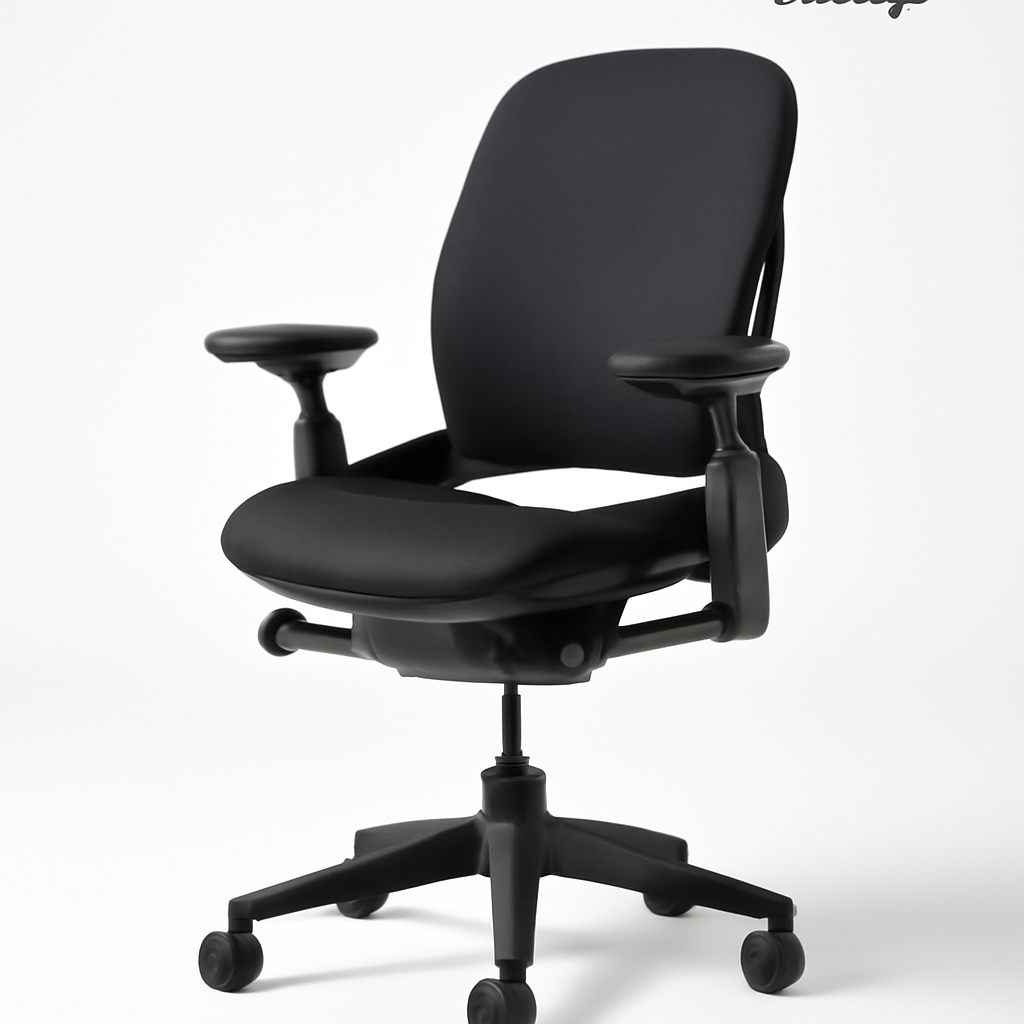
Steelcase Leap [CHECK PRICE]
If your lower back is your weak point (maybe previous injury, or just chronic pain), the Steelcase Leap is engineered specifically for you.
The lower back tech:
– LiveLumbar technology: The backrest responds to your movements. As you recline, the lumbar curve automatically adjusts to maintain support (unlike static lumbar support that stays put)
– Weight-activated adjustment: The chair senses your weight and reclines with you, not against you
– Natural spine curve design: Shaped to follow the actual curvature of your vertebrae, not a generic “S”
Why it’s different:
Most office chairs have a fixed lumbar curve or manual adjustment. The Leap’s backrest is almost alive—it adapts as you move. Users with herniated discs or chronic lower back pain often report the most noticeable improvement.
Real-world feedback:
Physical therapists frequently recommend Steelcase Leap to patients. It’s expensive for a reason: the engineering is genuine.
Pros:
– Lumbar support actively adapts to your movements
– Excellent armrest adjustability
– Sits higher than many chairs (good for taller people)
– Premium build quality
Cons:
– Price is toward the top of the $1000 range
– Steeper learning curve for adjustments
– Heavier than Aeron (harder to move)
– Some users find it overly supportive (not relaxing)
Best for: Anyone with existing back pain, chronic lower back issues, post-surgery recovery, tall individuals (6’0″+).
—
Best for All-Day Comfort
Secretlab Omega 2024 [CHECK PRICE]
Comfort is subjective, but Secretlab Omega users consistently report feeling comfortable for 10+ hour work days. It’s the “luxury feel” option without the luxury price.
What makes it comfortable:
– Thick memory foam cushioning: Seat and backrest are generously padded (doesn’t feel firm like Aeron)
– Reclining range: Leans back to almost 180°, good for people who take breaks by reclined sitting
– Lumbar support pillow: Adjustable pillow on the backrest, not just a curve
– Overall design philosophy: Engineered for gaming/long sessions, which means extended comfort is baked in
The Singapore factor:
Secretlab is headquartered in Singapore and has a massive following in Asia. They’ve refined their design through millions of hours of user feedback.
Pros:
– Exceptionally comfortable for long work days
– Plenty of padding (doesn’t require break-in period)
– Looks modern and clean (good for client-facing offices)
– Generous weight capacity (up to 299 lbs)
– Excellent support for people who recline frequently
Cons:
– Thick padding means it can feel warm (not ideal for hot offices)
– Slightly less “business formal” appearance than Aeron/Leap
– Reclining mechanism isn’t synchro-tilt (slightly different feel)
– Warranty shorter than Herman Miller
Best for: People who sit all day without leaving, creative professionals, anyone who finds firm chairs uncomfortable, offices where aesthetic matters less than feel.
—
How to Test an Office Chair Before Buying
Don’t just order online and hope. Here’s how to test if a chair will work for you:
The 30-Minute Sit Test
Proper testing takes at least 30 minutes. Chairs feel different minute 5 vs. minute 30.
1. First 5 minutes: Sit upright. Notice your posture. Does the chair push you to sit straight, or do you slouch?
2. Minutes 5-15: Adjust every feature. Lumbar support up/down, armrests, tilt tension. Don’t accept defaults.
3. Minutes 15-25: Recline slightly and work. Type, pretend to work. Feel the support.
4. Minutes 25-30: Sit back upright. Imagine doing this 8 hours a day. Any pinching? Pressure points? Numbness?
Key Questions to Ask
– Do the armrests align with your desk height? (Rule of thumb: elbows should bend at 90° when your arms rest)
– Can you adjust lumbar support to where your lower back naturally wants support?
– Does your thigh have pressure against the seat edge? (Bad sign)
– After 30 minutes, do you have any pressure points or numb areas?
– How does the tilt mechanism feel? Smooth? Jerky?
Red Flags
– Chair forces you into a specific posture (should adapt to you, not vice versa)
– Armrests don’t adjust or are fixed in an uncomfortable position
– Lumbar support is one-size-fits-all with no adjustment
– After 30 minutes, your lower back aches (different from “firm support”)
– Seat feels too small or too large for your body
Where to Test
– Office furniture showrooms: Herman Miller, Steelcase, and Autonomous have showrooms in major cities
– Amazon warehouse returns: Some major cities have Amazon returns centers where you can see chairs in person
– Best Buy: Some locations have premium office chairs on display
– Facebook Marketplace/Craigslist: Used chairs from the same brand let you test before buying new
—
Office Chair Comparison Chart
| Product | Best For | Price Range | Lumbar Support | Key Feature | Warranty |
| Herman Miller Aeron | Overall quality, posture-focused | $900-$1000 | PostureFit (manual) | 8Z Pellicle mesh | 12 years |
| Autonomous ErgoChair Pro | Budget-conscious, home offices | $500-$700 | Adjustable (height/depth) | Direct-to-consumer pricing | 5 years |
| Steelcase Leap | Lower back pain, adaptation needed | $900-$1000 | LiveLumbar (active) | Weight-responsive support | 12 years |
| Secretlab Omega 2024 | All-day comfort, longer recline | $750-$950 | Adjustable pillow | Thick memory foam padding | 5 years |
—
Final Recommendations by Use Case
“My back pain is serious”
→ Steelcase Leap [CHECK PRICE]
The LiveLumbar technology isn’t marketing—it’s actual engineering that adapts to your movements. If you have a history of disc problems or chronic lower back pain, the Leap’s active support is worth every penny.
“I sit all day without moving; comfort is key”
→ Secretlab Omega 2024 [CHECK PRICE]
Thick padding, generous recline, and overall design prioritizes comfort over posture correction. If your concern is “does my butt hurt after 8 hours,” this solves it.
“I want the gold standard that lasts forever”
→ Herman Miller Aeron [CHECK PRICE]
Proven over 30 years, 12-year warranty, and users consistently report 10+ year durability. The break-in period is real, but once adjusted, it’s hard to beat.
“I want good ergonomics but can’t justify $1000”
→ Autonomous ErgoChair Pro [CHECK PRICE]
Gets you 80% of the way there at 70% of the price. Actual lumbar support, decent mesh, and synchro-tilt mechanism. Not premium, but genuinely functional.
“I need something that looks professional for client meetings”
→ Herman Miller Aeron or Steelcase Leap
Both are business-formal and won’t look out of place in executive offices. Secretlab Omega is more modern/casual. Autonomous ErgoChair Pro looks good but slightly less “premium” aesthetic.
“I have a small space; weight matters”
→ Herman Miller Aeron [CHECK PRICE]
Lightest of the bunch at around 26 lbs. Easy to move if you rearrange or work from different spaces.
—
Our Verdict
In 2026, the best office chair under $1000 depends entirely on your priorities:
If you value durability and proven results, the Herman Miller Aeron wins. It’s the boring answer because it’s the right answer—it works, lasts forever, and has 30+ years of user data behind it.
If you have back problems, the Steelcase Leap is the only choice. Its adaptive lumbar support is genuinely different from other chairs, and physical therapists recommend it for a reason.
If you prioritize comfort over everything else, the Secretlab Omega 2024 delivers that immediately without a break-in period. You sit down and feel supported.
If you’re budget-conscious but still want real ergonomics, the Autonomous ErgoChair Pro is the best value. It won’t last 30 years like an Aeron, but for 5-7 years of solid use at $300-400 less, it’s a smart buy.
Don’t buy based on price alone. Spend the extra money to test chairs for 30+ minutes before purchasing. A $900 chair you love beats a $700 chair you tolerate 40 hours a week. Your spine will thank you.
The sweet spot of $800-$1000 gets you genuine ergonomic engineering. Going cheaper sacrifices support; going more expensive gets you marginal improvements unless you have specific health needs.
Whatever you choose, prioritize adjustability and a good warranty. The best office chair is the one you’ll keep adjusting until it’s perfect for your body, not the one marketed as “one-size-fits-all.”