Quick Answer
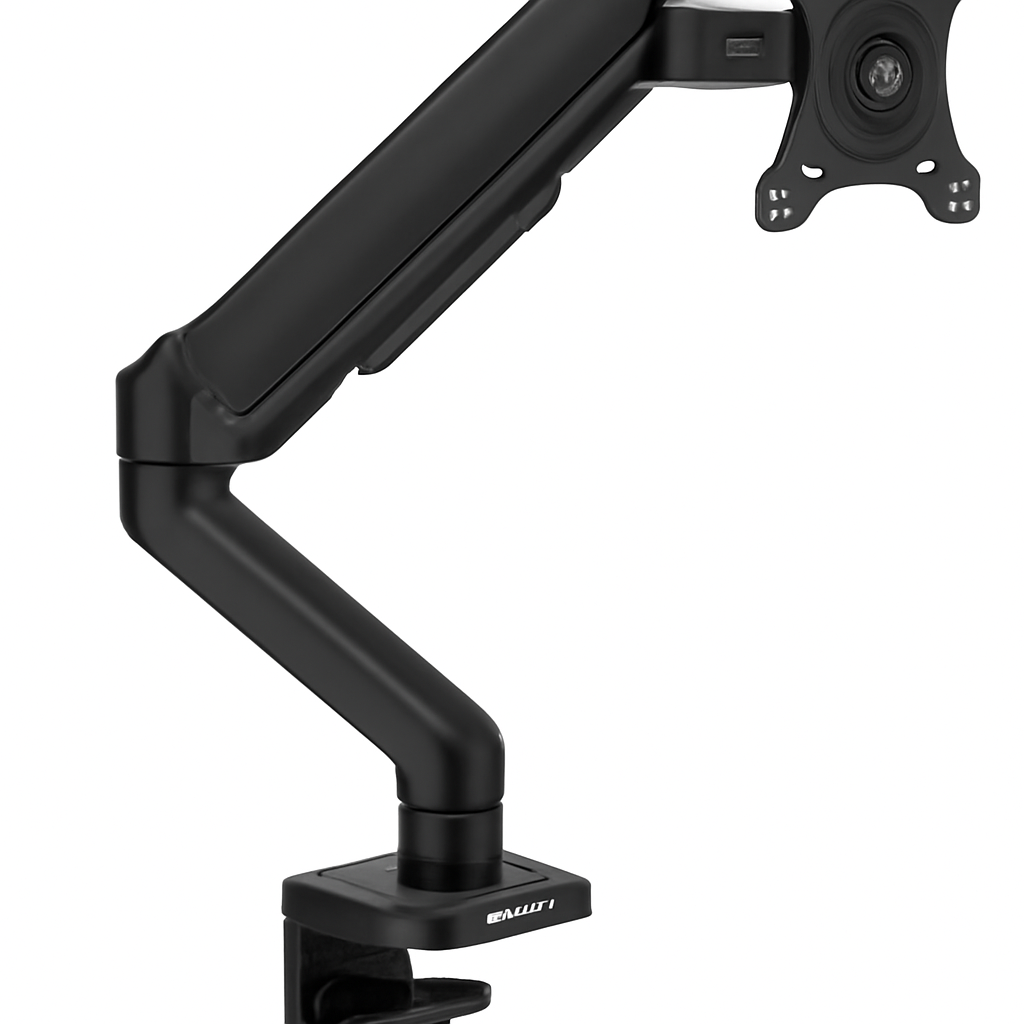
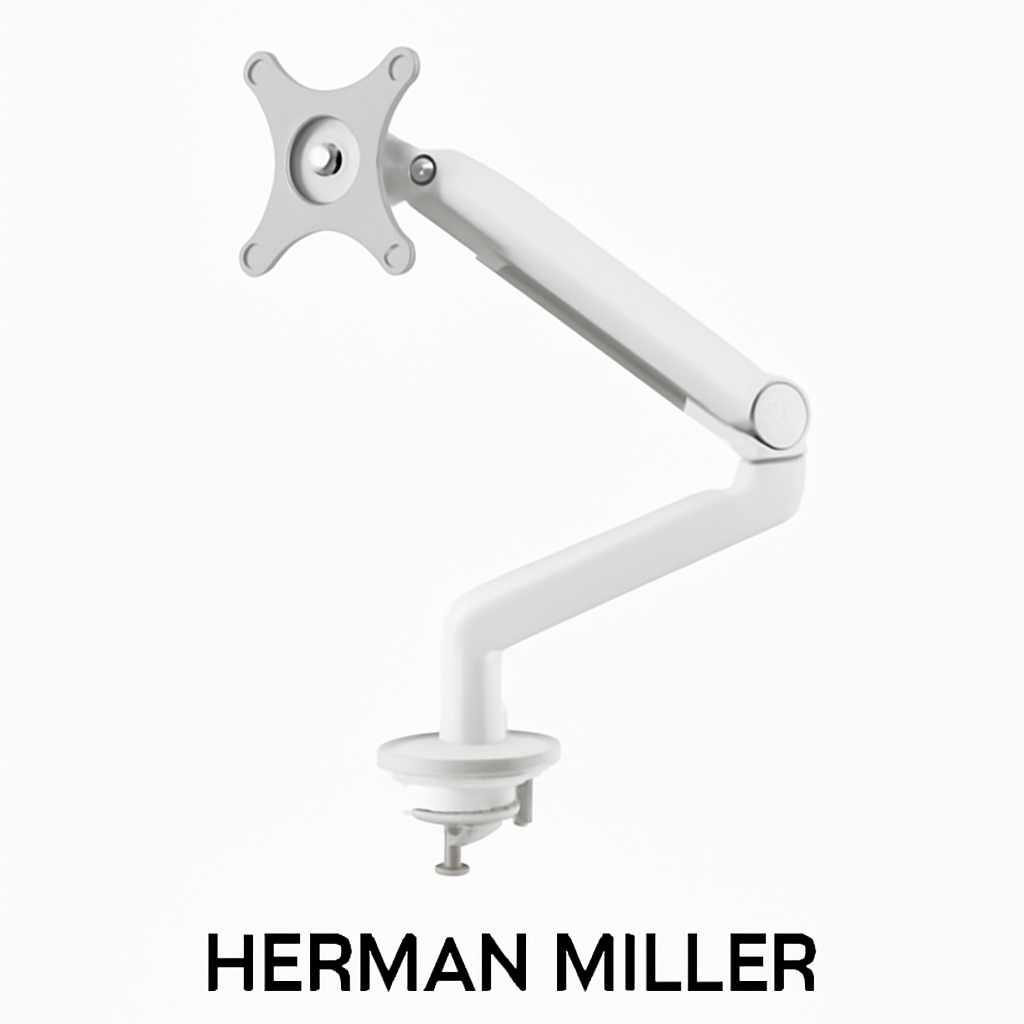
Monitor arms save desk space, reduce neck strain, and improve your workspace ergonomics—and Reddit users consistently recommend adjustable desk mount solutions. The best options for 2026 balance ease of adjustment, build quality, and price. Top picks include the Herman Miller Flo Monitor Arm for premium builds, Ergotron LX Monitor Arm for flexibility, AmazonBasics Monitor Arm for budget-conscious buyers, and Huanuo Monitor Arm for dual-screen setups.
—
What Reddit Users Say About Monitor Arms
If you’ve scrolled through r/battlestations, r/ergonomics, or r/workfromhome lately, you’ve probably noticed monitor arms everywhere. And for good reason—Redditors consistently praise them for transforming cramped desk setups into organized, ergonomic workspaces.
Common Reddit Praise Points
Ergonomics and Health Benefits
Real Reddit users report that proper monitor positioning eliminates the “turtle neck” posture many of us develop from staring at screens. Better monitor height and angle means less strain on your neck, shoulders, and back. Multiple threads in r/ergonomics highlight how a $100-200 monitor arm investment prevented or reduced chronic pain.
Desk Space Recovery
The most popular complaint about desk setups? Lack of space. Monitor arms free up valuable real estate by mounting screens on a clamp or pole instead of using bulky stands. This opens up room for keyboards, mouse pads, document holders, and actual workspace—something desk-limited remote workers desperately need.
Adjustability Matters
Reddit’s collective consensus: cheap, stiff monitor arms are worse than no arm at all. Users emphasize that you need smooth tilting, panning, and height adjustment. If your arm locks up or feels wobbly, it’ll end up gathering dust while your monitor sits back on its original stand.
Red Flags Redditors Mention
– Poor gas spring quality – Cheap arms lose tension over time and droop
– Limited weight capacity – Don’t underestimate how heavy your monitor is
– Difficult installation – Posts about struggling with clamp installation are common
– Cable management ignored – Many arms lack proper cable routing
—
Best Monitor Arms for Dual Setups
If you’re running two monitors (a setup increasingly common among developers, designers, and traders on Reddit), you’ll want an arm that handles dual mounting without looking like a tangled mess.
Dual-Arm Configurations
Most dual-monitor setups use one of two approaches:
1. Dual adjustable arm – Two separate articulating arms mounted to a single base
2. Single pole with two mounting brackets – More stable for heavier displays
For dual 27″ monitors, Reddit recommends looking for:
– Weight capacity of at least 13.6kg (30 lbs) per arm
– Independent height and tilt adjustment for each screen
– Integrated cable management channels
– Sturdy pole or base to prevent wobbling
Recommended Dual-Setup Picks
Huanuo Monitor Arm is frequently mentioned in r/battlestations for dual setups. Users appreciate the independent adjustment and straightforward installation. The mounting bracket accepts most 17″-32″ displays, and the gas spring provides consistent support. Reddit reviewers note it’s not premium, but it handles two monitors without breaking the bank.
Ergotron LX Monitor Arm is the pro’s choice for dual setups. It’s more expensive than budget options, but Reddit users in professional work (software engineering, design) consistently choose it for the rock-solid stability and buttery-smooth adjustments. The link arm design means you can position each monitor precisely without fighting tension.
—
Budget-Friendly Monitor Arm Options
Not everyone has $300+ for a monitor arm—and honestly, you don’t need to. Several options in the $50-120 range get solid Reddit recommendations.
What to Expect at Budget Price Points
$50-80 Range
– Basic single-arm models
– Smaller weight capacity (usually 2-8kg)
– Simpler adjustment mechanisms
– May need periodic re-tightening
– Best for: Lighter monitors (24″ or smaller), light daily adjustments
$80-120 Range
– Better build quality and stability
– More adjustment range
– Improved cable management
– Smoother gas spring mechanisms
– Best for: Mixed use, 24-27″ monitors, frequent repositioning
Top Budget Picks
AmazonBasics Monitor Arm is the entry-level recommendation that keeps showing up in “budget monitor arm” threads. At its price point, it’s hard to beat. Reddit users note:
– Clean, minimalist design fits any desk aesthetic
– Supports up to 15.2kg (easily handles 27″ monitors)
– C-clamp mounting is straightforward
– Gas spring maintains position well
– One complaint: slightly loose feel initially, but tightens with proper installation
Mounting Dream Monitor Arm is another frequent Reddit mention for budget builds. Slightly more premium feel than pure budget options, with better cable clips and smoother adjustment. Good middle ground if you want to spend $100 rather than $50.
Budget Arm Pros/Cons
| Aspect | Pros | Cons |
| Setup | Quick C-clamp or grommet installation | Requires desk drilling in some cases |
| Adjustment | Adequate height/tilt range | May not reach extreme angles |
| Stability | Sufficient for typical use | Can feel slightly loose with heavy monitors |
| Longevity | Usually 2-3 years solid | Spring tension may decrease over time |
| Cable Management | Basic clips included | Not as refined as premium options |
—
Premium Monitor Arms Worth the Investment
If you’re willing to invest $200-400+, you’re stepping into ergonomic equipment territory. These aren’t just monitor arms—they’re workspace solutions designed to last years and adjust with zero resistance.
What Separates Premium From Budget
Premium monitor arms feature:
– Precision engineering – Microscopic adjustments feel intentional, not floppy
– Higher weight limits – Safe for large curved monitors or dual setups
– Premium materials – Aluminum construction, quality bearings, durable springs
– Extended warranties – Often 5-10 years
– Professional customer support – Actual troubleshooting help, not just FAQ pages
Top Premium Picks
Herman Miller Flo Monitor Arm sits at the premium end and has cult status among Reddit’s professionals. If you’ve spent any time in r/workspace or r/officeporn, you’ve seen it. Why?
– Beautiful industrial design that doesn’t scream “ergonomic product”
– One-touch lock system makes adjustment effortless
– Supports up to 16kg (handles most 32″ monitors)
– Seamlessly integrated cable management
– Backed by Herman Miller’s reputation and warranty
– Price reflects the quality, but users report 8+ years of flawless use
Ergotron LX Monitor Arm (mentioned earlier) is worth the investment price point too. It’s the tool used in professional studios and control rooms:
– Adjusts smoothly in any direction without drift
– Handles 11.3kg monitors effortlessly
– Rotating monitor bracket allows portrait or landscape orientation
– Quick-release mechanism for monitor swaps
– Integrated cable clips keep wires hidden
– Premium springs hold position without sagging
Premium Arm Pros/Cons
| Aspect | Pros | Cons |
| Adjustment | Completely smooth, zero resistance | High entry cost |
| Stability | Rock-solid, zero wobble | Overkill for light casual users |
| Aesthetics | Designed for professional environments | May look overly minimal to some |
| Durability | 5-10+ year lifespan | Not a budget purchase |
| Support | Excellent customer service | Don’t expect quick budget replacements |
—
Key Features to Look for in a Monitor Arm
Before you buy, understand what actually matters when evaluating a monitor arm. Reddit discussions have distilled the important factors.
Weight Capacity
This is non-negotiable. Check your monitor’s weight—seriously, look it up. A 32″ 4K monitor might weigh 8kg, while a compact 24″ weighs only 3kg.
Rule of thumb from Reddit:
– Single 24″-27″ monitor = 5-10kg capacity needed
– Dual 24″-27″ monitors = 13.6-18kg per arm
– Large curved/gaming monitors = 10-15kg+
Exceed the capacity and you’re risking:
– Constant drooping (annoying)
– Damaged desk (expensive)
– Spring failure (defeats the purpose)
– Safety hazard (monitor falls)
Adjustment Range
Different people have different needs. Some want monitor arms that enable extreme height variation (useful if multiple people share a desk). Others just need basic tilt and pan.
Key adjustments to consider:
– Height adjustment – Should reach at least 10-15cm range
– Tilt – ±30° or more for eyeglass wearers
– Swivel/pan – 360° rotation is ideal for repositioning
– Rotation – Portrait/landscape switching (less critical unless you do design work)
Mounting Type
Monitor arms mount in three primary ways:
C-Clamp
– Fastens to desk edge
– No drilling required
– Best for: Portable setups, rental spaces
– Reddit note: Ensure desk thickness is compatible
Grommet
– Mounts through desk hole
– More permanent, stable
– Best for: Dedicated workspaces, home offices
– Reddit note: Requires drilling; can’t go back easily
Pole-Mounted
– Vertical pole attaches to desk or floor
– Bulkier but most stable
– Best for: Dual monitors, heavy displays
– Reddit note: Takes more space but handles weight best
Gas Spring Quality
The gas spring is what holds your monitor at whatever height you choose. Cheap springs lose pressure over months/years. Quality springs maintain consistent tension.
How to evaluate:
– Does adjustment take consistent force (good)?
– Does it drift down when released (bad)?
– Does it resist moving at all (may indicate tension is too tight)?
Reddit consensus: A good gas spring should require moderate, consistent pressure—not sudden or sticky.
Cable Management
This matters more than you’d think. A monitor arm with poor cable routing becomes a cable mess.
Quality details:
– Built-in cable trays or channels
– Clips that actually hold cables (not just guides)
– Enough space for monitor, power, USB, and DisplayPort cables
– Hidden routing so cables don’t dangle
Desk Compatibility
Before buying, verify:
– Desk thickness – C-clamps need 2.5-8cm thickness
– Desk material – Solid wood vs. particleboard matters for clamp grip
– Available space – Do you have clearance for full adjustment range?
– Existing setup – Will it work with your current monitor, keyboard, mouse positioning?
—
How to Install and Adjust Your Monitor Arm
Installation scares away some buyers, but it’s genuinely straightforward. Reddit’s r/howto and r/IKEA communities have plenty of threads confirming: most people get it right on the first try.
Pre-Installation Checklist
1. Gather tools
– Hex wrench set (usually included)
– Screwdriver (included)
– Level (phone app works)
– Monitor cable and power adapter
2. Verify compatibility
– Confirm monitor weight is within arm capacity
– Check VESA mounting pattern (100×100 or 75×75—documented on monitor spec sheet)
– Measure desk thickness if using C-clamp
3. Clear workspace
– Move keyboard, mouse, and clutter
– Ensure you have 30cm radius to work with
Installation Steps
For C-Clamp Arms:
1. Loosen C-clamp screw completely
2. Position clamp on desk edge (usually dominant side or upper corner)
3. Tighten screw clockwise—snug, not over-tight (Reddit users report stripped threads from over-tightening)
4. Attach mounting pole to clamp base
5. Install VESA bracket on monitor back using appropriate screws
6. Slide monitor bracket onto arm until secure
7. Test all adjustment directions before tightening full range
For Grommet Arms:
1. Drill hole in desk (center of work area, 3cm from edge minimum)
2. Insert grommet ring and tighten grommet nut underneath
3. Attach pole assembly through grommet
4. Follow steps 5-7 from C-clamp installation
Adjustment Tips from Reddit
Height Setting
– Monitor center should be at or slightly below eye level when sitting normally
– If you wear glasses, you may prefer slightly higher position
– Use a level to ensure monitor isn’t tilted
Tilt and Swivel
– Once positioned, many users tighten adjustment knobs to prevent drift
– If you adjust frequently, keep them slightly loose
– If you never adjust, tighten for maximum stability
Cable Management
– Route power cable under desk (safer, cleaner look)
– Use included cable clips to bundle DisplayPort/USB together
– Leave enough slack so adjustment doesn’t strain cables
Testing Stability
– Tap monitor gently from sides and front—should not wobble
– If wobbling occurs, tighten all fasteners and recheck gas spring pressure
– If problem persists, you may have exceeded weight capacity
—
Monitor Arm Brands Recommended on Reddit
Reddit users recommend these brands consistently across multiple subreddits:
Professional/Premium Tier
Ergotron
– Known for: Smoothness, precision, professional use
– Typical price: $150-250
– Reddit consensus: Worth the money if you adjust frequently or need precision
– Where it shows up: r/battlestations, r/officeporn, professional subreddits
Herman Miller
– Known for: Design, durability, brand reputation
– Typical price: $200-350
– Reddit consensus: Premium aesthetics and build; expect to pay for design
– Where it shows up: r/design, r/workspace, luxury office setups
Mid-Range/Value Tier
Monoprice
– Known for: Good balance of price and quality
– Typical price: $80-150
– Reddit consensus: Solid performer without premium pricing
– Where it shows up: r/battlestations, r/workfromhome, budget builds
AmazonBasics
– Known for: Affordability, availability, no-hassle returns
– Typical price: $50-100
– Reddit consensus: For the money, it’s hard to beat; good for first-time monitor arm users
– Where it shows up: r/budgetpc, r/dealdealsdeal, casual mentions
Budget Tier
Huanuo
– Known for: Cheap dual-arm solutions, basic functionality
– Typical price: $60-100
– Reddit consensus: Gets the job done without frills; good for light users
– Where it shows up: r/battlestations entry builds, student setups
Mounting Dream
– Known for: Slightly better build than ultra-budget options
– Typical price: $70-110
– Reddit consensus: Nice middle ground; better than AmazonBasics in some aspects
– Where it shows up: Mid-range battlestations, frequent mention in “upgrade from” posts
—
Top Picks at a Glance
| Product | Best For | Price Range | Weight Capacity |
| Herman Miller Flo | Premium aesthetics, long-term use | $250-350 | 16kg |
| Ergotron LX | Precision adjustment, professional work | $180-250 | 11.3kg |
| AmazonBasics Monitor Arm | Budget-conscious users, entry-level | $50-80 | 15.2kg |
| Huanuo Monitor Arm | Dual setups, space-saving | $70-110 | 10kg per arm |
| Mounting Dream | Better-than-budget option | $80-120 | 12kg |
—
Comparison: Top 3 Picks
Herman Miller Flo Monitor Arm vs. Ergotron LX vs. AmazonBasics
Herman Miller Flo
– Pros: Beautiful design, one-touch lock, 16kg capacity, stellar warranty, holds value
– Cons: Highest price, may be overkill for casual users, less articulation than Ergotron
Ergotron LX Monitor Arm
– Pros: Smoothest adjustment, professional-grade, great for frequent repositioning, rotating bracket
– Cons: More expensive than budget options, may be too advanced for casual users, smaller weight capacity
AmazonBasics Monitor Arm
– Pros: Lowest price, surprisingly good quality, easy returns