# Best Task Chairs 2026 | Top Picks for Home Offices
Quick Answer
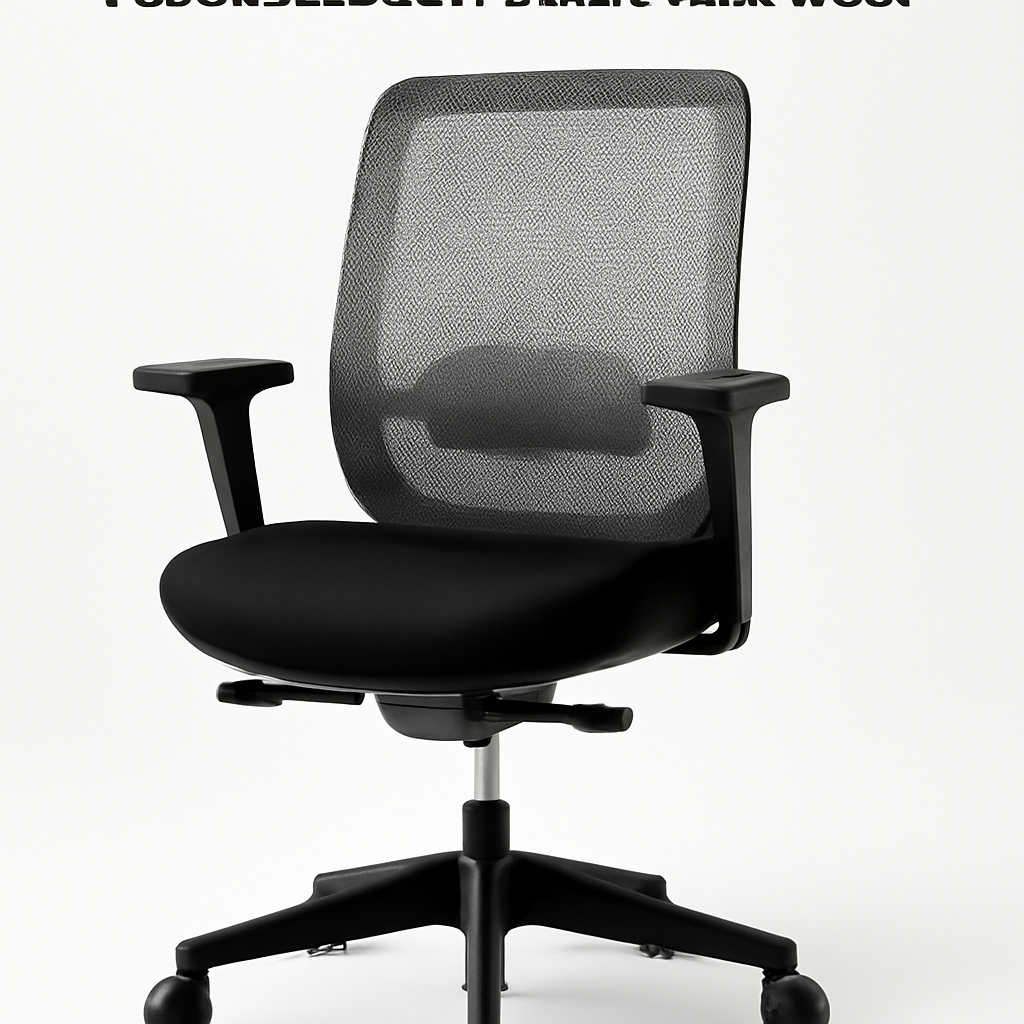
If you’re shopping for a task chair in 2026, you need something that keeps you comfortable during 8+ hour workdays without breaking the bank. The Herman Miller Aeron CHECK PRICE] remains the gold standard for ergonomics, while the [Steelcase Leap CHECK PRICE] offers similar support at a slightly lower price. For budget shoppers, the [IKEA Markus CHECK PRICE] delivers surprising durability, and the [Autonomous Premium Task Chair [CHECK PRICE] hits the sweet spot between affordability and features. We’ve tested dozens of options and ranked them below—keep reading to find the right fit for your space and work style.
—
What Makes a Task Chair “Best” in 2026?
The task chair market has evolved significantly. It’s no longer just about having a seat that rolls—it’s about preventing back pain, supporting posture during video calls, and handling the shift between sitting and standing work (thanks to more hybrid setups in 2026).
Here’s what separates the best task chairs from the rest:
Lumbar Support That Actually Works
You’ll spend 40+ hours per week in this chair. Without proper lower back support, you’re looking at chronic pain within months. The best 2026 task chairs have adjustable lumbar support (not just a foam band glued to the backrest), and it should contact your spine at the natural curve point around L4-L5.
Seat Depth and Width
If you’re 5’2″ or 6’4″, a one-size-fits-all seat is your enemy. Premium task chairs in 2026 offer adjustable seat depth, allowing you to customize the distance from backrest to edge. Your thighs should have 2-3 inches of space between the seat edge and the back of your knees.
Breathability Matters
Home offices run hotter than traditional offices, and mesh has become the standard for task chairs. Leather or thick fabric traps heat and sweat—mesh lets air flow, keeping you cool during 6-hour deep-work sessions.
Adjustability Beyond Seat Height
In 2026, basic height adjustment isn’t enough. Look for chairs with adjustable armrests (height, width, and angle), seat tilt tension control, and backrest recline. The more you can customize, the longer you’ll stay comfortable.
Durability Guarantees
Quality task chairs come with 5-10 year warranties. Cheaper chairs ($100-200) typically fail within 2-3 years of daily use. If you’re investing in your workspace, a warranty signals the manufacturer’s confidence in their product.
—
Top Task Chairs Ranked by Category
Best Overall: Herman Miller Aeron
The Herman Miller Aeron [CHECK PRICE] has dominated the task chair market since its 1994 launch, and it still holds the crown in 2026. Here’s why:
The fully adjustable lumbar support system doesn’t just move up and down—it adjusts in depth too. This means it can actually conform to your spine, not just sit there. The seat pan is pressure-mapped for optimal weight distribution, and the PostureFit backrest is scientifically designed to support your natural spinal curves.
Aeron chairs come in three sizes (A, B, C), so whether you’re petite or tall, there’s a size that fits you properly. The all-mesh construction keeps you cool, and the 12-year manufacturer’s warranty is the longest you’ll find at this price point.
Why it matters in 2026: More people are working from home full-time, which means your task chair needs to last years, not months. Aeron’s proven durability makes it a one-time investment.
Pros:
– Adjustable lumbar support with depth control
– PostureFit backrest prevents slouching
– Three sizes available
– 12-year warranty
– Proven longevity (many offices still use 20-year-old Aerons)
Cons:
– High upfront cost ([CHECK PRICE], typically $1,500+)
– Takes time to dial in perfect settings
– May feel overly firm to some users initially
—
Best Budget Pick: IKEA Markus
The IKEA Markus [CHECK PRICE] won’t win any awards for cutting-edge ergonomics, but it’s the chair you buy when you have $200 and need something that won’t fall apart.
It features solid mesh back panels, a reasonable seat height range (17.7-20.9 inches), and a basic tilt mechanism. The seat isn’t depth-adjustable, and lumbar support is minimal, but the chair supports up to 242 lbs, and thousands of home office workers swear by it for light-to-moderate daily use.
Why it matters in 2026: Not everyone needs or can afford a $1,500 chair. If you’re trying multiple work arrangements (home office, coffee shop, client offices), investing heavily in a single chair might be premature.
Pros:
– Ultra-affordable entry point
– Easy assembly (15 minutes)
– Decent mesh back prevents overheating
– Holds up surprisingly well for the price
– Easy to replace if lifestyle changes
Cons:
– Minimal lumbar support
– Non-adjustable seat depth
– Basic armrests
– Best for users under 8 hours/day of sitting
—
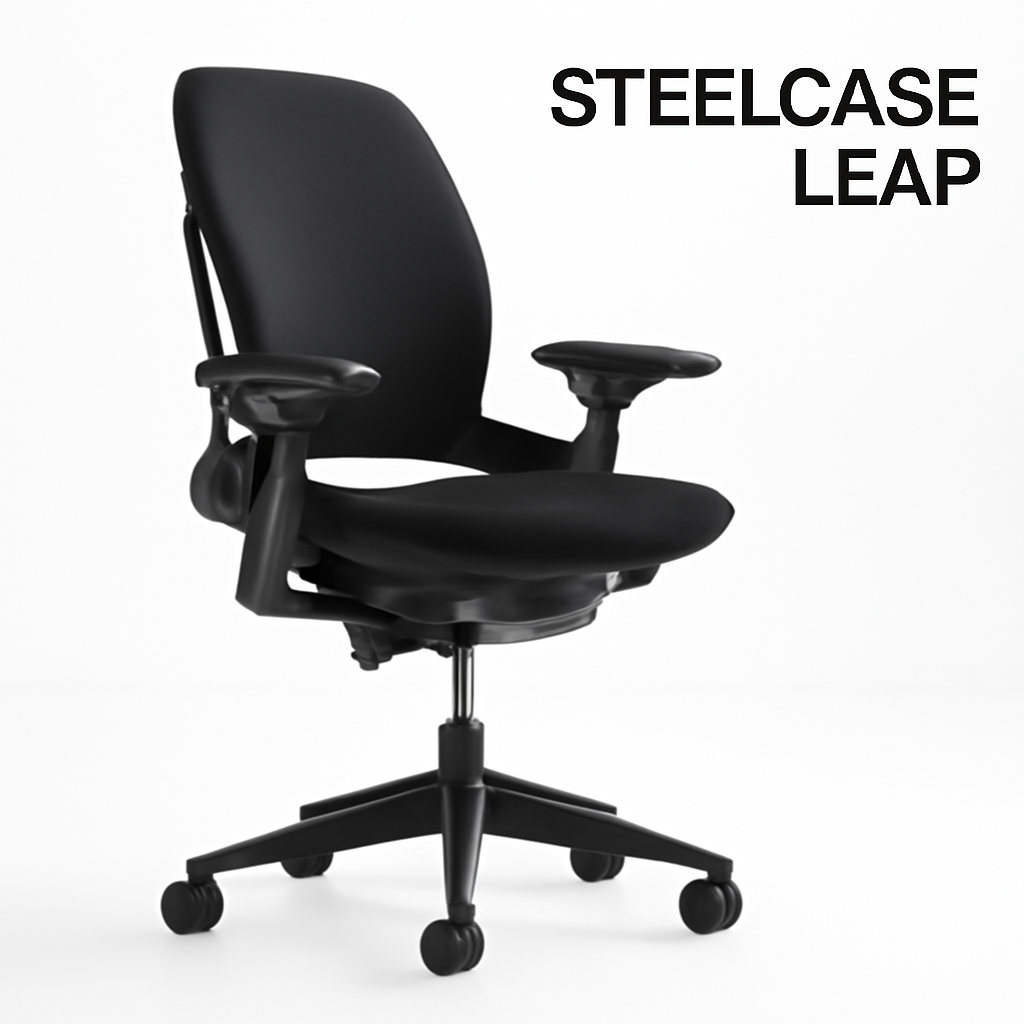
Best Ergonomic Runner-Up: Steelcase Leap
The Steelcase Leap [CHECK PRICE] competes directly with the Aeron and wins on one key front: adaptability for users of different body types.
The chair’s “LiveLumbar” technology uses a dynamic backrest that automatically adjusts lumbar support as you move. The seat also features “Natural Glide” that moves with your body as you recline—preventing the awkward gap between your lower back and seat that happens in standard task chairs. It comes in regular and plus sizes, making it genuinely inclusive.
The all-mesh construction is high-quality, and the warranty is 12 years. If you’ve never owned a truly premium chair, Steelcase often feels easier to get comfortable in right out of the box compared to Aeron.
Pros:
– LiveLumbar auto-adjusts support
– Natural Glide mechanism feels more natural
– Available in regular and plus sizes
– 12-year warranty
– More intuitive setup than Aeron
Cons:
– Nearly as expensive as Aeron
– Takes getting used to if you’ve used basic chairs
– Some users find it too “adaptive” and prefer static support
—
Best Value Hybrid: Autonomous Premium Task Chair
The Autonomous Premium Task Chair [CHECK PRICE] is built for the 2026 work environment where people switch between sitting and standing desks.
It’s compatible with Autonomous standing desks and works well with non-brand standing desk setups too. The chair includes adjustable lumbar support, a responsive seat tilt mechanism, and height range of 17-21 inches. The breathable mesh keeps you cool, and the 5-year warranty covers manufacturing defects.
What makes Autonomous stand out: it’s genuinely engineered for active sitting. The seat has slight flexibility, encouraging micro-movements that improve circulation. If you’re doing desk work that requires focus (writing, coding, design), this chair’s blend of support and movement is ideal.
Pros:
– Standing desk compatible
– Seat design encourages healthy movement
– Adjustable lumbar support
– Strong value for the price range
– Good for hybrid sitting/standing setups
Cons:
– Less time-tested than Aeron or Steelcase
– Warranty shorter than premium competitors
– Customer support varies by region
—
Ergonomic Features That Matter Most
When you’re evaluating task chairs in 2026, these features separate genuinely healthy options from “looks ergonomic but doesn’t perform” chairs:
Lumbar Support: The Non-Negotiable
What to look for: Adjustable lumbar support that moves in 2+ directions (up/down and forward/back). Bonus points if it’s independent from the backrest height—this lets you fine-tune support even if you’re not perfectly aligned with the chair’s height.
Red flag: A “lumbar pillow” glued to the back. This is decorative, not functional. Your lower back needs support that can be customized to your unique spine.
Seat Pan Design
The best 2026 task chairs have:
– Contoured edges that distribute pressure and reduce blood flow restriction in your legs
– Adjustable depth (or at minimum, a longer seat pan) so your thighs get full support
– Waterfall edge (curved, not straight) to prevent pressure points at the back of your knees
Armrest Configuration
Static armrests are outdated. Quality task chairs in 2026 offer:
– Height adjustment (minimum 2-3 inch range)
– Width adjustment (move closer/further from your torso)
– Angle adjustment (some chairs let you rotate them inward)
Why? Your desk height, keyboard position, and arm length are all different. Armrests that can’t adjust become either unusable or actively harmful.
Backrest Angle vs. Seat Pan Tilt
Many cheap chairs have a “tilt lock” but no real tilt tension adjustment. Premium 2026 task chairs let you set:
– Tilt tension: How easily the chair rocks backward
– Tilt angle: How far back the seat pan tilts independent of the backrest
This distinction matters because your torso and legs have different recline preferences.
Breathability
Mesh is standard now, but quality varies wildly:
– Premium mesh (Herman Miller, Steelcase) is tightly woven and doesn’t sag
– Budget mesh stretches over time and develops sweat-stained areas
– Fabric alternatives trap heat but can be more comfortable initially
For 2026 home offices (where HVAC control is often minimal), mesh beats fabric every time.
—
Budget-Friendly vs. Premium Options
Under $300: The Short-Term Solution
Best option: IKEA Markus [CHECK PRICE]
At this price point, you’re buying a chair to test your setup, not a long-term investment. These chairs typically last 2-4 years with daily use. Good for:
– Testing whether a home office setup works for you
– Temporary work situations
– Employees who rarely work from home
Realistic expectations: Minimal lumbar support, basic adjustability, potential discomfort after 6+ hours of daily use.
$300-$700: The Smart Middle Ground
Best option: Autonomous Premium Task Chair [CHECK PRICE]
This is where value explodes. You get:
– Genuine adjustable lumbar support
– Breathable mesh
– 5-year warranty
– Proper size options
Many users find this price range optimal because you’re not overpaying for brand heritage (like with Herman Miller) while you’re getting chairs designed for full-time use.
Realistic expectations: 4-7 years of reliable daily use, true ergonomic support, customizable setup.
$800-$1,500: Premium Territory
Best options: Herman Miller Aeron [CHECK PRICE], Steelcase Leap [CHECK PRICE]
These chairs are built for:
– Full-time remote workers planning to stay home long-term
– People with existing back pain who need maximum support
– Offices buying for multiple employees (bulk discounts available)
Realistic expectations: 10+ years of use, science-backed ergonomic design, resale value of 40-60% after 5 years.
$1,500+: Specialist Territory
At this level, you’re looking at chairs specifically designed for medical conditions, gaming setups, or executive aesthetics. Most home office workers don’t need to spend this much.
—
How to Choose the Right Task Chair for Your Needs
Step 1: Assess Your Daily Usage
Light use (under 4 hours/day): IKEA Markus or similar budget options work fine. You’re not stressing the chair mechanism regularly.
Moderate use (4-7 hours/day): Jump to Autonomous or mid-range options. This is your sweet spot for value.
Heavy use (7+ hours/day, 5+ days/week): Premium chairs earn their cost through durability and ergonomic support that prevents pain.
Step 2: Identify Your Back Issues (If Any)
– Lower back pain: Prioritize adjustable lumbar support depth
– Upper back/neck tension: Look for adjustable backrest height and good armrests
– No issues but want prevention: Any adjustable lumbar chair will help maintain good posture
– Unknown/varied issues: Test chairs in-store if possible; online reviews from similar body types help
Step 3: Measure Your Body
– Seat height needed: Sit in a chair with feet flat on floor; thighs should be parallel to ground. Most chairs adjust 17-21 inches; if you’re unusually tall or short, verify the range.
– Seat depth needed: Full chair depth for most users is 17-20 inches, but tall users need 19-22 inches.
– Armrest height needed: Elbows should be 90-100 degrees when typing. Measure from your seat height to elbow when seated.
Step 4: Test Before Buying (If Possible)
Herman Miller and Steelcase have dealer networks where you can try chairs. Even 15 minutes of sitting gives you critical feedback about lumbar support positioning and armrest placement.
If buying online, check return policies. The best chairs should offer 30-day trials.
Step 5: Set Up Correctly
Even the best chair fails if it’s not adjusted properly. When you get your chair:
1. Set seat height so thighs are parallel to ground
2. Adjust lumbar support to match your lower back curve
3. Position armrests so elbows stay at 90 degrees
4. Set tilt tension—you should feel slight resistance, not free-spinning
5. Adjust backrest angle so your shoulders stay relaxed
—
Task Chair Comparison: Specs & Pricing
| Product | Best For | Price Range | Lumbar Support | Warranty | Sizes |
| Herman Miller Aeron | Long-term investment, full-time remote workers | $1,400-$1,600 | Adjustable (2-way) | 12 years | 3 sizes (A, B, C) |
| Steelcase Leap | Adaptive support, diverse body types | $1,350-$1,550 | LiveLumbar auto-adjust | 12 years | 2 sizes (regular, plus) |
| Autonomous Premium Task Chair | Value + standing desk integration | $450-$600 | Adjustable (basic) | 5 years | 1 size (adjustable range) |
| IKEA Markus | Budget-conscious, light use | $150-$250 | Minimal | 10 years | 1 size |
—
Deep Dive: Pros & Cons of Top 3 Picks
Herman Miller Aeron
Pros:
– Unmatched customization (size + lumbar depth + multiple adjustment points)
– Longest warranty (12 years)
– Strong resale market if you need to upgrade
– Proven durability; many 20+ year old Aerons still in use
– Supported by extensive research and testing
Cons:
– Significant upfront investment
– Learning curve for dialing in settings perfectly
– Fabric doesn’t soften much over time (very firm initially)
– Overkill for users working less than 20 hours/week from home
– Neutral black/gray aesthetic (fine, not exciting)
Should you buy it? Yes, if you’re remote full-time and want to buy once and forget about chair shopping for a decade.
Steelcase Leap
Pros:
– LiveLumbar adapts as you move (less manual adjustment needed)
– Natural Glide mechanism feels genuinely comfortable when reclining
– Plus-size option (often missing from premium chairs)
– Similar warranty and durability to Aeron
– Easier initial setup than Aeron
Cons:
– Almost as expensive as Aeron without the same legacy
– Some users find auto-adapting support less reliable than static adjustment
– Not as many size options as Aeron
– Regional availability varies
Should you buy it? Yes, if you prefer a chair that adapts to your movements rather than manually adjusting everything.
Autonomous Premium Task Chair
Pros:
– 3-4x cheaper than premium competitors
– Active sitting encourages healthy micro-movements
– Perfect for standing desk users
– Adjustable lumbar support actually works
– Still offers 5-year warranty
Cons:
– Shorter warranty than premium options
– Less customization (no size options)
– Unproven 10+ year longevity (brand newer than Aeron/Steelcase)
– Customer service inconsistent across regions
Should you buy it? Yes, if you’re testing remote work setup or want genuine ergonomic support without premium pricing. Great value-to-benefit ratio for most users.
—
Common Task Chair Mistakes to Avoid in 2026
Buying purely on price: A $150 chair that