# Best Desk and Chair for Working From Home 2026
Quick Answer
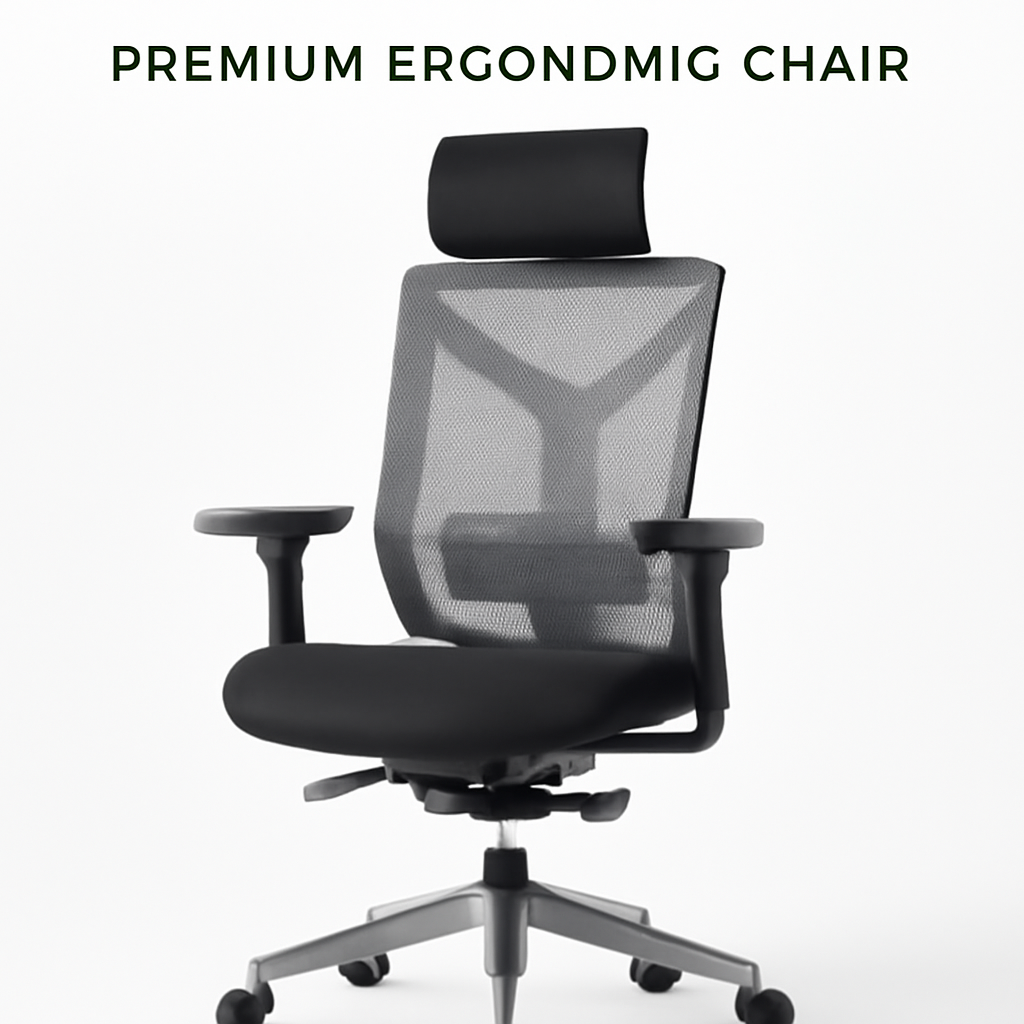
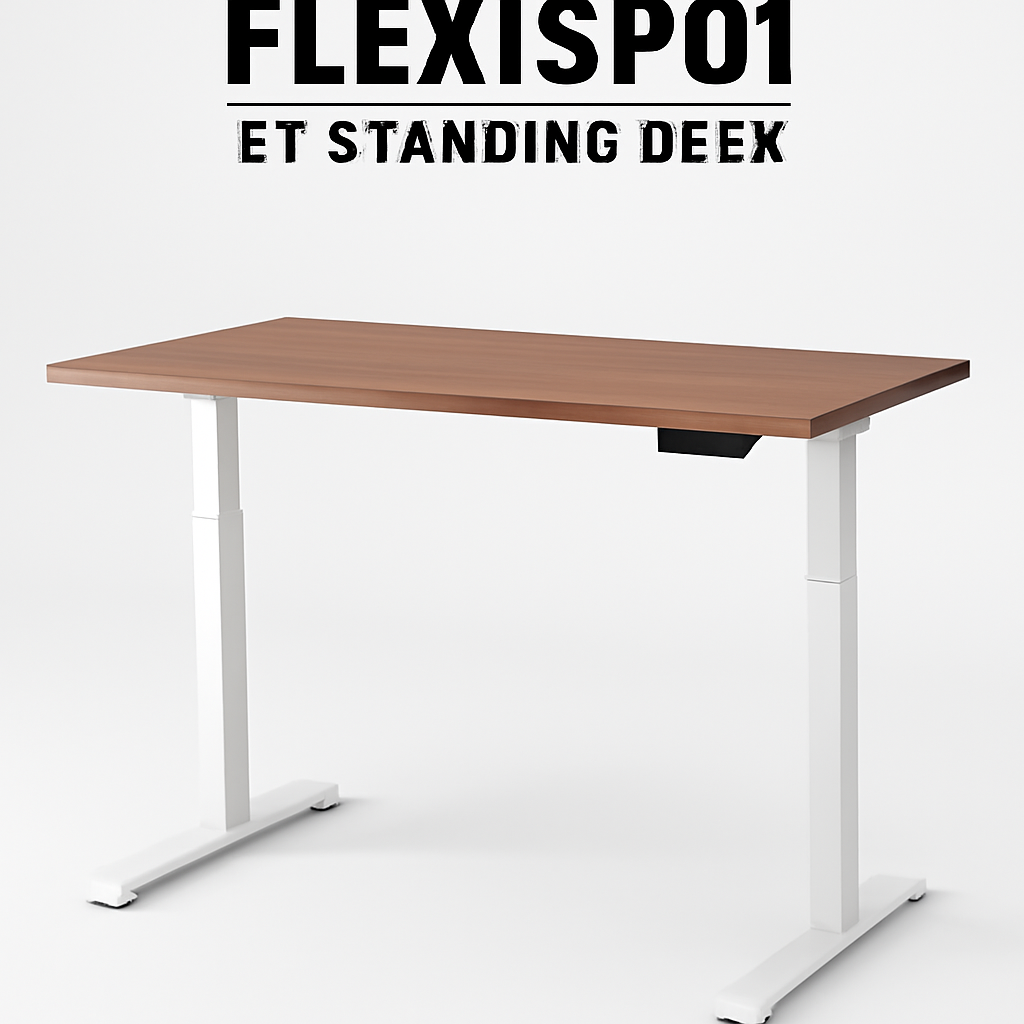
If you work from home, investing in the right desk and chair combo is the single best way to protect your back, boost productivity, and avoid long-term pain. For most people, the Herman Miller Aeron Chair CHECK PRICE] paired with a [Flexispot E7 Standing Desk CHECK PRICE] offers excellent ergonomics and durability. But if budget is tight, the [IKEA Bekant Desk CHECK PRICE] with an [Autonomous Premium Ergonomic Chair [CHECK PRICE] delivers solid comfort at half the price. Keep reading to find the perfect setup for your space and budget.
—
What to Look for in a Home Office Desk
Your desk is where the magic happens, so choosing the right one matters more than you might think. Unlike office furniture you’ll use for 8 hours and forget about, your home desk becomes part of your living space—and your body will thank you if you get it right.
Height and Adjustability
The ideal desk height allows your elbows to rest at 90 degrees when your arms hang naturally at your sides. Most standing desks range from 22–48 inches in height. Look for a desk with:
– Electric adjustment (easier than manual for frequent changes)
– Memory presets (so you can toggle between sitting and standing heights instantly)
– Quiet motor (you’ll appreciate this in video calls)
Surface Area and Layout
Think about what you actually use your desk for. If you’re juggling a laptop, monitor, keyboard, mouse, and paperwork, you need at least 48 inches of width. If it’s just a laptop and a cup of coffee, 36 inches might work.
Consider:
– Depth: 24–30 inches is standard; go deeper if you like your monitor further away
– Cable management: Built-in trays or grommets keep things tidy
– Surface finish: Wood looks better but scratches; laminate is more practical
– Weight capacity: Especially important for standing desks—look for at least 150 lbs per side
Stability and Noise
A wobbly desk is distracting and unsafe. When testing standing desks, raise them to full height and gently push on the surface. There should be minimal wobble. Electric desks should operate quietly—cheap motors sound like a helicopter taking off.
Material Quality
Solid wood desks last decades and develop character. Engineered wood is cheaper but may sag over time. Metal frames (especially with dual motors) tend to be more stable than single-motor designs. Don’t skimp here if you’ll use your desk daily for years.
—
Top Ergonomic Chairs for Remote Workers
Your chair is the second pillar of a healthy workspace. A bad chair will destroy your posture, kill your lower back, and leave you in pain by 3 PM.
What Makes a Chair Ergonomic?
A truly ergonomic chair should have:
– Lumbar support: The most critical feature. Your lower back has a natural curve; the chair should support it, not flatten it
– Adjustable seat height: Feet flat on floor, thighs parallel to ground
– Armrest height adjustment: Elbows at 90 degrees when typing
– Seat depth: 16–18 inches; you should be able to fit a fist between your calves and the seat edge
– Tilt mechanism: Allows you to recline without rolling backward
– Breathable material: Mesh is better than leather for all-day comfort in warm climates
Popular Ergonomic Chair Types
Premium/Professional: Herman Miller Aeron, Steelcase Leap, and Humanscale chairs. These cost $1,000+, but they’re built to last 12+ years and often come with 12-year warranties.
Mid-Range: Autonomous Premium, Secretlab Titan, and SIDIZ T50. These run $400–700 and hit the sweet spot for most home workers.
Budget-Friendly: IKEA Markus, Amazon Basics, and Furmax chairs. Under $300, but expect to replace them every 3–5 years.
The Lumbar Support Question
Don’t be fooled by chairs that promise “lumbar support” but only have a small pillow tacked to the back. Look for integrated lumbar curves that adjust up and down. If you have existing back pain, spending $500+ on a chair now will save you thousands in physical therapy later.
—
Standing vs. Sitting Desks: Which is Right for You?
This is the question everyone asks, and the answer is: it depends.
The Case for Standing Desks
Pros:
– Reduces strain on your lower back if you’re used to sitting all day
– Burns slightly more calories
– Improves circulation and reduces DVT risk on long workdays
– Feels energizing for some people
– Looks modern and shows productivity (even if that’s psychological)
Cons:
– Standing all day is also bad for you (foot pain, lower leg swelling)
– Takes time to build up tolerance
– Requires an anti-fatigue mat ($30–100)
– More expensive than fixed desks
– Can amplify arm tension if your desk is the wrong height
The Case for Fixed-Height Desks
Pros:
– Cheaper
– More stable for typing and precise work
– No learning curve
– Takes up less floor space
– Less likely to fail (no motor to break)
Cons:
– Sedentary if you sit all day
– May contribute to back pain and circulation issues
– Boring (let’s be honest)
The Hybrid Solution (Our Recommendation)
For most work-from-home professionals in 2026, a height-adjustable standing desk with a great chair is the sweet spot. You’re not forced to stand (which gets tiring), and you have the option to switch positions throughout the day. Studies show alternating between sitting and standing every 30–60 minutes is ideal.
If you’re tight on budget, start with a quality fixed desk and a premium chair. You can always upgrade to a standing desk later.
—
Budget-Friendly Options Without Sacrificing Comfort
You don’t need to spend $2,000 to have a functional, comfortable home office.
The Budget Desk Strategy
The IKEA Bekant Desk [CHECK PRICE] is our favorite budget pick. At under $150, it offers:
– Solid particle board construction (more stable than you’d expect)
– Clean, minimalist design
– Adequate surface area (47″ wide)
– Built-in cable tray
– Readily available replacement parts
Upgrade option: Pair it with a motorized standing desk frame (brands like Monoprice offer frames under $200) if you want adjustability later.
The Budget Chair Strategy
At the budget end, you’re choosing between:
– IKEA Markus [CHECK PRICE] (~$80–120): Surprisingly comfortable for short sessions, but lumbar support is basic
– Amazon Basics High-Back Mesh Chair [CHECK PRICE] (~$120–180): Better ergonomics, breathable mesh, adjustable armrests
– Autonomous Premium Ergonomic Chair [CHECK PRICE] (~$300): The sweet spot. Exceptional value for money with solid lumbar support and a 5-year warranty
If you can only spend $150–200 total, go IKEA desk + Amazon Basics chair. If you can stretch to $400–500, IKEA Bekant + Autonomous Premium is unbeatable.
—
How to Set Up Your Desk and Chair for Proper Ergonomics
Buying the right furniture is half the battle. Setting it up correctly is the other half.
The Perfect Desk Height
Sit in your chair with your feet flat on the floor. Your elbows should bend at 90 degrees when your forearms rest on the desk. For most people (5’4″–5’10”), this is around 28–30 inches. Measure your current setup—it might already be close.
Monitor Placement
– Distance: 20–26 inches from your eyes (about arm’s length)
– Height: Top of screen at or slightly below eye level
– Angle: Tilted up about 15–20 degrees
– Multiple monitors: Position the main one directly ahead; secondary ones at 30-degree angles
Use monitor arms (around $20–60) to dial this in perfectly. Your neck will thank you.
Keyboard and Mouse Height
Your keyboard and mouse should be at elbow height when your arms hang naturally. Your wrists should stay neutral—not bent up or down. A keyboard tray or cushion can help fine-tune this.
Lighting
Poor lighting causes eye strain and headaches. Aim for:
– A desk lamp with adjustable brightness
– Ambient room lighting to reduce glare on your monitor
– No light source behind or directly in front of you
The 20-20-20 Rule
Every 20 minutes, look at something 20 feet away for 20 seconds. This relaxes your eye muscles and prevents digital eye strain.
—
Best Desk and Chair Combinations for Small Spaces
Living in 500 square feet? You can still have a functional, ergonomic workspace.
Compact Desk Solutions
– Floating desks (24″ deep, 36–48″ wide): Mount directly to the wall; no legs means more floor space
– L-shaped corner desks: Maximize corner space; gives you surface area without footprint
– Narrow standing desks: Some brands offer 20-inch-deep desks; perfect for studios
Recommendation for small spaces: A 36-inch floating desk with a wall-mounted monitor arm and a compact ergonomic chair (like the Autonomous Premium Ergonomic Chair) that can roll away when not in use.
Space-Saving Chair Options
– Chairs with wheels are more flexible than fixed-base options
– Some ergonomic chairs have a smaller footprint (under 24″ wide)
– Avoid large, high-backed executive chairs unless you have room
– Consider a standing desk converter if you can’t fit a full standing desk
The Vertical Solution
Use wall space:
– Shelves above your desk for files and decor
– Pegboards for cable management
– Wall-mounted filing trays
This keeps your desk surface clear and maximizes your workspace without expanding your footprint.
—
Our Top Picks: Desk and Chair Pairings Tested in 2026
Top Pairing #1: Premium All-Around (Best for Serious Home Workers)
Desk: Flexispot E7 Standing Desk [CHECK PRICE]
Chair: Herman Miller Aeron Chair [CHECK PRICE]
Why this combo works:
– The Flexispot E7 is rock-solid with dual motors, memory presets, and smooth operation
– Adjusts from 22–48 inches quietly and reliably
– The Herman Miller Aeron is the gold standard in ergonomic seating
– Timeless design that won’t look dated in 5 years
– 12-year warranty on the chair
| Feature | Flexispot E7 | Herman Miller Aeron |
| Price Range | $400–600 | $1,200–1,400 |
| Adjustability | Electric, dual motor, presets | Full ergonomic adjustment |
| Warranty | 7 years | 12 years |
| Noise Level | Very quiet | N/A |
| Best For | All-day standing/sitting rotation | Long workdays, back pain prevention |
Pros:
– Both products are built to last 10+ years
– Exceptional ergonomics prevent future back issues
– Investment pays for itself in avoided medical costs
– Looks professional and modern
Cons:
– Combined cost is $1,600–2,000
– Overkill if you’re only working 20 hours/week
– Heavyweight products; moving is difficult
—
Top Pairing #2: Best Value (Best for Budget-Conscious Home Workers)
Desk: IKEA Bekant Desk [CHECK PRICE]
Chair: Autonomous Premium Ergonomic Chair [CHECK PRICE]
Why this combo works:
– IKEA Bekant is stable, clean, and affordable
– Autonomous Premium offers exceptional value—comparable lumbar support to chairs costing $800+
– Combined cost under $500
– Both are easy to assemble
– Autonomous includes adjustable lumbar support and armrests
| Feature | IKEA Bekant | Autonomous Premium |
| Price Range | $150–180 | $300–400 |
| Adjustability | None (fixed height) | Full ergonomic adjustment |
| Warranty | Limited | 5 years |
| Noise Level | N/A | Quiet |
| Best For | Small budgets, fixed-height preference | Ergonomics on a budget |
Pros:
– Affordable ($500 total for a functional setup)
– Autonomous chair is seriously underrated
– IKEA desk is a workhorse—used in thousands of home offices
– Easy to replace if your needs change
Cons:
– No standing option without buying a separate frame
– IKEA desk won’t last 20 years (expect 8–10 with heavy use)
– Autonomous chair is third-party—less warranty support than big brands
—
Top Pairing #3: Best for Small Spaces (Best for Apartments and Studios)
Desk: Floating Wall-Mounted Desk (48″ width, 24″ depth)
Chair: Secretlab Titan Evo Compact [CHECK PRICE]
Why this combo works:
– Floating desk takes zero floor space
– Secretlab Titan Evo is designed for compact areas
– Combined footprint is minimal
– Chair rolls under desk when not in use
– Wall mounting supports up to 150 lbs
| Feature | Floating Desk | Secretlab Titan Evo |
| Price Range | $150–300 | $400–500 |
| Adjustability | None (wall-mounted) | Lumbar, armrests, tilt |
| Warranty | Varies | 12 years |
| Footprint | 48″ x 24″ mounted high | 22″ wide |
| Best For | Apartments, studios, minimalists | Compact spaces, style-conscious users |
Pros:
– Takes up virtually no floor space
– Secretlab chair has exceptional design and comfort
– Perfect for renters (though wall mounting requires landlord permission)
– Looks clean and modern
Cons:
– No standing option
– Limited cable management on floating desks
– Higher installation difficulty
– Not ideal if you need lots of surface area
—
Comparison Table: Quick Reference for All Top Picks
| Product | Best For | Price Range | Adjustability | Durability |
| Flexispot E7 + Herman Miller Aeron | Premium all-day use | $1,600–2,000 | Full (height + ergonomic) | Excellent (10–12 years) |
| IKEA Bekant + Autonomous Premium | Budget-conscious | $450–580 | Ergonomic only | Good (8–10 years) |
| Floating Desk + Secretlab Titan Evo | Small spaces | $550–800 | Ergonomic only | Excellent (10+ years) |
| IKEA Bekant Solo | Minimal budget | $150–180 | None | Fair (5–7 years) |
| Autonomous Premium Solo | Chair-only upgrade | $300–400 | Full ergonomic | Good (5+ years) |
—
Final Setup Considerations in 2026
Lighting and Acoustics
Remote work setups in 2026 often include video calls. Invest in:
– A ring light or desk lamp with color temperature control ($30–80)
– Acoustic panels if you’re in a noisy environment ($20–100)
– A white noise machine if your space is distracting ($20–40)
These don’t seem furniture-related, but they complete your ergonomic workspace.
Cable Management
Nothing kills productivity like a tangled mess of cables. Use:
– Under-desk cable trays ($15–40)
– Adhesive clips ($5–10)
– A desk organizer with built-in power strips ($30–60)
Monitor Arm vs. Monitor Stand
A quality monitor arm (like those from Ergotron or AmazonBasics) costs $40–150 but frees up desk space and gives you better ergonomic control than a fixed stand. We recommend it for anyone with two monitors.
—
Our Verdict
Your choice depends on three factors: budget, space, and how much you value your long-term health.
If you have $1,500+: Buy the Flexispot E7 Standing Desk [CHECK PRICE] and Herman Miller Aeron Chair [CHECK PRICE]. This is a 10+ year investment that will prevent back pain and keep you comfortable through countless workdays. No regrets.
If you have $400–600: Get the IKEA Bekant Desk [CHECK PRICE] and **Autonomous Premium Ergonomic Chair