Quick Answer
If you’re looking for a reliable monitor stand, Fully, Fellowes, Herman Miller, and Ergotron dominate the market with different strengths: Fully for budget-friendly options, Herman Miller for premium design, Ergotron for ergonomics, and Fellowes for affordable adjustability. Most people benefit from an adjustable stand with storage, which typically costs between $50–$300 depending on features.
—
Top Monitor Stand Brands for Home Offices
The monitor stand market has exploded in 2026, driven by the permanent shift to hybrid and remote work. What started as a simple desk accessory has become essential ergonomic equipment—and brands have responded with everything from ultra-minimalist designs to fully motorized solutions.
Here’s what you need to know: not all monitor stand brands are created equal. Some prioritize style, others prioritize your spine. And yes, there’s a massive difference between a $30 stand and a $300 one.
The best monitor stand brands share these traits:
– Thoughtful design that actually fits modern monitors
– Build quality that lasts years, not months
– Some level of adjustability (height, tilt, or rotation)
– Weight capacity that matches your monitor size
– Warranty and customer support
Top Picks at a Glance
| Product | Best For | Price Range |
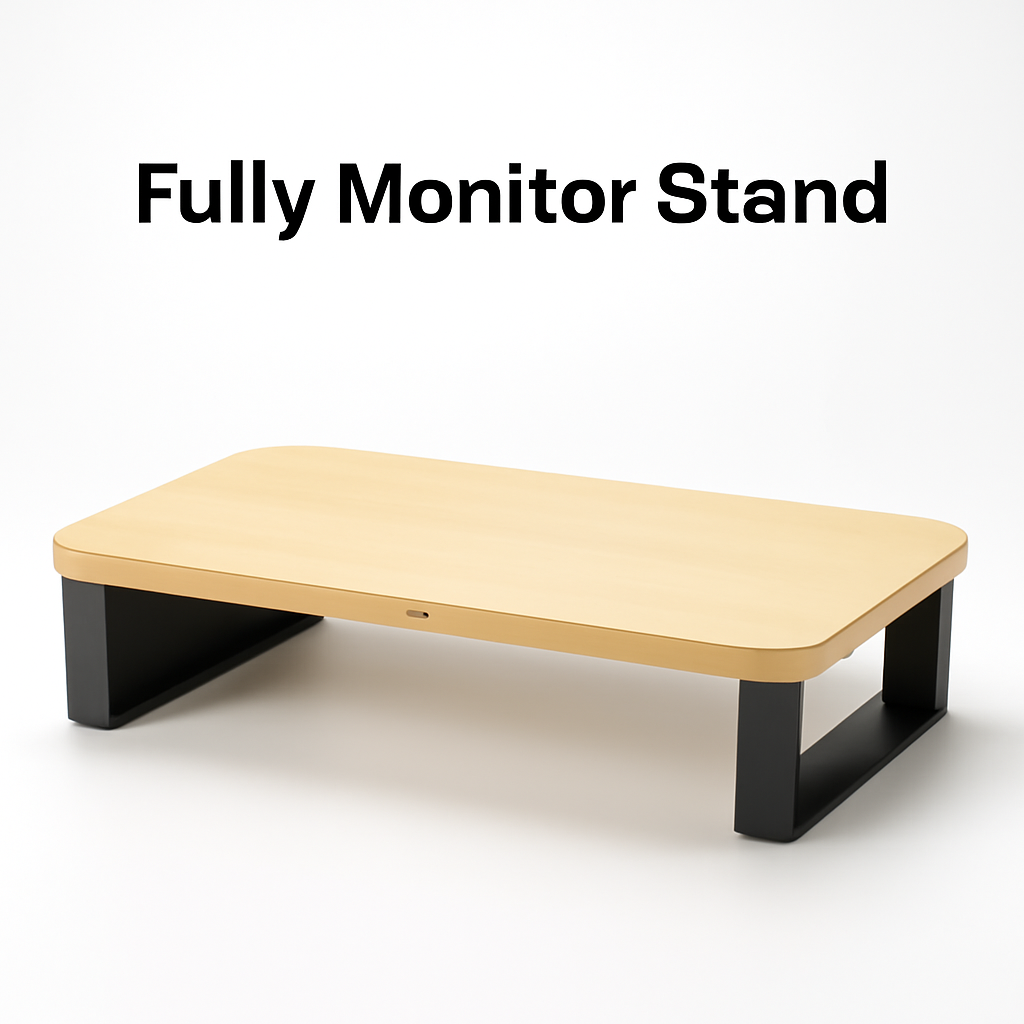
| Fully Monitor Stand | Minimalist design + storage | $80–$150 |
| Fellowes Standard Monitor Riser | Budget buyers + durability | $40–$80 |
| Herman Miller Thrive Monitor Arm | Premium aesthetics + function | $200–$350 |
| Ergotron LX Desk Mount Arm | Maximum adjustability | $250–$400 |
| AmazonBasics Monitor Stand | Ultra-budget option | $25–$50 |
—
Budget-Friendly Monitor Stand Options
You don’t need to spend a fortune to improve your desk setup. That said, there’s a difference between cheap and value.
Fellowes: The Reliable Budget Choice
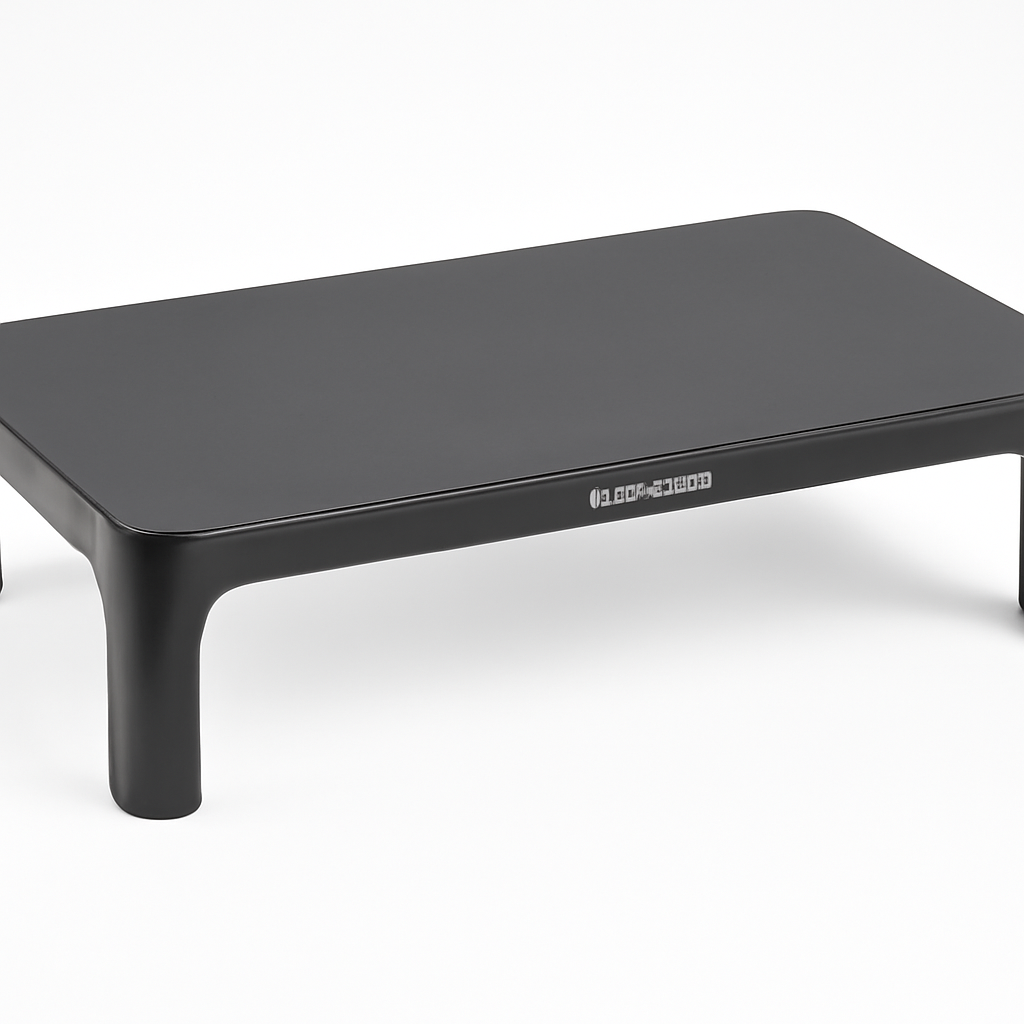
Fellowes Standard Monitor Riser has been the go-to budget option for over a decade—and for good reason. You get:
– Basic height adjustment (typically 2–5 inches)
– Stable base that won’t wobble
– Storage underneath for keyboards or documents
– Works with monitors up to 32 inches
– Price that won’t make you wince
The Fellowes brand has been manufacturing desk solutions since 1917, and that experience shows. Their budget stands aren’t flashy, but they’re reliable. They’re the safe choice if you just need something functional.
Pros:
– Very affordable ($40–$80)
– Proven durability
– Good cable management options
– Available everywhere
Cons:
– Limited adjustability (fixed or minimal tilt)
– Dated design
– No motorized options
– Basic storage space
AmazonBasics: The Ultra-Budget Play
If you’re in a pinch and need something today, the AmazonBasics Monitor Stand does the job. For under $50, you get:
– Basic plastic construction
– Fixed height (no adjustment)
– Minimal design
– Quick Prime shipping
Real talk: This is good for a second monitor or temporary setup. Don’t expect longevity or refinement. It’s the monitor stand equivalent of a gas station sandwich—it works if you need it fast.
—
Premium Monitor Stand Brands Worth the Investment
If you spend 8+ hours a day at your desk, a premium monitor stand is an investment in your health and productivity.
Herman Miller: Design Meets Function
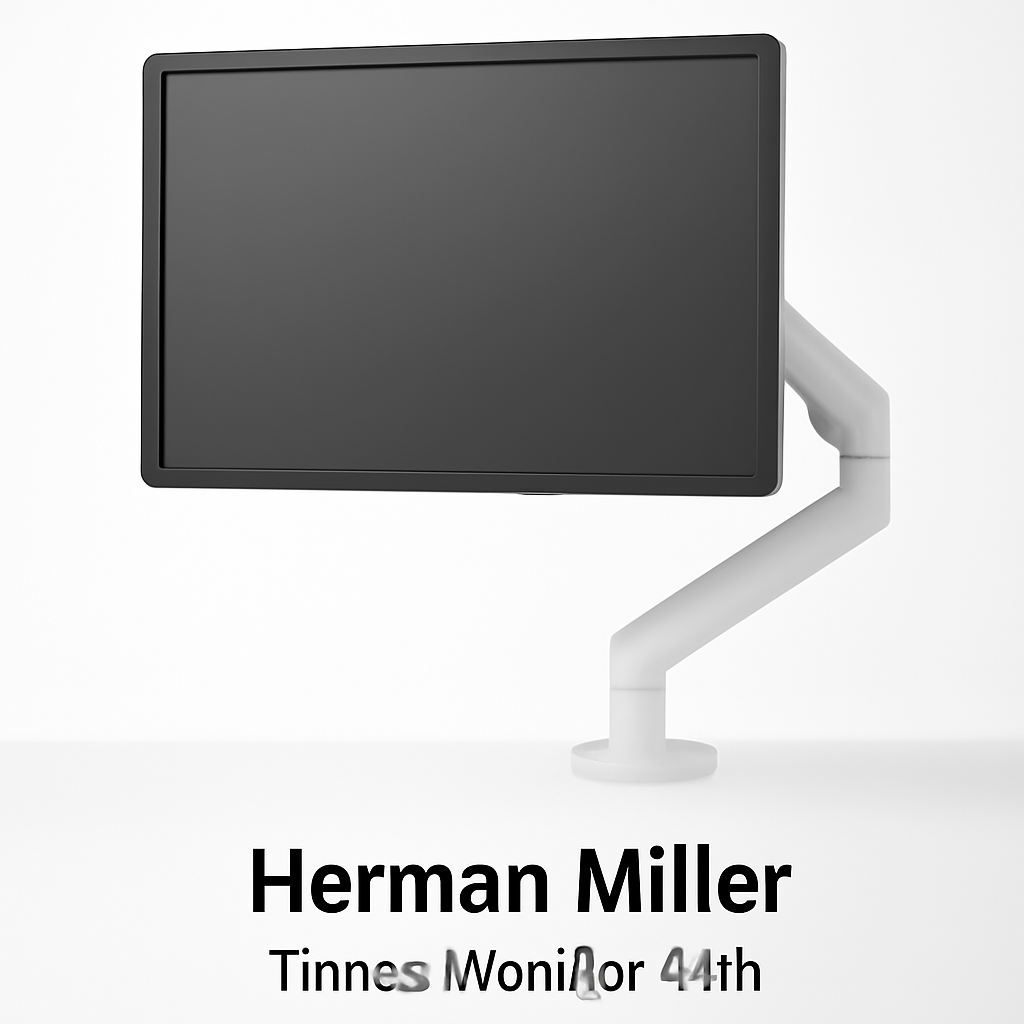
Herman Miller Thrive Monitor Arm represents what happens when a 100-year-old design company decides to solve the monitor stand problem.
Herman Miller didn’t invent ergonomic furniture, but they perfected it. Their Thrive line extends beyond just monitor stands—it’s an entire system designed around how humans actually work.
Key features:
– Motorized height adjustment (optional)
– Rotation, tilt, and swivel adjustment
– Elegant minimalist design
– Supports single or dual monitors
– Integrated cable management
– Available with premium finishes
This isn’t about being flashy. Herman Miller’s designs look good in 2026, and they’ll probably look good in 2030. They don’t scream “gaming gear” or “office equipment”—they blend into professional spaces.
Pros:
– Exceptional design quality
– Multiple adjustment options
– Professional appearance
– Strong warranty (typically 8–12 years)
– Durable construction that lasts
Cons:
– Expensive ($200–$350+)
– Motorized versions push $400+
– Takes time to adjust (not instant)
– Some users find setup complicated
Ergotron: The Ergonomic Specialist
Ergotron LX Desk Mount Arm is built by engineers who have spent decades thinking about how monitors should move.
Ergotron doesn’t make full office suites—they focus exclusively on monitor positioning. And that specialization shows. The LX arm features:
– 9 inches of height adjustment
– Easy-adjust tension (monitor stays where you put it)
– Rotation from portrait to landscape
– Supports single or dual monitors
– Tool-free adjustments
This is the choice if ergonomic positioning is your priority. The LX arm has been refined over years based on biomechanical research.
Pros:
– Extremely adjustable
– Smooth, precise movements
– Excellent cable management
– Works with nearly any monitor
– Strong reputation among ergonomic specialists
Cons:
– Higher price ($250–$400)
– Requires mounting (not freestanding)
– Takes up desk real estate with mounting bracket
– Overkill for small, lightweight monitors
—
Ergonomic Features to Look For
Here’s what actually matters when you’re choosing a stand:
Height Adjustment
Your monitor’s top should be at or slightly below eye level when you’re sitting naturally. This typically means 15–20 inches of height. If a stand doesn’t offer this, skip it.
Tilt and Swivel
– Tilt: Forward/backward adjustment (usually ±15°)
– Swivel: Left/right rotation
– Rotation: Portrait to landscape (useful for coding or design work)
Budget stands might offer tilt. Good stands add swivel. Great stands add rotation.
Monitor Arm vs. Fixed Stand
– Fixed stands: Cheaper, simpler, less adjustable
– Articulating arms: More adjustable, takes desk space, requires mounting
Choose based on how much you move your monitor throughout the day.
Weight Capacity
Check your monitor’s weight. Most modern monitors weigh 5–15 pounds, but ultrawide or curved monitors can hit 25+ pounds. Brands like Ergotron and Herman Miller clearly list weight capacity; budget brands sometimes hide it.
—
Monitor Stand Brands by Type
Single Monitor Stands
Most budget and mid-range stands (Fellowes, AmazonBasics, Fully basic models) work well for single monitors. They’re simpler, cheaper, and take less space.
Best brands for single monitors:
– Fully Monitor Stand—clean design, good storage
– Fellowes Standard Monitor Riser—proven reliability
– Yamazaki Home Tower Monitor Stand—aesthetic option
Dual Monitor Stands
If you’re running two monitors, you need:
– Higher weight capacity
– Wider base
– Better balance
This is where brands like Herman Miller and Ergotron excel. Their articulating arms let you position each monitor independently.
Budget dual-monitor stands from Fellowes exist but are clunkier. For dual monitors, spending more on a quality arm (like Ergotron LX) usually pays off.
—
Durability and Build Quality Comparison
Materials Matter
| Brand | Typical Materials | Longevity | Best For |
| Fellowes | Plastic/steel hybrid | 5–8 years | Budget office |
| Fully | Wood veneer, steel | 7–10 years | Desk aesthetics |
| Herman Miller | Powder-coated steel, aluminum | 10+ years | Long-term investment |
| Ergotron | Steel, precision bearings | 10+ years | Heavy use |
| AmazonBasics | Plastic, basic metal | 2–4 years | Temporary use |
Warranty Insight
Check warranties, not just price:
– Budget brands (Fellowes, AmazonBasics): 1–2 year warranty
– Mid-range (Fully): 3–5 year warranty
– Premium (Herman Miller, Ergotron): 8–12 year warranty
A 10-year warranty is a manufacturer’s confidence statement. It usually correlates with actual durability.
Cable Management
Premium brands build cable management into their design. Budget stands require zip ties and improvisation. If you have multiple cables (monitor, USB, power), this matters more than you’d think.
—
How to Choose the Right Monitor Stand for Your Setup
Step 1: Assess Your Monitor
– Size: 24″ is standard; 27″+ requires sturdier stands
– Weight: Check the spec sheet
– Resolution/usage: 4K productivity needs better positioning than general web browsing
Step 2: Determine Your Priorities
| If You… | Choose… | Budget |
| Need something ASAP on a tight budget | Fellowes or AmazonBasics | $30–$80 |
| Want desk storage + clean look | Fully Monitor Stand | $80–$150 |
| Adjust your monitor 10+ times daily | Ergotron LX Arm | $250–$400 |
| Work in a professional space + value design | Herman Miller Thrive | $200–$350 |
| Have a standing desk | Motorized Ergotron or Herman Miller | $300–$500+ |
Step 3: Measure Your Desk
– Available depth (adjustable arms need 6–12 inches behind the monitor)
– Available height (some stands won’t raise monitors enough)
– Cable routing (do you have room for cable management?)
Step 4: Consider Long-Term Use
If you’re planning to use it for 3+ years, the extra investment in brands like Herman Miller or Ergotron pays off. You’ll have better adjustment options, less strain, and a stand that actually lasts.
If it’s temporary or a secondary monitor, Fellowes or Fully make sense.
—
Common Monitor Stand Mistakes
1. Buying without checking monitor weight capacity — Your monitor might be too heavy for that cute budget stand
2. Ignoring height adjustment — A non-adjustable stand often leaves monitors too low
3. Underestimating the need for swivel — Multi-monitor users need rotation
4. Forgetting cable management — Cables matter more than you think
5. Buying the cheapest option — Saves $30 upfront, costs you in back pain later
—
Our Verdict
The best monitor stand brand for you depends on your budget and needs:
For budget-conscious buyers: Fellowes Standard Monitor Riser is the reliable choice. You’ve paid less than a tank of gas, it’ll work for years, and it actually improves your ergonomics.
For design-focused professionals: Fully Monitor Stand hits the sweet spot between price and aesthetics. It looks clean, has storage, and won’t feel cheap.
For maximum adjustability: Ergotron LX Desk Mount Arm is the specialist choice. If you adjust your monitor constantly or work with multiple screen configurations, the precision and ease of movement justify the cost.
For premium everything: Herman Miller Thrive Monitor Arm is the long-term investment. You’re paying for design, durability, warranty, and the confidence that this will still work beautifully in 2030.
The reality? Most people benefit from spending between $75–$200. That range gets you genuine ergonomic improvement without wasteful overspending. Skip the ultra-budget options unless you’re truly temporary, and skip the premium options unless you work 8+ hours daily at that desk.
Your spine will thank you for the investment.