Quick Answer
The best work chair for 2026 depends on your budget and needs, but Herman Miller Aeron Remastered remains the gold standard for all-day comfort, while Secretlab Titan Evo offers premium support for gaming and intense workdays. If you’re on a budget, Autonomous Ergo Chair Pro delivers solid ergonomics under $500, and Steelcase Leap splits the difference between price and performance.
The right work chair isn’t a luxury—it’s an investment in your back, neck, and productivity. If you’re spending 6-8 hours daily in your office chair, the wrong choice can lead to chronic pain, reduced focus, and expensive health bills down the road.
Let me walk you through everything you need to know to find your perfect match in 2026.
—
What Makes a Great Work Chair in 2026?
Work chairs have evolved significantly. It’s not just about lumbar support anymore. Modern office chairs now feature:
– Dynamic adjustability: Chairs that adapt to different sitting positions throughout the day
– Mesh and breathable materials: Critical for remote workers who sit for extended periods
– Smart ergonomics: Chairs designed based on actual posture data and research from 2024-2026
– Sustainability: More brands using recycled materials and designing for long-term durability
– Hybrid functionality: Chairs that work well for both traditional sitting and active sitting (perching)
The difference between a mediocre $300 chair and a great $1,200 chair isn’t just comfort—it’s the quality of adjustment mechanisms, material durability, and engineering that prevents postural breakdown after years of use.
—
Top Ergonomic Work Chairs for Home Offices
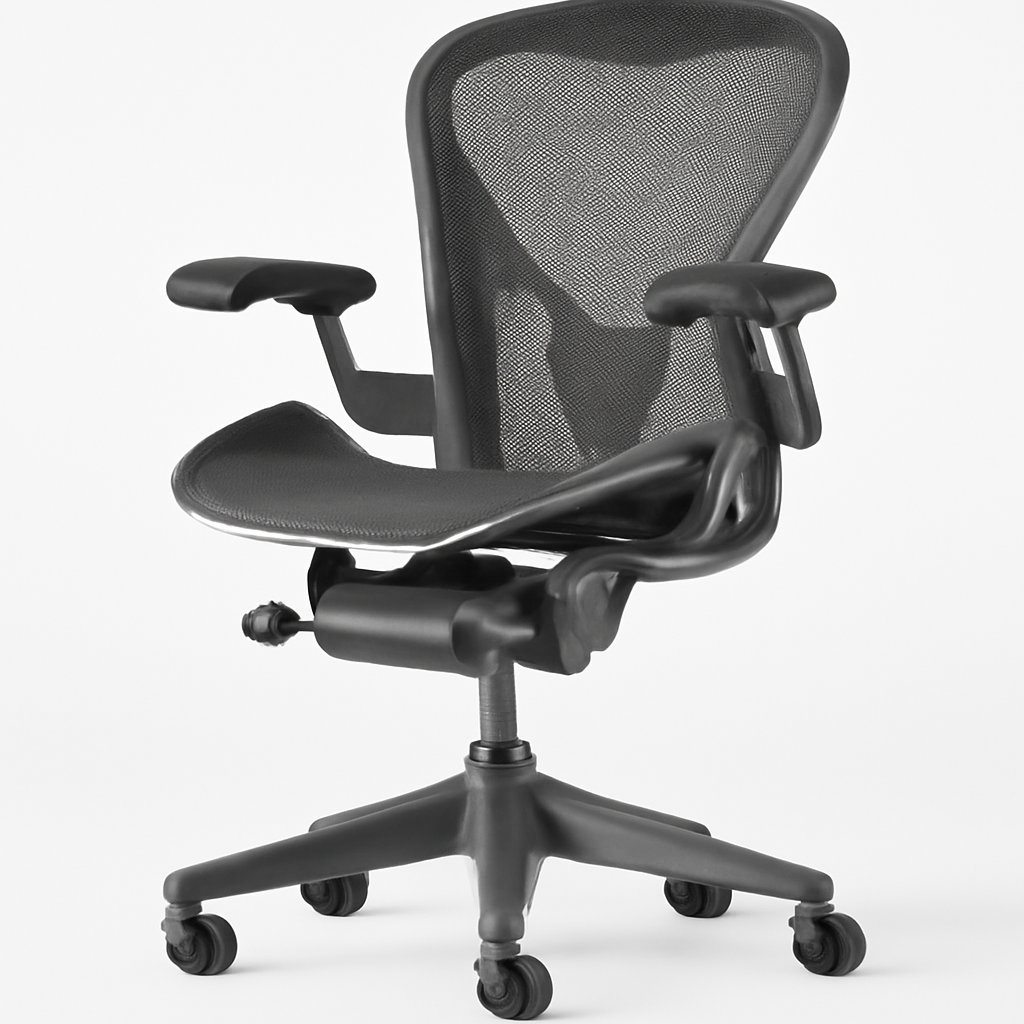
Herman Miller Aeron Remastered
Best for: Serious remote workers, people with existing back issues, long-term investment
The Aeron Remastered is the updated version of the iconic 1994 design. Herman Miller completely redesigned the chair for 2025-2026 with:
– New suspension material that distributes weight more evenly
– Improved lumbar support system with finer adjustment zones
– Fully recyclable design (90% of the chair can be recycled)
– 12-year warranty (one of the best in the industry)
Pros:
– Exceptional lumbar support that actually adjusts intuitively
– Premium materials feel luxurious after years of use
– Can be fully customized (arms, wheels, materials)
– Sits within standard desk heights perfectly
– Support team is responsive and helpful
Cons:
– Premium price tag (typically $1,000+)
– Requires assembly (though fairly straightforward)
– May feel too firm initially—has a 2-week adjustment period
– Not ideal if you like a cushioned, “plush” feel
—
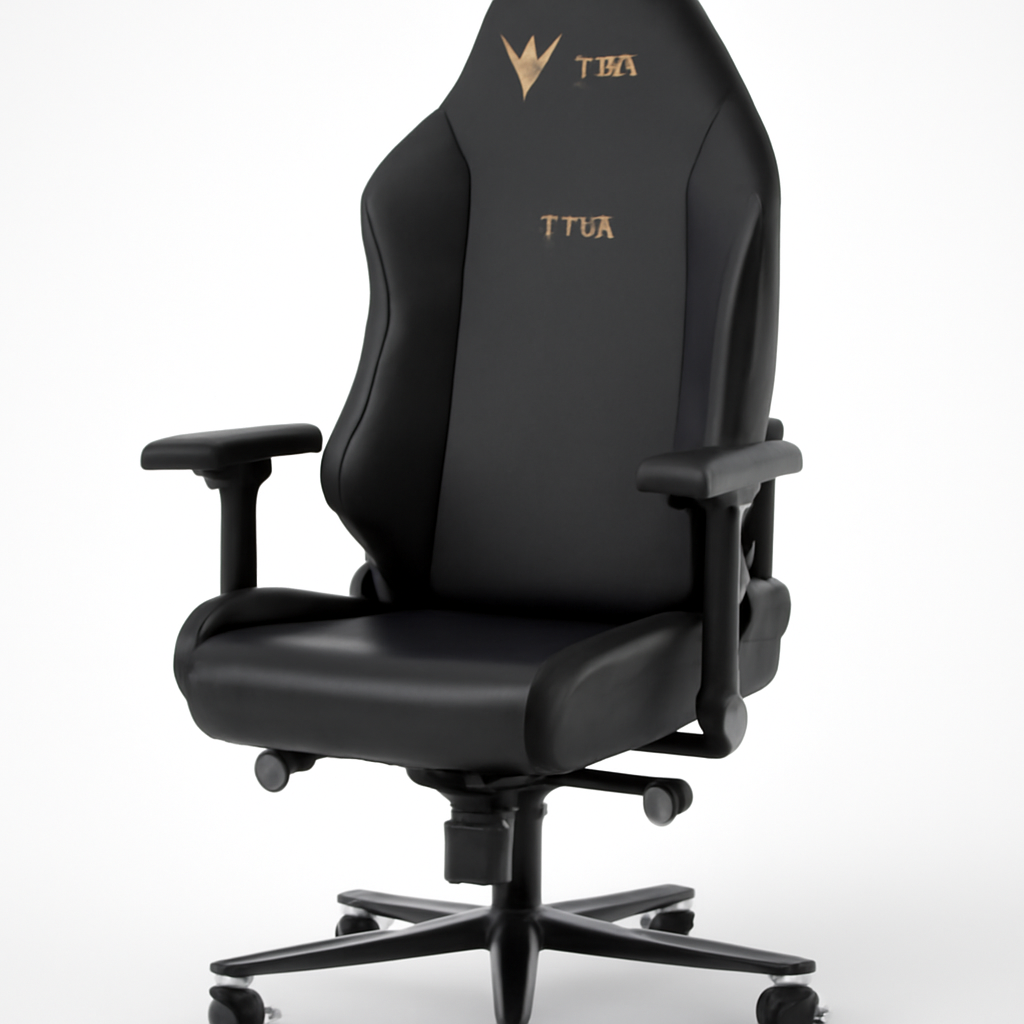
Secretlab Titan Evo
Best for: Gamers, intensive workers, people over 6′ tall
Secretlab, a Singapore-based company, has dominated the premium gaming chair space and their Titan Evo works equally well for office work.
– Adjustable 4D armrests (height, width, depth, angle)
– Lumbar and headrest support that’s customizable via ratchet system
– Available in multiple sizes: regular, XL, and even 2XL for larger frames
– Memory foam cushioning that holds up better than competitor seats
Pros:
– Exceptional build quality—feels premium out of the box
– Supports diverse body types (XL version is genuinely different, not just sized up)
– Armrests are actually useful (many chairs have useless arms)
– Headrest adjustment actually matters for preventing neck strain
– 5-year warranty
Cons:
– Can feel a bit stiff initially
– Headrest positioning takes experimenting to find your sweet spot
– Price is similar to Herman Miller (premium tier)
– The all-black aesthetic won’t match every office decor
—
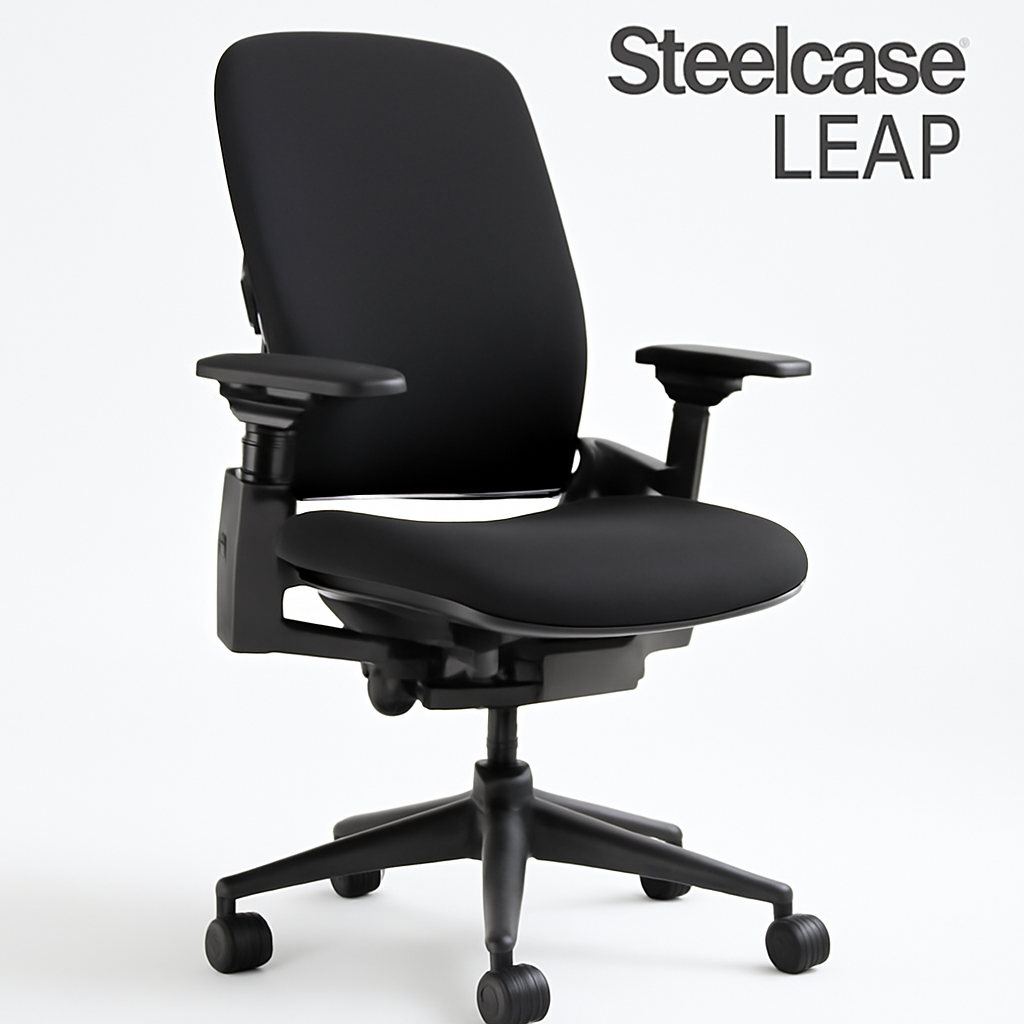
Steelcase Leap
Best for: Offices looking for one chair that works for most people, corporate environments
Steelcase has been making office furniture longer than almost anyone. The Leap is their flagship ergonomic chair.
– LiveLumbar technology adjusts to your spine’s natural curve
– Dynamic sitting surface (moves slightly with you)
– Breathable mesh back
– Comes in multiple sizes to fit different body types
Pros:
– Excellent adjustability for different body types
– Responsive, natural-feeling seat movement
– Good middle ground between Herman Miller and budget options
– Solid 12-year warranty
– Works well for people transitioning between sitting and active movement
Cons:
– Price is high ($800-1,000 range)
– Requires good adjustment knowledge—defaults aren’t ideal
– Mesh back can look a bit plain in some office settings
– May feel overly “technical” (not as intuitive as Herman Miller)
—
Budget-Friendly Work Chairs Under $500
Autonomous Ergo Chair Pro
Best for: Budget-conscious remote workers, startups, casual offices
Autonomous made their name with electric standing desks and their office chairs are genuinely solid for the price.
– Adjustable lumbar support (dial system)
– Mesh back prevents heat buildup
– Quality armrests with height adjustment
– Ships quickly (often next-day delivery in major cities)
Pros:
– Excellent value for under $500
– Lumbar support actually works
– Lightweight and easy to move
– Quick shipping
– Good customer service for issues
Cons:
– Not designed for 24/7 heavy use
– Base feels slightly less sturdy than premium chairs
– Armrests are basic (not adjustable in depth/angle)
– Warranty is shorter (2 years vs. 12)
—
Comparison Table: Work Chairs at a Glance
| Product | Best For | Price Range | Key Strength |
| Herman Miller Aeron Remastered | Long-term investment, all-day comfort | $1,000-1,395 | Unmatched lumbar support system |
| Secretlab Titan Evo | Gaming + office work, large frames | $900-1,200 | Premium build quality, XL options |
| Steelcase Leap | Diverse team environments | $800-1,050 | Adaptive lumbar technology |
| Autonomous Ergo Chair Pro | Budget-conscious remote workers | $300-450 | Best value under $500 |
| Flexispot HC3 | Hybrid workers, standing desks | $350-500 | Good mobility, mid-range support |
| Branch Ergonomic Chair | Eco-conscious buyers | $600-800 | Sustainable materials, solid build |
—
Premium Work Chairs for All-Day Comfort
If you’re in the upper budget tier ($900-1,500+), you’re looking at chairs engineered for 8+ hour days without fatigue.
Why Premium Chairs Justify Their Cost
The jump from $500 to $1,200 isn’t arbitrary. You’re getting:
1. Material quality: Premium mesh that breathes better and lasts 10+ years vs. synthetic materials that degrade
2. Adjustment precision: 10-point adjustment systems vs. basic up-down controls
3. Support engineering: Research-backed lumbar systems vs. generic cushioning
4. Durability: Chairs that perform the same at year 10 as year 1
5. Warranty and support: 12-year warranties with no-questions-asked replacements vs. 2-year limited warranties
For someone working from home full-time, a premium chair costs less than $0.25 per working day over 10 years. That math changes if you’ve ever experienced back pain that impacts your income.
—
Key Features to Compare Before Buying
1. Lumbar Support System
Types:
– Fixed lumbar support: Doesn’t adjust (avoid this for home offices)
– Height-adjustable lumbar: Moves up/down only (basic but helpful)
– Adjustable lumbar depth: Moves in/out to match your spine curve (premium)
– Dynamic/LiveLumbar: Moves subtly with your posture (best available)
What to look for: At minimum, height-adjustable. Better if depth-adjustable. Premium chairs offer both.
2. Seat Depth and Width
People are different sizes. A chair that’s perfect for a 5’6″ person might not work for someone 6’3″.
– Seat depth: Should be 2-3 inches from your knee to the back of the seat when you sit back
– Seat width: Should fit snugly without pinching your hips
– Check if the chair comes in multiple sizes (Secretlab Titan Evo does; many don’t)
3. Armrest Quality
Good armrests should:
– Adjust in height
– Adjust in width (inward/outward)
– Ideally adjust in depth (forward/back)
– Support your arms at desk height without forcing your shoulders up
Bad armrests:
– Are fixed and don’t match your desk height
– Are too wide, forcing your arms to reach unnaturally
– Don’t have padding
Most budget chairs have bad armrests. Premium chairs make armrests a real feature.
4. Seat Material
| Material | Pros | Cons | Best For |
| Mesh | Breathable, cool, easy to clean | Less cushioning, shows wear | Hot climates, long sitting sessions |
| Fabric | Comfortable, looks professional | Stains easily, traps heat | Offices with less than 6-hour days |
| Genuine Leather | Premium feel, ages well | Expensive, doesn’t breathe, needs maintenance | Executive offices, professional image |
| Synthetic Leather | Budget-friendly, looks professional | Poor breathability, plasticky feel | Budget offices, minimal use |
2026 trend: Most premium brands are moving to high-quality mesh because remote workers finally realize breathability matters.
5. Recline Mechanism
– Tilt tension adjustment: Controls how hard you push back (essential feature)
– Recline range: How far back the chair goes (70-180 degrees is typical)
– Tilt lock: Ability to lock the chair upright or in a specific position
– Synchro recline: Seat and back recline together at different rates (better ergonomics)
What matters: Tilt tension adjustment and tilt lock are non-negotiable. Synchro recline is premium but makes a real difference in all-day comfort.
6. Base and Wheels
– Base: 5-point is standard (4-point is unstable). Heavy-duty casters should roll smoothly on hardwood or carpet
– Wheels: Hard wheels for carpet, soft wheels for hardwood. Most chairs use hard wheels (easy to switch out)
– Swivel: Should rotate smoothly 360 degrees without resistance
Many budget chairs cut corners here. You’ll notice squeaky wheels and sticky swivels within a year.
—
How to Set Up Your Work Chair for Maximum Ergonomics
Even a $1,200 chair won’t help if it’s set up wrong. Here’s the official checklist:
Step 1: Seat Height
– Feet flat on floor or footrest
– Knees at 90-degree angle
– Hips slightly higher than knees
– Pro tip: If your feet don’t reach the floor, use a footrest (a stack of books works temporarily)
Step 2: Backrest Height
– Lumbar support should align with the curve of your lower back (roughly at belt-line height)
– Top of backrest at shoulder height
– Common mistake: Sitting too upright. Slight recline (5-10 degrees) is actually more ergonomic
Step 3: Lumbar Support Depth
– Should feel like gentle support, not pressing into your back
– You should be able to slide fingers between your back and chair
– Adjust depth out gradually until you feel supported without feeling forced
Step 4: Armrest Position
– Should align with your desk surface
– Elbows at roughly 90 degrees when typing
– Arms should be relaxed, not reaching or crunching
– Common mistake: Armrests too high, causing shoulder strain
Step 5: Screen Position
(Chair isn’t the only factor, but it works with your setup)
– Top of screen at eye level
– 20-26 inches from your face
– Directly in front (not angled)
Step 6: Tilt Tension
– Should be tight enough that you don’t unintentionally recline
– Loose enough that you can intentionally lean back without excessive force
– Pro tip: Adjust this if you change clothes (jeans vs. sweats change weight distribution)
—
Best Work Chairs by Use Case
For Gaming + Office Work
Best choice: Secretlab Titan Evo
Gaming chairs get memed a lot, but good gaming chairs actually excel at office work because:
– They’re designed for 8+ hour sessions (same as office work)
– They prioritize side support (prevents slouching)
– They often have better armrests than traditional office chairs
– Headrest support prevents neck strain
Avoid pure gaming chairs with excessive racing aesthetics. They look unprofessional on video calls and won’t age well in your home office.
For Standing Desk Setups
Best choice: Steelcase Leap or Autonomous Ergo Chair Pro
If you’re alternating between standing and sitting:
– You need a chair that “resets” when you sit down (not one that forces you into a specific position)
– Lighter chairs are better (less strain on legs when moving)
– Wheels should roll smoothly (you’ll be moving it more frequently)
– Avoid overly firm chairs—the contrast with standing can make your legs feel fatigued
For Small Spaces / Compact Offices
Look for:
– Lower profile: Doesn’t look enormous in small rooms
– Compact base: 4-point bases are smaller (though less stable)
– Lightweight: Should be moveable without a second person
– Narrower seat: Won’t overwhelm small spaces
Best budget option: Most sub-$400 chairs are actually better for small spaces because they have slimmer profiles. A premium consideration might be the Autonomous Ergo Chair Pro.
For Heavy Use (24/7 Home Office Workers)
Best choice: Herman Miller Aeron Remastered
If you’re working 10+ hours daily or running back-to-back video calls:
– Material durability becomes critical (budget chairs’ fabrics degrade from constant use)
– Adjustment precision prevents fatigue buildup
– Better warranty covers years of hard use
– Resale value is genuinely high (you can sell a Herman Miller for 40-50% of purchase price)
—
Common Mistakes People Make When Buying Work Chairs
Mistake 1: Choosing Based on Appearance
Your chair will disappear from your mind after 2 weeks. Comfort and adjustability matter infinitely more than matching your desk aesthetic.
Mistake 2: Assuming More Adjustability = Better
A chair with 15 adjustment options that all default to wrong positions is worse than a chair with 5 options that all default to right positions. How easily the chair works matters more than how many options exist.
Mistake 3: Not Testing Adjustments Before Buying
If buying online, get a chair with free returns. If buying in-store, spend 15 minutes actually adjusting it. Many people never adjust lumbar support because they don’t realize it’s a dial.
Mistake 4: Ignoring Size Variations
A “one-size-fits-all” chair is often a fit-all-poorly chair. If you’re outside 5’6″-6′ or weigh under 120 or over 250 pounds, look for chairs in multiple sizes.
Mistake 5: Underestimating the Importance of Armrests
You’ll use your armrests thousands of times. Bad armrests cause shoulder and neck pain. Most budget chairs have terrible armrests.
—
Our Verdict: Best Work Chair 2026
Best Overall: Herman Miller Aeron Remastered
Why: It’s genuinely the best chair available in 2026 if you work from home full-time. The updated suspension system works better than competitors, the warranty is unmatched, and it actually lasts 15+ years. Yes, it’s expensive, but the cost-per-day over its lifespan is lower than budget alternatives that need replacement every 5 years.
Who should buy it: Anyone working 6+ hours daily from home, people with existing back pain, and people who plan to use the same chair for 10+ years.
—
Best Value: Autonomous Ergo Chair Pro
Why: Under $450, it delivers 70% of the Herman Miller experience. The lumbar support actually works, it’s not uncomfortable for 8-hour days, and customer service