Quick Answer
Looking for a wireless headset with a built-in microphone? The Logitech H960 balances comfort and call quality for remote workers, while the Plantronics Voyager Focus 2 Plus excels at noise cancellation. Gamers should consider the SteelSeries Arctis Nova Pro Wireless, and budget shoppers will appreciate the Jabra Evolve 65t. Read on to find your perfect match.
—
What to Look for in a Wireless Headset and Microphone
Before you spend money on a wireless headset, you need to understand what actually matters for your use case. Here’s what to evaluate:
Audio Quality
The microphone is just as important as the speaker quality. Look for headsets with noise-canceling mics that filter out background noise—especially important if you’re on video calls. Frequency response matters too: most headsets cover 20Hz-20kHz, but professional-grade options might emphasize mid-range frequencies (1kHz-4kHz) where voice clarity happens.
Noise Cancellation (Active vs. Passive)
Active Noise Cancellation (ANC) uses electronic tech to block ambient sound—great for open offices or coffee shop work. Passive isolation just relies on a good seal and padding, which is lighter on battery but less effective. For calls, having an excellent microphone with noise rejection is often more important than ANC.
Wireless Connectivity Type
Not all wireless is created equal. We’ll dive deeper later, but quickly: Bluetooth is convenient but can drop signal, 2.4GHz is more stable for gaming, and WiFi headsets are rare but offer long range.
Comfort for All-Day Wear
You’re not wearing this for 30 minutes—you’re wearing it for 8+ hours. Check the headband padding, ear cup material, and weight. Most comfortable wireless headsets weigh 200-250g.
Microphone Position and Design
Boom microphones are more directional (better for filtering side noise), while built-in mics are more convenient but pick up more background sound. Mute buttons should be easily accessible—you don’t want accidental unmutes.
Battery Life and Charging
Entry-level headsets might get 10-15 hours. Premium models advertise 30+ hours. Fast charging (30 minutes for 50% battery) is a nice feature. Always check if the device works while charging.
Driver Size and Frequency Response
Larger drivers (40mm+) generally produce better bass and volume. Frequency response specs like “40Hz-20kHz” tell you the range, though marketing sometimes exaggerates.
—
Best Overall Wireless Headsets for 2026
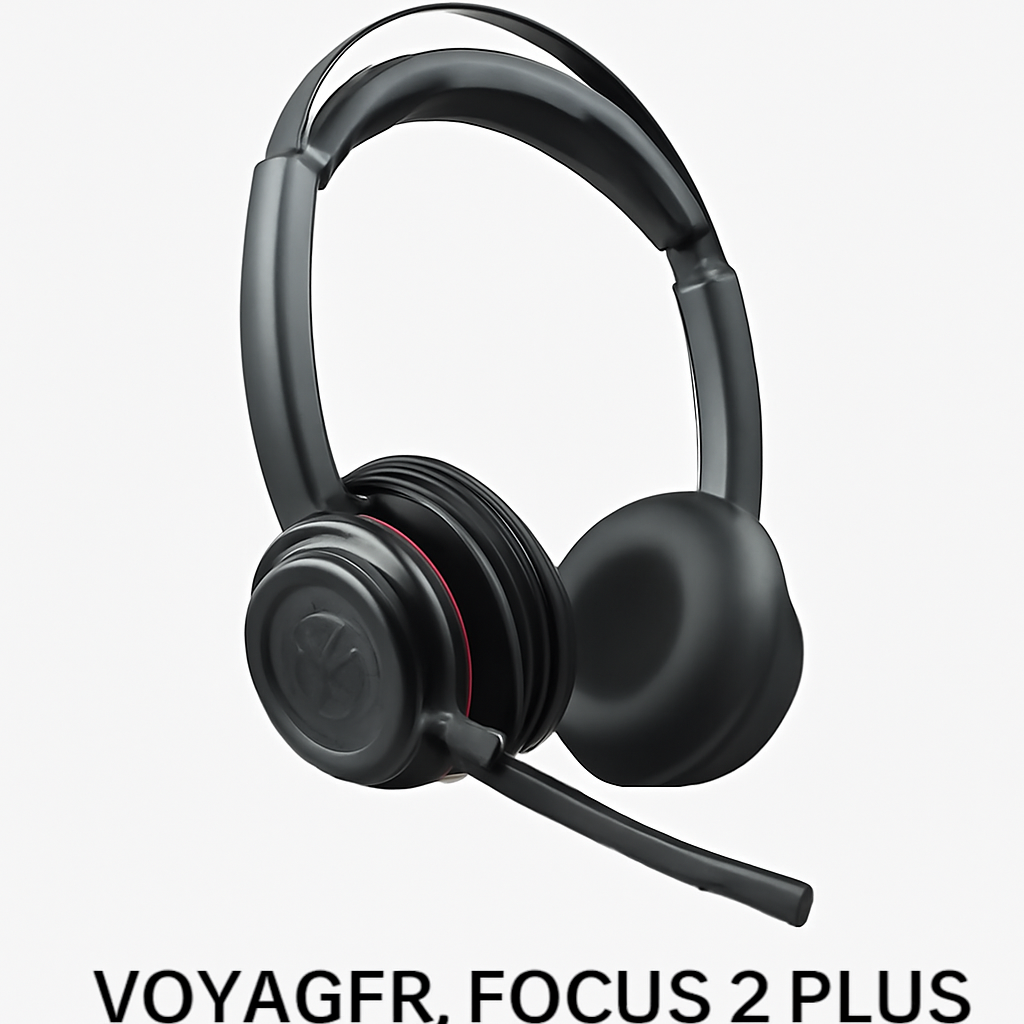
Plantronics Voyager Focus 2 Plus
Best for: Remote workers and professionals taking 6+ calls per day
The Plantronics Voyager Focus 2 Plus is the gold standard for call quality. Here’s why people upgrade to it:
Pros:
– Industry-leading noise cancellation (filters 90% of background noise)
– 24-hour battery life with 3-hour quick charge
– Dual-connect feature lets you switch between PC and mobile seamlessly
– Comfortable leather ear cups designed for all-day wear
– ANC button lets you adjust filtering strength on the fly
Cons:
– Higher price point than competitors
– Bluetooth-only (no option for 2.4GHz USB dongle)
– Over-ear design might feel bulky if you prefer lighter headsets
Why it wins: Plantronics engineered this specifically for professionals. The microphone has been tested in thousands of offices, and the noise rejection is genuinely noticeable on your end during calls. You’ll hear “your audio is so clear” from call participants constantly.
—
Logitech H960
Best for: All-around professional use and value seekers
This is the headset you see at corporate offices for a reason. It’s not flashy, but it works.
Pros:
– Great microphone with automatic mute feedback
– 50+ hour battery life (yes, really)
– Affordable compared to premium brands
– USB receiver works with PC, Mac, and some tablets
– Lightweight (185g) makes long days comfortable
Cons:
– 2.4GHz only—not Bluetooth compatible
– Call quality isn’t quite as polished as Plantronics models
– Limited color options
– Battery is non-replaceable
Why it wins: Bang for your buck. You get 50 hours of battery life, solid audio quality, and professional reliability. Many IT departments standardized on Logitech for this reason. The 2.4GHz USB receiver actually works better than Bluetooth for office environments where walls and interference matter.
—
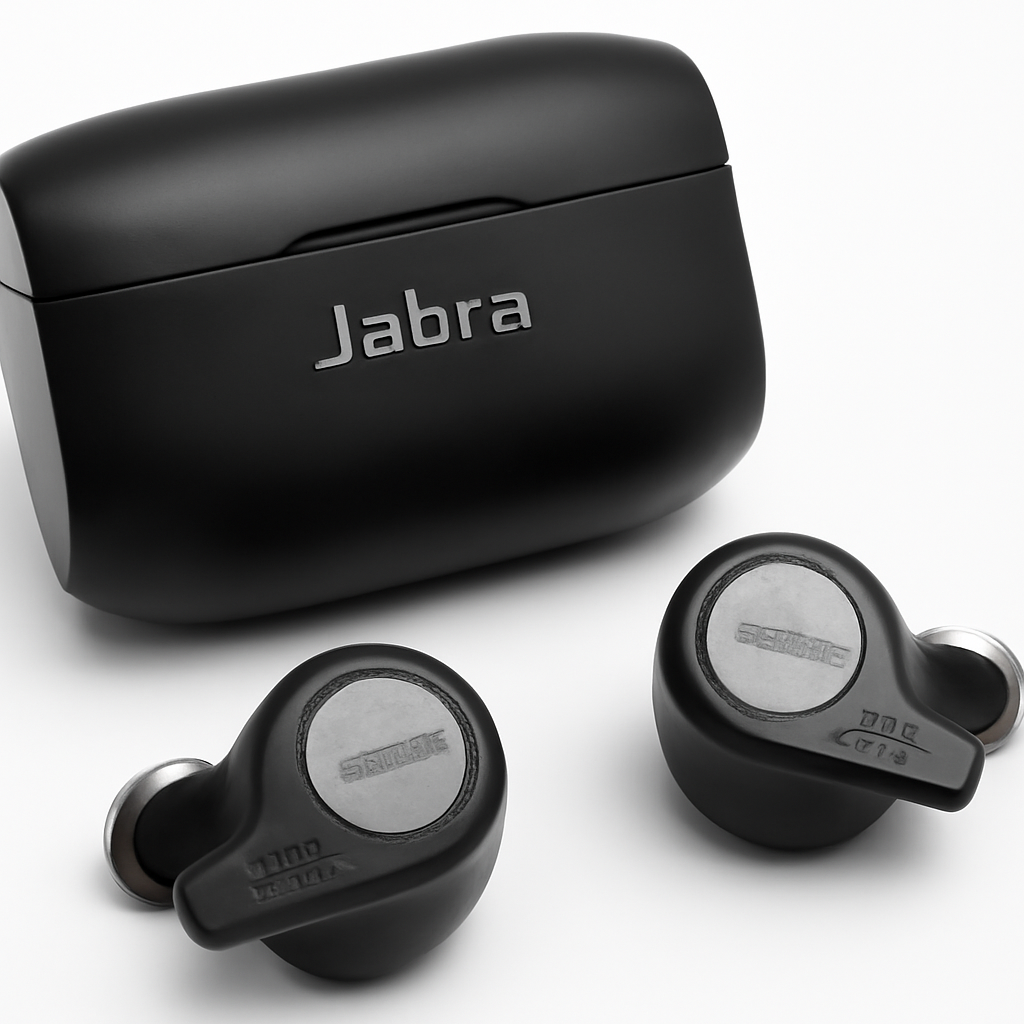
Jabra Evolve 65t
Best for: Mobile professionals and hybrid workers
Jabra’s true-wireless approach appeals to people who move between home, office, and meetings constantly.
Pros:
– True-wireless design with charging case (9 hours each earbud, 24 hours total)
– Solid ANC and call quality
– Works with Bluetooth on any device
– Compact and professional-looking
– Good battery management interface
Cons:
– True wireless can feel less stable than over-ear for some users
– Slightly weaker battery life than over-ear competitors
– ANC drains battery faster
– is mid-to-premium range
Why it wins: If you’re moving between rooms, going to meetings, and taking calls on the go, earbud form factor makes sense. You don’t have to take them off to walk around. Jabra’s integration with Outlook and Microsoft Teams is solid for productivity.
—
Top Budget-Friendly Options
SteelSeries Arctis Nova 1 Wireless
Stepping down from premium pricing doesn’t mean sacrificing core features. The Arctis Nova 1 Wireless delivers:
– 30-hour battery life at a lower price than flagships
– Clean, neutral sound profile (good for calls and music)
– Clearcast microphone with noise reduction
– Works with 2.4GHz USB dongle (stable, good for work)
– Only—genuinely budget-friendly for a quality headset
Trade-off: ANC is basic compared to the Voyager Focus 2, and it’s slightly less refined for professional calls. But for the price, you’re getting a legitimate wireless headset, not a toys.
Budget Comparison
| Feature | Arctis Nova 1 | Logitech H960 | Voyager Focus 2 Plus |
| Price Range | Budget | Budget-Mid | Premium |
| Battery Life | 30 hours | 50+ hours | 24 hours |
| ANC Quality | Basic | None | Excellent |
| Best For | Remote work/gaming | Office calls | Frequent callers |
| Mic Quality | Good | Good | Excellent |
—
Best for Gaming and Professional Use
SteelSeries Arctis Nova Pro Wireless
This is the headset that bridges gaming and professional use better than anything else in 2026.
Gaming Features:
– 2.4GHz wireless with sub-1ms latency (no audio lag)
– Spatial audio and surround sound for FPS games
– Dual wireless: connect to console/PC + mobile simultaneously
– Driver-based EQ settings for competitive advantage
Professional Features:
– Excellent call quality with noise-canceling mic
– USB-C charging with quick-charge capability
– Works with Teams and Discord natively
– Clearcast microphone (the same trusted by streamers)
– Can disable gaming features for “work mode”
Why it wins gaming: The 2.4GHz connection has zero lag, which matters in competitive games. Bluetooth-based gaming headsets will always have slight latency. The Arctis Nova Pro uses SteelSeries’ own wireless protocol, giving them full control over the connection stability.
Why it wins professionalism: The microphone isn’t just good—it’s excellent. And the headset doesn’t look like a gaming headset, so you can wear it on video calls without self-consciousness.
Price consideration:—higher than most, but you’re getting two headsets in one.
—
Connectivity: Bluetooth vs. 2.4GHz vs. WiFi
This decision affects your experience more than people realize.
Bluetooth
How it works: Wireless standard that every device has. 5.0+ Bluetooth is current.
Pros:
– Universal device compatibility
– No dongle needed
– Good for mobile and laptop switching
– Growing in stability with Bluetooth 5.x
Cons:
– Can drop signal through walls
– Interference from WiFi networks (both use 2.4GHz band)
– Limited bandwidth—some headsets compress audio
Best for: Mobile workers, outdoor professionals, anyone switching devices constantly
Recommendation: Plantronics Voyager Focus 2 Plus, Jabra Evolve 65t
2.4GHz Proprietary Wireless
How it works: Dedicated wireless frequency using a small USB dongle receiver.
Pros:
– More stable than Bluetooth (less interference)
– Works through walls reliably
– Lower latency for gaming
– Better range (100+ feet typical)
– Doesn’t drain device battery as much
Cons:
– Requires USB receiver (lost in a drawer somewhere…)
– Only works with devices that have a USB port
– Can’t connect to phones directly (though some have Bluetooth fallback)
Best for: Office workers, desktop/laptop users, gamers
Recommendation: Logitech H960, SteelSeries Arctis Nova Pro Wireless
WiFi-Based Wireless
Availability: Extremely rare in 2026. Some professional meeting room headsets use WiFi, but consumer options are minimal.
Why it doesn’t exist at scale: Battery drain is extreme, and WiFi isn’t designed for real-time audio. Stick with Bluetooth or 2.4GHz.
—
Battery Life and Comfort Comparison
Battery Life Expectations
Let’s be realistic about what headsets actually deliver:
| Headset | Rated Battery | Real-World (With ANC Off) | Real-World (With ANC On) |
| Logitech H960 | 50+ hours | 45-50 hours | N/A (no ANC) |
| SteelSeries Arctis Nova 1 | 30 hours | 28-30 hours | N/A (no ANC) |
| Plantronics Voyager | 24 hours | 22-24 hours | 18-20 hours |
| Jabra Evolve 65t | 9 hrs (per bud) | 8-9 hours | 6-7 hours |
Real talk: Manufacturers test battery in ideal conditions (half volume, no ANC, quiet environment). Reduce specs by 10-15% for typical office use.
Comfort Deep Dive
All-day wearability depends on three things:
1. Headband padding and clamping force
– Soft padding is obvious, but clamping force matters more. If it feels tight, it’s fatiguing after 4 hours.
– Test by wearing for 30 minutes in-store if possible.
2. Ear cup material
– Leather: Premium feel, traps heat, uncomfortable in warm climates
– Memory foam with cloth: More breathable, feels less premium initially but better for 8+ hours
– Silicone: Durability, but can feel cheap
3. Weight distribution
– Anything over 280g will cause neck fatigue
– Logitech H960 at 185g is genuinely light
– Most premium headsets (200-250g) are fine for office use
Comfort Winner: Logitech H960 (lightest, non-fatiguing for 12+ hour days)
Comfort Runner-Up: SteelSeries Arctis Nova Pro (excellent padding distribution, despite 320g weight)
—
How to Choose the Right Wireless Headset for Your Needs
Are You a Heavy Call User? (6+ hours per day on calls)
→ Buy: Plantronics Voyager Focus 2 Plus
Noise cancellation matters. Call quality matters more. The microphone on the Voyager is industry-standard for a reason.
Are You a Budget-Conscious Office Worker?
→ Buy: Logitech H960
50-hour battery life eliminates charging anxiety. Solid call quality. USB 2.4GHz dongle is more reliable than Bluetooth in office WiFi environments. You’ll save $200+ compared to premium options.
Are You Hybrid/Mobile (Home + Office + Meetings)?
→ Buy: Jabra Evolve 65t
True wireless design means you don’t have to take them off to move around. Bluetooth connects to phone, laptop, and tablet. Earbud form factor is professional enough for video calls.
Are You a Gamer Who Also Works?
→ Buy: SteelSeries Arctis Nova Pro Wireless
This is the only headset that genuinely excels at both. 2.4GHz for zero-lag gaming, but excellent call quality and professional design for Zoom. Dual-device connectivity is clutch (gaming PC + Discord on phone).
Are You on an Ultra-Tight Budget?
→ Buy: SteelSeries Arctis Nova 1 Wireless
You sacrifice ANC and premium build quality, but you get legitimate 30-hour battery life and good call quality at the lowest price among real products.
—
Top Picks at a Glance
| Product | Best For | Price Range | Key Strength | Battery Life |
| Plantronics Voyager Focus 2 Plus | Call-heavy professionals | Premium | ANC & call quality | 24 hours |
| Logitech H960 | Value-conscious professionals | Budget | Battery & reliability | 50+ hours |
| SteelSeries Arctis Nova Pro Wireless | Gaming + work | Premium | Dual-purpose design | 28 hours |
| Jabra Evolve 65t | Mobile/hybrid workers | Mid-Premium | True-wireless form factor | 9 hours (per bud) |
| SteelSeries Arctis Nova 1 Wireless | Budget shoppers | Budget | Affordable reliability | 30 hours |
—
Common Questions About Wireless Headsets
“Will a wireless headset work with my phone and laptop at the same time?”
Depends on the headset. Most Bluetooth headsets can connect to two devices but only pair with one at a time. You’ll need to manually switch. The SteelSeries Arctis Nova Pro has true dual wireless (2.4GHz USB dongle for PC + Bluetooth for phone simultaneously), but that’s rare at this price point.
“Is ANC actually useful for professional calls?”
Not as much as marketing suggests. ANC helps you filter noise, but it doesn’t improve your microphone’s noise rejection. For calls, a good noise-canceling microphone matters more than headset ANC. That said, it’s nice for concentration and listening fatigue in loud spaces.
“How often do I need to charge a wireless headset?”
Realistically? Every 3-5 days if you wear it 8 hours daily:
– 50-hour battery headsets (Logitech): Charge weekly
– 24-30 hour battery headsets: Charge every 3-4 days
– True-wireless earbuds: Charge case daily, individual buds nightly
“Can I use a gaming headset for professional calls?”
Yes, but most gaming headsets prioritize bass and surround sound over clarity. They work fine for calls, but they may sound less professional to the listener. The SteelSeries Arctis Nova Pro is specifically designed to avoid this problem—it sounds professional while maintaining gaming features.
“Do expensive headsets last longer than budget options?”
Not necessarily. Durability depends on build quality, not price. The Logitech H960 has a reputation for lasting 3-4 years of daily use, matching much pricier competitors. Battery degradation is more common than mechanical failure.
—
Our Verdict
Plantronics Voyager Focus 2 Plus wins for people whose primary job is video calls. The noise cancellation and microphone quality justify the premium price if you’re on calls 6+ hours daily. Your colleagues will notice the difference.
Logitech H960 is the smart choice for most remote workers. Exceptional battery life, solid call quality, and a significantly lower price. It’s the headset IT departments recommend because it works reliably without drama.
SteelSeries Arctis Nova Pro Wireless makes sense if you genu