# Best Webcam for Streaming 2026 | Home Office Guide
Quick Answer
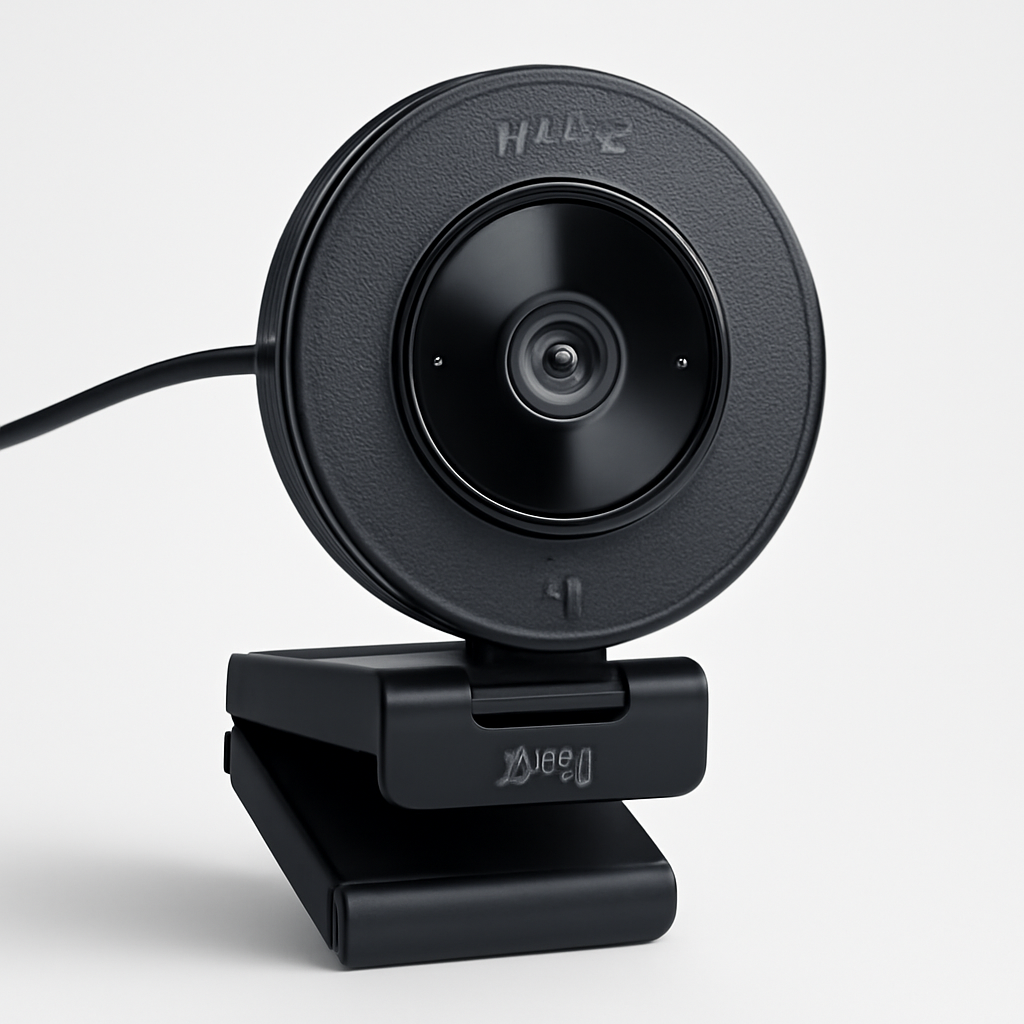
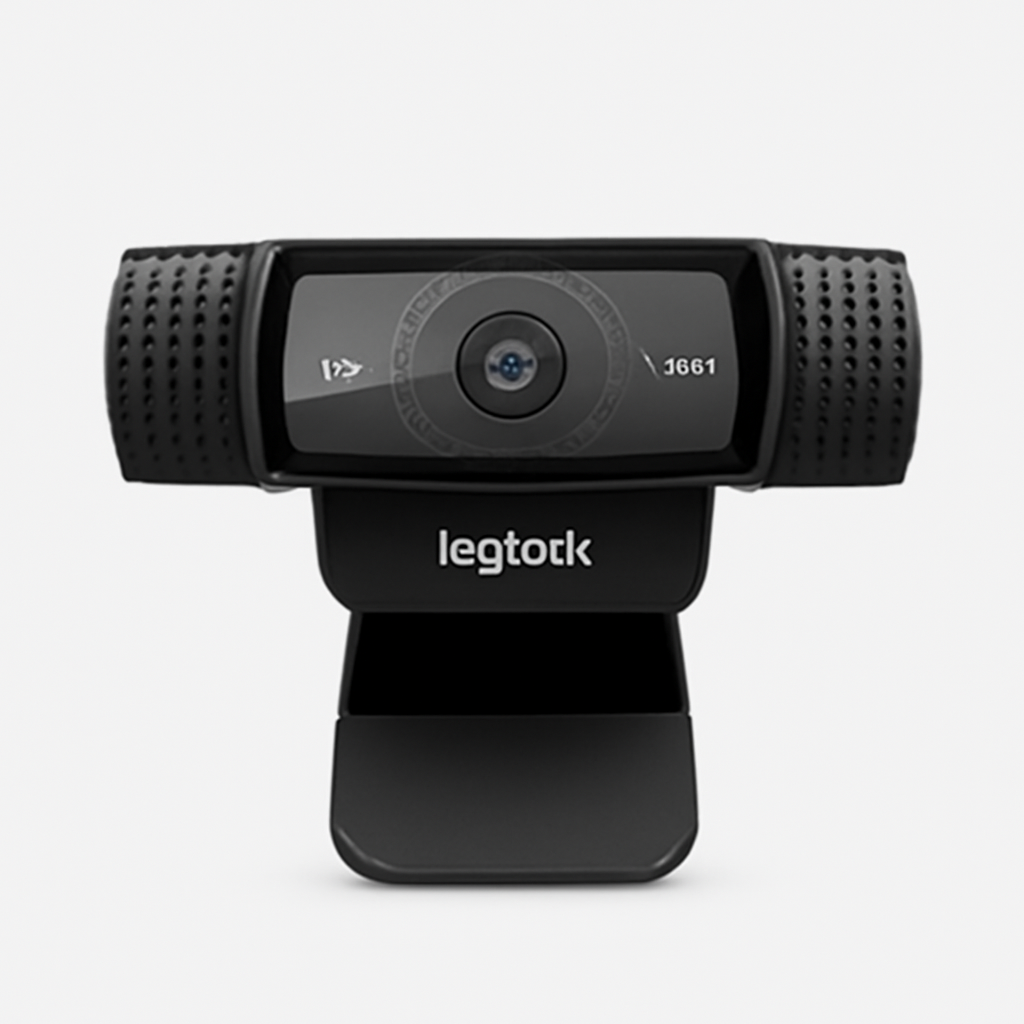
If you’re shopping for a streaming webcam in 2026, you want autofocus, at least 1080p resolution at 30fps (or 4K at 24fps), and good low-light performance. The Logitech C920 HD CHECK PRICE] remains the best all-around choice for most streamers, while the [Elgato Facecam Pro CHECK PRICE] is ideal if you’re willing to spend more for premium color accuracy. Budget streamers should consider the [Razer Kiyo X [CHECK PRICE], which balances price and performance well.
—
What to Look for in a Streaming Webcam
Streaming isn’t like video conferencing. Your viewers will see your face for 2+ hours straight, sometimes multiple times per week. That means your webcam choice matters more than you might think.
Here’s what separates a good streaming webcam from a mediocre one:
Resolution and Frame Rate
1080p at 30fps is the practical minimum for streaming in 2026. Most platforms (Twitch, YouTube, OBS) handle this easily, and your internet won’t struggle with the bandwidth.
4K is appealing in theory, but here’s the catch: streaming at 4K requires significantly higher bitrate (6-8 Mbps vs. 2.5-4 Mbps for 1080p), which means:
– Most viewers can’t see the difference on smaller screens
– Your ISP bandwidth gets maxed out quickly
– You need professional-grade equipment to justify the investment
Real talk: 1080p at 60fps beats 4K at 24fps for streaming. You want smooth motion more than you want pixel density.
Autofocus and Focus Speed
Manual focus was standard five years ago. Now, any webcam worth buying should have autofocus. What matters is how fast it refocuses when you move closer to the camera or shift your position.
Budget webcams can take 2-3 seconds to refocus. Premium models refocus in under 500ms. For streaming, where you might lean forward to make a point, that delay is noticeable.
Low-Light Performance
Most people stream from home offices with imperfect lighting. A webcam’s light sensitivity (measured in lux) determines whether you look crisp or grainy in dim conditions.
Anything rated for 300 lux or better will perform acceptably in typical indoor lighting. Below 300 lux, you’ll see visible grain and color shift.
Autofocus Range and Depth of Field
Some webcams focus sharply only at 12 inches away; others work fine at 3-4 feet. Know your setup before buying. If you sit 2 feet from your monitor, wide focus range doesn’t help. If you move around, it’s critical.
Field of View (FOV)
75-90° FOV is standard and recommended. This width captures your face and some shoulder room without distortion.
– Under 75° = You’ll look zoomed-in and cramped
– Over 90° = Noticeable fisheye effect; looks unprofessional
– 100°+ = Only for novelty use or multi-person setups
Built-in Microphone (Nice-to-Have, Not Essential)
Streaming webcams often include mics, but they’re rarely good enough for serious content creators. Better to use a dedicated USB microphone or XLR setup with an audio interface.
That said, if your budget is tight and you can’t buy separate audio gear yet, a webcam with a solid built-in mic beats silence.
—
Top Webcams for Streaming in 2026
Product Comparison Table
| Product | Best For | Price Range | Resolution | Autofocus |
| Logitech C920 HD | Budget-conscious streamers | $50-70 | 1080p/30fps | Yes |
| Elgato Facecam Pro | Color-accurate streaming | $200-250 | 1080p/60fps | Yes |
| Razer Kiyo X | RGB lighting + streaming | $100-130 | 1080p/60fps | Yes |
| AVerMedia Live Streamer 313 | Professional setup | $150-180 | 1080p/60fps | Yes |
—
Logitech C920 HD [CHECK PRICE]
Best for: Budget-conscious streamers who want proven reliability
The C920 has been the default webcam recommendation since 2012. In 2026, it’s still relevant—not because it’s cutting-edge, but because it consistently delivers acceptable results at an unbeatable price.
Specs:
– 1080p @ 30fps
– 78° field of view
– Autofocus (decent, but not lightning-fast)
– Stereo microphone
– USB plug-and-play
– Cross-platform compatible (Windows, Mac, Linux)
Logitech C920 HD Pros:
– ✅ Unbeatable price point
– ✅ Proven track record with zero driver issues
– ✅ Decent color reproduction out of the box
– ✅ Wide software compatibility
– ✅ Physically durable (many users report 5+ years of use)
Logitech C920 HD Cons:
– ❌ Only 30fps (laggy motion for action-heavy content)
– ❌ Slower autofocus than modern competitors
– ❌ Low-light performance is mediocre
– ❌ Built-in mic is poor quality
– ❌ No 4K option
Verdict on C920: Buy this if you’re streaming talk-focused content (education, commentary, interviews) or if you’re supplementing with good lighting and a separate microphone. Skip it if you’re doing fast-action gaming or high-motion content.
—
Elgato Facecam Pro [CHECK PRICE]
Best for: Streamers who prioritize image quality and don’t want to compromise
This is the premium choice in 2026. Elgato, owned by Corsair, has invested heavily in making this the best all-around streaming camera on the market.
Specs:
– 1080p @ 60fps
– 5x faster autofocus than Logitech
– Advanced color correction algorithm
– Wide dynamic range (handles backlit setups)
– Noise-canceling algorithm for audio
– USB Type-C
– Mounting bracket included
Elgato Facecam Pro Pros:
– ✅ Exceptional low-light handling (rated for 200 lux)
– ✅ Color science is noticeably better than competitors
– ✅ Responsive autofocus
– ✅ Clean, minimal design
– ✅ Built-in noise cancellation for mic input
– ✅ Works flawlessly with OBS and Streamlabs
Elgato Facecam Pro Cons:
– ❌ Premium price point ($200+)
– ❌ No 4K resolution
– ❌ No built-in microphone (mic input only)
– ❌ Requires USB Type-C (not backwards compatible)
– ❌ Not a huge upgrade if you already have good lighting
Verdict on Facecam Pro: This is the recommended buy for serious streamers with a real budget. If streaming is part of your income or you’re building a professional presence, the image quality difference justifies the cost.
—
Razer Kiyo X [CHECK PRICE]
Best for: Gamers and streamers who want 60fps without breaking the bank
Razer positions this as a gaming-focused camera, and it shows in the specifications. It’s a solid middle ground between the budget C920 and premium Facecam Pro.
Specs:
– 1080p @ 60fps
– 90° field of view
– Autofocus with good speed
– Built-in microphone with noise suppression
– USB plug-and-play
– Compact design
Razer Kiyo X Pros:
– ✅ 60fps for smooth motion
– ✅ Fair price for the specs
– ✅ Compact and easy to position
– ✅ Autofocus performance is solid
– ✅ Built-in mic is better than Logitech’s
– ✅ Works with any streaming software
Razer Kiyo X Cons:
– ❌ Low-light performance lags behind Facecam Pro
– ❌ No advanced color correction
– ❌ Autofocus can hunt in certain lighting conditions
– ❌ Field of view might be too wide for small desks
– ❌ No 4K option
Verdict on Kiyo X: Buy this if you’re a gamer streaming at 1080p/60fps and you want a camera that won’t hold you back, but you’re not ready to spend $200+. It’s the sweet spot for cost-per-performance.
—
AVerMedia Live Streamer 313 [CHECK PRICE]
Best for: Streamers who already have streaming software experience and want granular control
AVerMedia makes broadcast-grade equipment. The 313 is their consumer-facing option that bridges the gap between plug-and-play webcams and professional hardware.
Specs:
– 1080p @ 60fps
– Advanced autofocus
– Wide dynamic range
– Built-in image enhancement
– Manual focus ring (mechanical control)
– Mounting arm included
AVerMedia 313 Pros:
– ✅ Professional build quality
– ✅ Manual focus option for creative control
– ✅ Excellent color accuracy
– ✅ Included mounting arm (saves $30-40)
– ✅ Strong low-light performance
– ✅ Reliable autofocus
AVerMedia 313 Cons:
– ❌ Learning curve (more settings than most need)
– ❌ Higher price point ($150-180)
– ❌ Overkill if you just want “plug and play”
– ❌ Heavier than competing options
– ❌ No 4K
Verdict on 313: Buy if you’re tech-comfortable and plan to stream for years. It’s durable and gives you professional-grade tools without breaking the bank like a cinema camera would.
—
4K vs 1080p: Which Resolution Do You Need?
This is the question that trips up most webcam shoppers.
1080p: The Practical Standard
In 2026, 1080p is still the dominant format for streaming. Here’s why:
1. Bandwidth is expensive. Moving from 1080p to 4K doesn’t just add pixels—it multiplies bandwidth requirements:
– 1080p/30fps = ~2.5 Mbps
– 1080p/60fps = ~4 Mbps
– 4K/30fps = ~8 Mbps
– 4K/60fps = ~15+ Mbps
If you have a 25 Mbps upload speed, 4K at 60fps leaves almost nothing for bitrate headroom. One glitch and your stream tanks.
2. Viewers aren’t watching on 4K displays. The average Twitch or YouTube viewer is on a laptop or phone. Even high-resolution streaming still gets compressed by the platform, and most displays can’t render it anyway.
3. Encoding is demanding. Streaming 4K in real-time requires either a high-end GPU or expensive CPU overhead. Budget streamers usually can’t handle it without dropping frames.
When 4K Actually Makes Sense
You should consider a 4K camera if:
– Your upload speed is 50+ Mbps (fiber/business-class connection)
– You’re recording locally and uploading highlights later (not live)
– You’re capturing B-roll for editing, not live streaming
– You’re streaming to a platform where viewers typically watch on large displays (YouTube vs. Twitch)
Our Recommendation
Stick with 1080p at 60fps for 95% of streamers. The performance, bandwidth, and reliability are better. Save your money on a 4K camera and invest in better lighting or audio instead.
—
Autofocus and Low-Light Performance Compared
These two features make the biggest difference in your stream quality—often more than resolution.
Autofocus Speed Test (Approximate)
| Camera | Focus Time | Quality |
| Logitech C920 | 1.5-2s | Adequate |
| Razer Kiyo X | 0.8-1s | Good |
| AVerMedia 313 | 0.7s | Excellent |
| Elgato Facecam Pro | 0.5s | Excellent |
For streaming, anything under 1 second is fine. Above 1.5 seconds and you’ll notice lag when you move.
Low-Light Performance (Lux Rating)
Lower lux = better in dim conditions.
| Camera | Lux Rating | Typical Room Setting |
| Logitech C920 | 500 lux | Bright office only |
| Razer Kiyo X | 350 lux | Office + desk lamp |
| AVerMedia 313 | 250 lux | Normal home lighting |
| Elgato Facecam Pro | 200 lux | Dim room acceptable |
Most home offices run 300-500 lux. If you can’t add more lighting, the Facecam Pro or AVerMedia 313 will look significantly better.
Real-World Takeaway
If your streaming space has:
– Multiple windows or overhead lighting: Any of these cameras will work fine
– One window, no overhead light: You need the Facecam Pro or AVerMedia 313
– Basement streaming: Invest in a dedicated LED light panel first, then pick a mid-range camera
Lighting fixes more problems than expensive cameras do.
—
USB vs Network Connectivity Options
In 2026, this is a simpler decision than it used to be.
USB Webcams (What You’re Buying)
Pros:
– Simple plug-and-play setup
– No network configuration needed
– Works immediately with OBS, Streamlabs, etc.
– Compatible with any streaming software
Cons:
– Limited to USB cable length (usually 10 feet max without extension)
– USB bandwidth limits (USB 2.0 maxes out some 4K cameras)
For streaming: USB is the standard and recommended choice. Don’t overthink it.
Network Cameras (IP Cameras)
Network webcams connect via Ethernet or WiFi instead of USB.
Pros:
– Can be placed far from your PC
– Professional broadcast setup (usually cinema-grade, not consumer webcams)
– Can be controlled remotely
Cons:
– Expensive ($500+)
– Requires network configuration
– Latency can be an issue
– Overkill for home streaming
For streaming: Skip this unless you’re building a multi-camera professional studio. It’s complexity you don’t need.
Our Recommendation
All the cameras mentioned in this guide use USB, and that’s the right choice. If you need to extend your USB cable beyond 10 feet, buy a USB 3.0 active extension cable (around $25). That solves any cable length issues without adding complexity.
—
Budget-Friendly vs Premium Streaming Webcams
Let’s talk price tiers in 2026:
Budget Tier: $50-80
Best option: Logitech C920 HD [CHECK PRICE]
Use case: Talk-focused content, education, interviews, podcast/stream hybrid setups
Limitations: 30fps only, average low-light, slower autofocus
What to pair it with: A separate USB microphone (Blue Yeti or Audio-Technica AT2020USB), good lighting
Why it’s worth it: You get proven reliability and can spend the savings on better audio/lighting.
Mid-Tier: $100-150
Best option: Razer Kiyo X [CHECK PRICE]
Use case: Gaming, general streaming, YouTube content creation
Benefits: 60fps, better autofocus, decent low-light handling
Limitations: Not as good in dim lighting as premium options
What to pair it with: A ring light ($30-50), dedicated microphone
Why it’s worth it: 60fps is a noticeable upgrade for motion. Good value for the performance.
Premium Tier: $200-300
Best option: Elgato Facecam Pro [CHECK PRICE]
Use case: Professional streaming, content creators with income from streams, perfectionists
Benefits: Best low-light handling, fastest autofocus, color science is noticeably superior
What this replaces: The need for heavy color correction in post, better performance in challenging lighting
Why it’s worth it: If streaming is part of your income, better image quality directly impacts audience retention and sponsorship appeal.
Overkill Tier: $300+
**Examples