# Best Monitor Stands on Amazon | 2026 Buyer’s Guide
Quick Answer
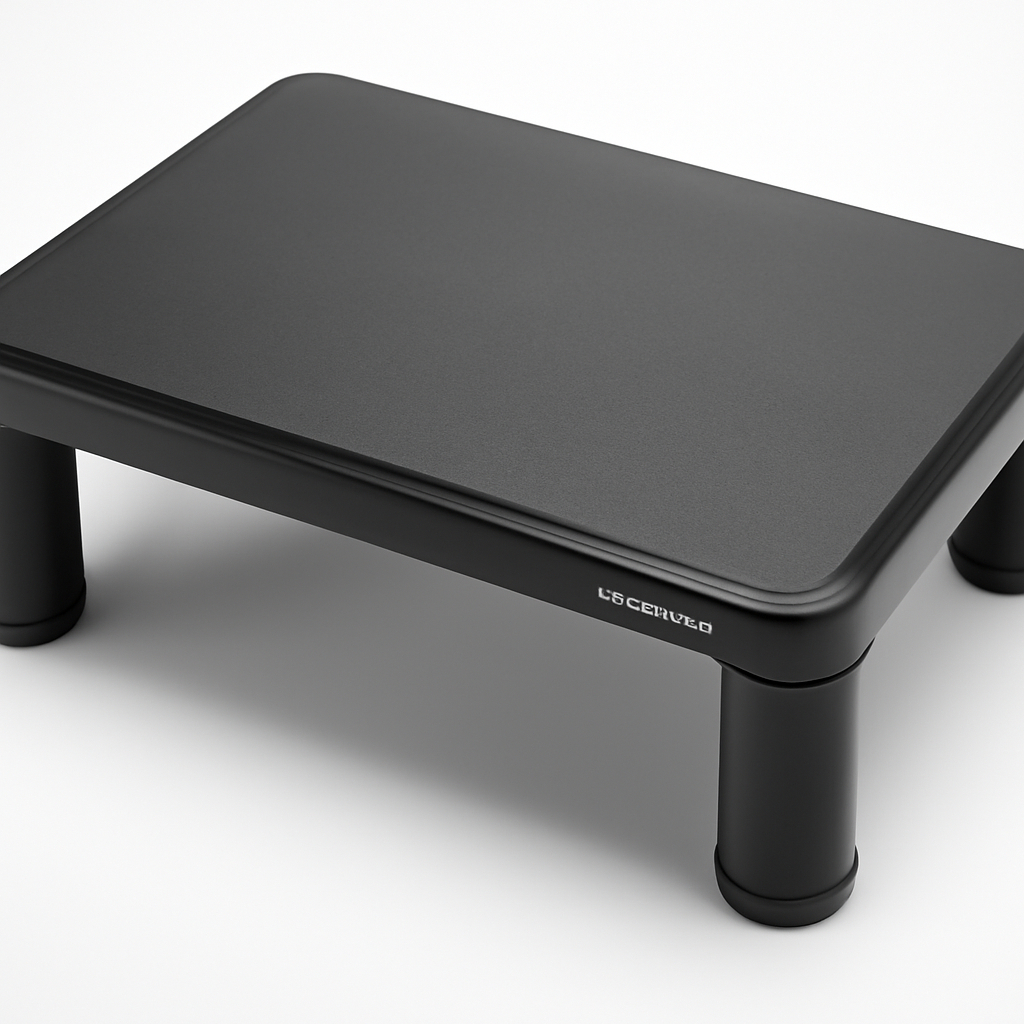
A good monitor stand elevates your screen to eye level, reduces neck strain, and reclaims desk space—especially if it includes storage. The Fully Jarvis Monitor Arm CHECK PRICE] is our top pick for adjustability, while the [AmazonBasics Monitor Stand Riser CHECK PRICE] offers the best value under $50. If you need dual-monitor support with storage, the [HUANUO Dual Monitor Stand [CHECK PRICE] delivers solid functionality without breaking the bank.
—
What to Look for in a Monitor Stand
Before you click “Add to Cart,” understand what actually matters when choosing a monitor stand. Not every desk needs the same solution, and buying the wrong one can cost you money and comfort.
Height and Viewing Angle
Your monitor’s center should sit at or slightly below eye level when you’re seated with good posture. This is the single biggest factor in preventing neck and shoulder strain. Look for stands that offer:
– Fixed models: Usually raise your screen 3–4 inches, suitable if your desk is already at a good baseline height
– Adjustable models: Let you customize the height anywhere from tabletop to 6+ inches of lift
– Tilt functionality: Allows you to angle the screen backward (typically 5–20 degrees) for reduced glare
Weight Capacity
Monitor sizes have grown, and so have their weights. A 27-inch 4K display can weigh 8–12 pounds. Check the stand’s maximum weight rating—it should exceed your monitor’s weight by at least 20%. Undersizing creates wobbling, which destroys both productivity and your mood.
Stability and Wobble
A wobbly monitor is a distraction you don’t need. Look for:
– Wide base footprint: Reduces tipping risk, especially with arm-style stands
– Weighted or reinforced base: Metal bases are inherently more stable than plastic
– Non-slip feet: Rubber or adhesive pads keep the stand from sliding across your desk
Desk Space Impact
This is where monitor stands truly shine. Many people overlook that a stand creates usable storage underneath. Consider:
– Footprint size: Compact stands take up less room
– Integrated storage: Shelves, drawers, or open space for keyboard, mouse, documents, or small items
– Cable management: Built-in channels or clips for hiding wires
Monitor Compatibility
Not all stands work with all monitors. Check:
– VESA mounting compatibility: Most modern monitors have VESA holes (75x75mm or 100x100mm); stands with VESA arms are more universal
– Desk clamp vs. free-standing: Clamps take zero desk space but can damage desks; free-standing stands are more flexible
– Single vs. multiple monitors: Some stands simply aren’t designed for dual-screen setups
—
Top Monitor Stand Picks on Amazon for 2026
1. Fully Jarvis Monitor Arm — Best Overall
The Fully Jarvis Monitor Arm [CHECK PRICE] is an electric-height-adjustable monitor arm that transforms your workspace. It’s not just a stand—it’s a complete desk solution that moves vertically with a single button press.
Why we like it:
– Electric height adjustment (28.6″–47.6″ range) with memory presets
– Single-monitor support up to 38 pounds
– Integrated cable management with clips and routing
– Sleek aluminum design fits modern offices
– Ships with all necessary VESA adapters
Pros:
– Premium build quality; lasts for years
– Smooth, quiet motor operation
– Excellent customer service and warranty
– Reduces sitting fatigue when you raise it throughout the day
Cons:
– Higher price point than basic stands
– Requires electrical outlet nearby
– May be overkill if you never adjust monitor height
Best for: Remote workers, gamers, and anyone sitting 6+ hours daily who wants precision ergonomics.
—
2. AmazonBasics Monitor Stand Riser — Best Budget Pick
The AmazonBasics Monitor Stand Riser [CHECK PRICE] is a no-frills, affordable solution that solves one problem exceptionally well: lifting your monitor to proper height.
Why we like it:
– Simple plastic construction with strong base
– Raises screen approximately 4.5 inches
– Supports monitors up to 40 pounds
– Open storage shelf underneath (perfect for keyboard)
– Compact 20″ width fits smaller desks
Pros:
– Extremely affordable (under $25–30)
– Lightweight and portable
– Adequate stability for single monitors
– Black color matches most desk setups
Cons:
– Plastic build feels less premium than metal alternatives
– No height adjustability—fixed position only
– Minimal cable management features
– Wobbles slightly if you bump the desk
Best for: Budget-conscious students, casual users, or anyone testing whether a monitor stand improves their setup.
—
3. HUANUO Dual Monitor Stand — Best for Two Screens
The HUANUO Dual Monitor Stand [CHECK PRICE] lets you run two monitors side-by-side with independent height adjustment on each.
Why we like it:
– Supports two monitors up to 17–32 inches
– Each arm adjusts independently (height, tilt, swivel)
– Built-in storage shelf below for peripherals
– Metal frame construction; very sturdy
– Fits standard and VESA-mounted monitors
Pros:
– True dual-monitor independence (move each screen separately)
– Creates significant desk space underneath
– Solid build quality at mid-range price
– Cable channels keep wires organized
Cons:
– Takes up more horizontal desk space than stacked alternatives
– Setup requires some effort; instructions could be clearer
– Heavier than single-monitor stands (requires two people for assembly)
Best for: Content creators, traders, programmers who use dual monitors and want independent adjustment.
—
4. Logitech Slim Folio Stand — Best Compact Option
The Logitech Slim Folio Stand [CHECK PRICE] combines a monitor stand with integrated keyboard functionality—a hybrid approach that appeals to minimalists.
Why we like it:
– Ultra-thin profile (under 1 inch when collapsed)
– Integrated Bluetooth keyboard reduces device count
– Supports tablets and monitors up to 10 inches
– Battery lasts 3 weeks on single charge
– Clean Scandinavian design
Pros:
– Saves desk space by combining two devices
– Quiet key switches good for offices
– Easy pairing with Mac and Windows devices
Cons:
– Smaller keyboard layout takes adjustment
– Not ideal for full-sized 27-inch monitors
– Premium price for what is essentially a keyboard
Best for: Travelers, small-space dwellers, iPad-first users who need a stand and keyboard combo.
—
Top Picks at a Glance
| Product | Best For | Price Range | Key Feature |
| Fully Jarvis Monitor Arm | Premium adjustability | $400+ | Electric height adjustment |
| AmazonBasics Monitor Stand Riser | Budget buyers | $20–30 | Simple, affordable, stable |
| HUANUO Dual Monitor Stand | Multi-monitor setups | $80–120 | Independent dual-screen adjustment |
| Logitech Slim Folio Stand | Compact setups | $100–150 | Integrated keyboard |
—
Single vs. Dual Monitor Stands: Which Is Right for You?
This choice comes down to how you work.
Single Monitor Stand
Choose a single stand if:
– You focus on one primary task (writing, design, coding in one window)
– Your desk is under 48 inches wide
– You prefer a minimalist setup
– You’re budget-conscious
Advantages:
– Cheaper and smaller footprint
– Easier to cable manage
– Less visual distraction
– Works with any monitor size
Disadvantages:
– No secondary screen for reference material
– Less productivity if you context-switch frequently
Dual Monitor Stand
Choose a dual stand if:
– You reference data on one screen while working on another
– You’re a content creator (one for editing, one for timeline/assets)
– You trade stocks or monitor multiple dashboards
– You have the desk space (minimum 54 inches recommended)
Advantages:
– Dramatic productivity boost (studies show 20–30% efficiency gain)
– Both screens at ideal ergonomic height
– More professional appearance
– Often cheaper than two separate stands
Disadvantages:
– Takes up significant desk real estate
– More complex cable management
– Requires monitors of similar size for best appearance
– Higher total cost
—
Monitor Stand Materials: Wood, Metal, and Hybrid Options
The material affects durability, aesthetics, and how well your setup integrates with your office.
Metal Stands (Aluminum, Steel)
What you get:
– Maximum stability and weight capacity
– Modern, professional appearance
– Excellent durability (10+ years typical)
– Usually offers better cable management
Best for: Modern offices, high-end setups, anyone prioritizing stability
Examples: Fully Jarvis, most premium monitor arms
Price: $80–600+
Wood Stands (Bamboo, Plywood)
What you get:
– Warm, natural aesthetic
– Good for desk matching
– Lightweight and portable
– Often feature integrated storage
Best for: Home offices, Scandinavian-style desks, natural-material enthusiasts
Examples: Many budget bamboo risers on Amazon
Price: $30–150
Trade-off: Wood doesn’t manage cables as elegantly as metal; can develop wobble over time
Plastic Stands
What you get:
– Lowest cost
– Lightweight and portable
– Adequate for lighter monitors
– Easy to clean
Best for: Students, temporary setups, very tight budgets
Examples: AmazonBasics Monitor Stand Riser
Price: $15–40
Trade-off: Feels less premium; can develop cracks under stress; not ideal for monitors over 20 pounds
Hybrid Stands (Metal + Wood)
What you get:
– Visual appeal of wood with steel stability
– Often includes cable management from metal frame
– Best of both worlds for aesthetics and function
Best for: Anyone wanting design and durability
Price: $120–300
—
Height-Adjustable vs. Fixed Monitor Stands
This decision significantly impacts long-term ergonomics and adaptability.
Fixed Monitor Stands
How they work: Raise your monitor a set amount (usually 3–5 inches)
Advantages:
– Cheaper than adjustable options
– Simpler design, fewer things to break
– Works fine if your desk height is already correct
Disadvantages:
– Can’t accommodate standing desks
– Different body proportions need different heights
– Less flexibility if you change monitor sizes
Best for: Static desk setups, budget buyers, people with ideal desk-to-chair proportions
Height-Adjustable Stands
How they work: Let you modify screen height via gas spring, manual crank, or electric motor
Advantages:
– Works with standing desks
– Accommodates different people (if desk is shared)
– Can optimize viewing angle throughout the day
– Better long-term ergonomics
Disadvantages:
– More expensive (electric more than manual)
– More complex mechanisms can fail
– Requires power outlet (if electric)
Manual Adjustable:
– Gas-spring or ratchet mechanism
– Price: $50–150
– Requires effort but saves money
Electric Adjustable:
– Motor-driven with button control
– Price: $300+
– Effortless adjustment; best for frequent changers
Best for: Standing desks, shared workspaces, anyone with back issues or ergonomic needs
—
Budget-Friendly Monitor Stands Under $50
Not everyone needs a $400 monitor arm. Here’s what you actually get at different price points.
Under $25
Product: AmazonBasics Monitor Stand Riser [CHECK PRICE]
– Fixed height, plastic base
– Stores keyboard underneath
– Works for monitors up to 40 lbs
– No cable management
Use case: Compact desk, light monitor, student setup
$25–40
What improves:
– Slightly larger footprint (more storage space)
– Better material (some metal reinforcement)
– Additional organizational features
Example features:
– Bigger storage shelf
– Cable clips
– Higher weight capacity (up to 50 lbs)
$40–50
What improves:
– Better build quality overall
– More stability
– Possible material upgrades (bamboo or all-metal)
Example features:
– Bamboo construction
– Larger work surface underneath
– Better non-slip feet
– Drawer storage
Our recommendation: If you’re between $25 and $50, jump to $45–50 options. The stability improvement is worth the extra $20–25.
—
Monitor Stands with Storage: Maximizing Desk Space
For people with limited desk real estate, the storage underneath a monitor stand can be transformative.
Types of Storage Integration
Open Shelf (Most Common)
– Simple, clean lines
– Easy to access keyboard, documents, or decorations
– No door or cover
– Example: AmazonBasics, HUANUO models
– Price: $20–80
Drawer Storage
– Keeps items hidden
– Better for pencils, cables, small items
– Slightly more expensive
– Price: $60–150
Mesh or Partial Shelving
– Hybrid approach; visible but less cluttered-looking
– Good cable visibility without mess
– Price: $40–100
Built-In Organizer
– Multiple compartments
– Often includes phone stand, pen holder, tray
– Integrated design
– Price: $80–200
Storage Considerations
What fits underneath?
– Keyboard and mouse pad (requires 4–5 inches height)
– Small monitor (secondary display)
– Documents and notepads
– Office supplies
– Decorative items
What doesn’t work:
– Large desk lamps (usually too tall)
– Printers (too heavy)
– Bulky peripherals
Space calculation:
Measure the gap between your desk surface and the bottom of the monitor. Anything you store needs to fit in that space. Most stands create 4–6 inches of clearance.
Best Storage Monitor Stands
HUANUO Dual Monitor Stand [CHECK PRICE]
– Metal frame creates defined shelf space
– Supports significant weight
– Price: $80–120
Bamboo Monitor Stands with Drawer
– Attractive natural look
– Small drawer for supplies
– Price: $60–100
—
Setting Up Your Monitor Stand: Ergonomics 101
Once you’ve chosen your stand, proper setup is critical.
The Perfect Height
Sit in your work chair with feet flat on the floor. Your monitor’s top should be at or slightly below eye level (about 15–20 degrees downward viewing angle). If using glasses, ensure you’re looking through the correction zone, not over them.
Distance from Face
Your monitor should be 20–30 inches away. A rough rule: arm’s length. Text should be readable without leaning forward.
Desk Positioning
– Position stand in the center of your desk (unless you use dual monitors)
– Leave 6 inches clearance on all sides for airflow
– Ensure no backlighting causes glare on the screen
Cable Management
Even budget stands should have some way to manage cables:
– Use cable clips or straps to bundle wires behind the stand
– Route cables downward and toward the back
– Keep cables away from rolling chair wheels
—
Common Monitor Stand Mistakes to Avoid
1. Ignoring weight ratings: A stand rated for 25 lbs won’t handle a 32-lb monitor for long. Check specs.
2. Buying the wrong size: Measure your desk first. A stand that’s too wide creates more problems than it solves.
3. Skipping VESA compatibility: Not all monitors have VESA mounting holes. Check before purchasing an arm-style stand.
4. Assuming all risers are the same: A $15 plastic stand and a $50 metal stand feel very different in daily use.
5. Not measuring viewing distance: Monitor stands are useless if you’re still looking downward at your screen.
6. Overlooking cable management: A stand that looks great but has messy cables underneath ruins the whole aesthetic.
—
Our Verdict
The Fully Jarvis Monitor Arm [CHECK PRICE] is the best overall choice if you can afford the investment. Its electric adjustment, premium build, and adaptability make it worth every dollar for anyone spending 6+ hours at their desk daily.
However:
– If you’re on a strict budget: The AmazonBasics Monitor Stand Riser [CHECK PRICE] honestly does the job for $20–30. It’s not fancy, but it works.
– If you run dual monitors: The HUANUO Dual Monitor Stand [CHECK PRICE] saves money versus two separate stands and offers better ergonomics.
– If desk space is precious: