Quick Answer
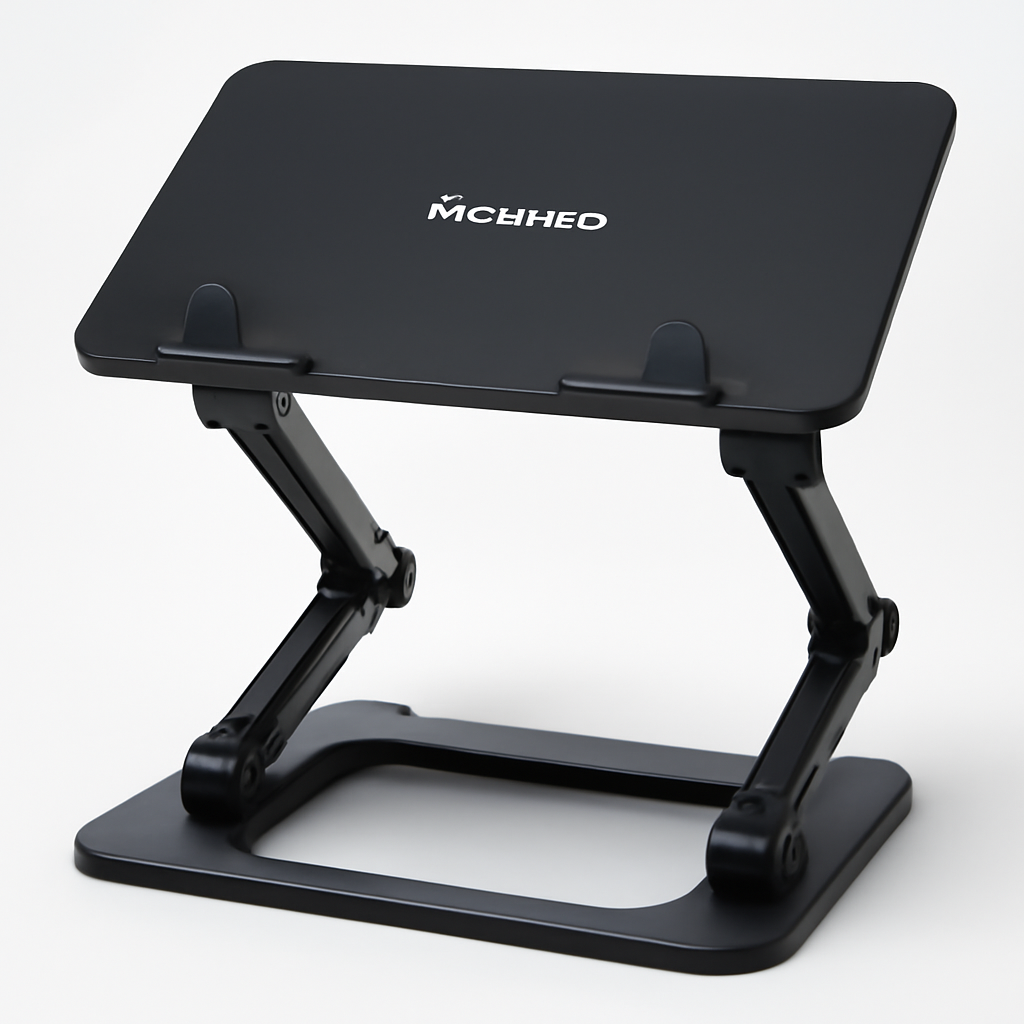
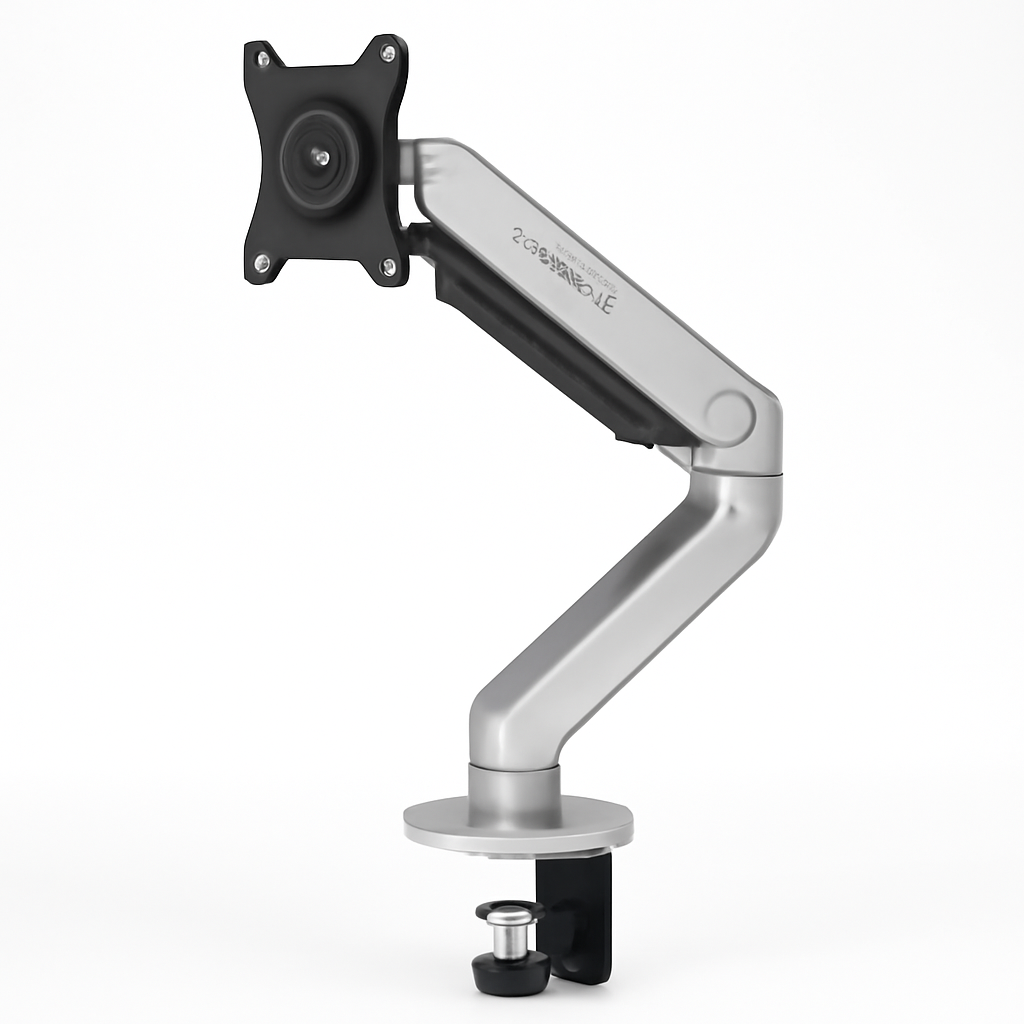
If you’re shopping for a monitor arm, Ergotron leads the market for reliability and precision, Herman Miller dominates premium professional setups, HUANUO offers unbeatable value for budget buyers, and Autonomous excels in motorized/smart options. Your choice depends on your workspace needs, monitor size, and budget—anywhere from $40 to $500+.
—
What Makes a Monitor Arm Brand Stand Out?
When you’re looking at monitor arm brands, you’re not just picking a piece of metal that holds your screen. You’re investing in ergonomics, desk space, and potentially years of neck-pain-free work.
The best monitor arm brands distinguish themselves through several key factors:
Build Quality & Materials
Premium brands use heavy-duty aluminum or steel that won’t sag after months of use. Cheaper alternatives often feel wobbly within the first year.
Smooth Adjustment Mechanisms
Quality brands invest in ball bearings, springs, and tension systems that make micro-adjustments effortless and hold position securely. Budget brands often have stiff, jerky movements.
Weight Capacity & Compatibility
Top brands clearly specify weight limits and offer arms for everything from ultrawide 49-inch monitors to small 21-inch displays. They won’t oversell their product’s capabilities.
Warranty & Customer Support
Established brands back their products with 5-10 year warranties and responsive customer service. Lesser-known brands might disappear after a year.
Design & Aesthetics
Professional brands consider cable management, VESA compatibility across multiple standards, and whether the arm actually looks intentional on your desk instead of like office equipment from 2005.
—
Top Monitor Arm Brands Compared
Brand Comparison Overview
| Brand | Best For | Price Range | Warranty |
| Ergotron | Precision, reliability, multi-monitor setups | $150–$400 | 10 years |
| Herman Miller | Premium aesthetics, luxury workspaces | $300–$600 | 12 years |
| HUANUO | Budget-conscious buyers, basic needs | $30–$80 | 2 years |
| Autonomous | Smart features, motorized adjustments | $200–$500 | 5 years |
| AmazonBasics | No-frills functionality, tight budgets | $25–$60 | 1 year |
| 3M Ergonomic | Professional healthcare/tech environments | $120–$350 | 5 years |
—
Best Budget-Friendly Monitor Arm Brands
Not everyone needs—or wants to pay for—premium features. If you’re equipping a home office or need something temporary, budget brands deliver surprising value.
HUANUO Monitor Arm
HUANUO has become synonymous with affordable monitor solutions without completely sacrificing quality. Their single-monitor arms start around $40–$60 and handle most standard office monitors up to 27 inches.
Strengths:
– Simple, effective gas spring system
– Supports up to 17.6 lbs
– Full articulation (tilt, pan, rotate)
– VESA 75/100 compatible
Limitations:
– Adjustment isn’t as smooth as premium brands
– Cable management is minimal
– Shorter warranty (typically 2 years)
– Less sturdy feel under extreme adjustments
Best for: Home office workers, students, anyone testing whether a monitor arm improves their setup before committing to a $300+ option.
AmazonBasics Monitor Arm
Amazon’s house brand delivers the bare minimum at a bare-minimum price ($25–$50). You get a functioning arm that holds most monitors.
Strengths:
– Extremely affordable entry point
– Adequate for standard 24-inch monitors
– Basic tilting and rotating capability
– Decent weight capacity (17.6 lbs)
Limitations:
– Very basic adjustment mechanism
– Can feel plasticky
– Short 1-year warranty
– Not recommended for ultrawide or high-end monitors
Best for: Temporary setups, shared workspaces, or a second monitor for occasional use.
—
Premium Monitor Arm Brands for Professional Setups
If your monitor arm will see heavy daily use, needs to support expensive displays, or you’re designing a high-end workspace, premium brands justify their cost through durability and performance.
Ergotron Monitor Arms
Ergotron is the gold standard in monitor arm manufacturing. Originally designed for healthcare environments where precision matters, their arms are now the go-to choice for studios, design firms, and serious home offices.
What sets Ergotron apart:
– Extremely smooth, friction-free adjustment
– Precise tension control (arms stay exactly where you position them)
– Supports 7–40 lbs depending on model
– Available in single, dual, and triple configurations
– Premium cable management with routing clips
– 10-year warranty
Popular models include the LX series, which features Ergotron’s proprietary spring system for virtually effortless adjustments. The MX series handles heavier monitors and ultrawide displays.
Strengths:
– Industry standard for reason—reliability is unmatched
– Smooth adjustments encourage regular repositioning (better ergonomics)
– Holds position securely under any monitor weight
– Compatible with virtually all VESA mounts
– Excellent build quality that lasts 10+ years
Limitations:
– Premium pricing ($150–$400 depending on model)
– Learning curve on tension adjustment for first-time users
– Overkill for basic single-monitor setups
Best for: Content creators, programmers, designers, anyone with $1,000+ monitors, multi-monitor setups, or workspaces that run 8+ hours daily.
Herman Miller Monitor Arms
Herman Miller is the Hermès of office furniture. Their monitor arms aren’t just functional—they’re design statements. The brand is synonymous with premium ergonomic workspaces and luxury corporate offices.
What defines Herman Miller:
– Minimalist, modern aesthetic
– Paired with standing desks and other Herman Miller products for cohesive design
– Excellent build quality with premium materials
– Supports up to 30 lbs
– 12-year warranty (longest in the industry)
– Often customizable finishes and colors
Popular option: The Wishbone Monitor Arm, which combines aesthetic elegance with solid functionality.
Strengths:
– Stunning design that elevates your workspace
– Premium feel and build quality
– Long warranty
– Company reputation for supporting ergonomic research
– Integrates beautifully with Herman Miller desks and furniture
Limitations:
– High cost ($300–$600+)
– Not necessarily smoother than Ergotron despite higher price
– You’re paying partly for design/brand prestige
– May feel excessive for basic monitor-holding needs
Best for: Interior-conscious professionals, luxury offices, anyone outfitting a premium workspace where aesthetics matter as much as function, high-end residential setups.
Autonomous Monitor Arm
Autonomous specializes in motorized, app-controlled desk accessories. Their monitor arms represent the future of dynamic workspace adjustments.
What makes Autonomous stand out:
– Optional motorized height adjustment (via app or voice control)
– Dual-monitor capability
– Integrates with Autonomous standing desks
– Weight capacity up to 30 lbs per arm
– 5-year warranty
Strengths:
– Future-forward tech appeal
– Saves time if you frequently adjust monitor height
– Sleek, modern design
– Works with smart home systems
Limitations:
– Motorized options add significant cost ($300–$500)
– Tech can feel gimmicky for static setups
– Requires power outlet
– More complex repair scenarios than mechanical arms
Best for: Tech enthusiasts, highly dynamic workspaces, anyone integrating smart furniture, offices with multiple users needing different monitor heights throughout the day.
—
Monitor Arm Brand Features to Consider
Beyond brand recognition, understanding what features matter helps you make the right choice.
Adjustment Smoothness
The gas spring is where premium brands earn their premium. Ergotron’s spring system feels almost frictionless, while budget brands require noticeable force.
Why it matters: Smooth adjustment encourages you to reposition your monitor throughout the day, which is better for neck health. If adjustment feels difficult, you’ll leave it in one position even if it’s not ideal.
Weight Capacity vs. Monitor Size
A 32-inch ultrawide monitor can weigh 15+ lbs. A cheap arm rated for 15 lbs might technically fit but could sag over time.
Best practice: Choose an arm rated for 30% more than your monitor’s weight. If your monitor weighs 12 lbs, get an arm rated for at least 16 lbs.
VESA Mount Compatibility
Most modern monitors use 75×75 or 100×100 VESA mounts. Older or specialty displays might use different standards.
Pro tip: Check your monitor’s manual before buying. All major brands support standard VESA, but compatibility details matter.
Articulation Options
Premium arms offer full articulation:
– Tilt: Up and down angle
– Pan: Left and right rotation
– Swivel: 360° base rotation
– Rotate: Portrait to landscape (landscape/portrait rotation)
– Height adjustment: Vertical up/down
Budget arms often skip some of these, which limits ergonomic optimization.
Cable Management
Messy cables are annoying. Good cable management systems keep wires organized and out of sight.
What to look for: Routing clips, cable trays, or integrated cable channels. Ergotron excels here; AmazonBasics does not.
Desk Mounting Options
Most arms use C-clamp mounting, but some offer:
– Grommet mounting (through-desk hole)
– Weighted base (freestanding)
– Monitor stand integration (arm replaces built-in stand)
C-clamp is most versatile and common among top brands.
—
How to Choose the Right Brand for Your Needs
Your monitor arm should match your workspace reality, not someone’s Instagram aesthetic.
Ask Yourself These Questions
1. How many monitors do you need to support?
– Single monitor? Budget or mid-range brands work fine.
– Dual monitors? Ergotron or similar premium brands recommended.
– Triple+ monitors? Ergotron specifically engineered for this.
2. What’s your monitor size and weight?
– 24-inch or smaller? Most brands handle this easily.
– 27-inch? Check weight capacity; most arms work.
– 32-inch or ultrawide? Need 25+ lb capacity—narrow to Ergotron, Herman Miller, or Autonomous.
3. How much do you move your monitor?
– Rarely adjust? Budget brand is fine.
– Daily adjustments? Invest in smooth spring system (Ergotron, Herman Miller).
– Frequent dynamic changes? Consider motorized (Autonomous).
4. What’s your workspace style?
– Minimal, modern aesthetic? Herman Miller, high-end Autonomous.
– Functional, no-frills? HUANUO, AmazonBasics, 3M.
– Heavy-use professional? Ergotron without question.
5. How long do you plan to keep it?
– 2–3 years? Budget brand acceptable.
– 5+ years? Mid-range or premium (better warranty, durability).
– 10+ years? Only invest in Ergotron or Herman Miller.
6. What’s your actual budget?
– Under $50? HUANUO or AmazonBasics only.
– $50–$150? HUANUO, 3M mid-range options.
– $150–$300? Ergotron LX series, entry-level Autonomous.
– $300+? Full range of Ergotron, Herman Miller, premium Autonomous.
Budget Allocation Framework
| Budget | Recommended Brands |
| Under $50 | HUANUO, AmazonBasics |
| $50–$150 | HUANUO premium models, 3M Ergonomic, entry Ergotron |
| $150–$300 | Ergotron LX series, mid-range Autonomous, Logitech (if available) |
| $300+ | Ergotron premium, Herman Miller, high-end Autonomous |
—
Our Top Monitor Arm Brand Recommendations
Based on 2026 market conditions and genuine performance differences:
Best Overall: Ergotron LX Series
Why: Ergotron represents the sweet spot between cost and quality. Their LX series is the most popular for a reason—it performs like a $500 arm at a $150–$200 price point.
Perfect for: Anyone who will use this arm regularly and wants it to last. Designers, developers, content creators, anyone whose neck health depends on proper ergonomics.
Verdict: This is the arm that will change your setup. If you can spend $150–$200, stop looking at cheaper options. You’ll be positioning your monitor multiple times daily because it actually feels good to adjust it.
—
Best for Luxury Workspaces: Herman Miller Wishbone
Why: When aesthetics matter as much as function, Herman Miller delivers. The Wishbone arm integrates seamlessly with premium desks and upscale offices.
Perfect for: Corporate executives, high-end home offices, anyone whose workspace gets photographed, interior designers who want cohesion.
Verdict: This is a design purchase. You’re paying for looks and brand prestige alongside functionality. If that matters to your workspace, it’s worth it. If it doesn’t, Ergotron does the same job for less.
—
Best Budget Option: HUANUO Monitor Arm
Why: HUANUO delivers 80% of Ergotron’s functionality at 25% of the cost. For basic single-monitor setups, this is genuinely intelligent spending.
Perfect for: Home office newcomers, students, anyone testing the monitor arm waters, secondary monitors, shared workspaces.
Verdict: Buy this if you’re uncertain whether an arm will improve your setup. It probably will. If you find yourself adjusting it constantly, upgrade to Ergotron later. If it sits static, you saved $100–$150.
—
Best for Smart Integration: Autonomous Monitor Arm
Why: If you’re already building a smart workspace, Autonomous integrates with your ecosystem. The motorized option eliminates manual adjustments entirely.
Perfect for: Tech enthusiasts, standing desk users, workspaces with multiple users at different heights, anyone who appreciates automation.
Verdict: The tech factor is cool, but honestly? Manual Ergotron adjustments take three seconds. Only choose this if motorization genuinely improves your workflow. Don’t buy tech for tech’s sake.
—
Our Verdict
Here’s the hard truth about monitor arm brands: Most of them work fine. The difference isn’t between “good” and “broken”—it’s between “good,” “very good,” and “excellent.”
In 2026, the monitor arm market has matured. Budget brands won’t humiliate you. Premium brands won’t transform your life. But thoughtful spending will improve your daily experience.
If I were buying today:
– With $500 to spend? Ergotron LX + Herman Miller accessories. Best value.
– With $200 to spend? Ergotron LX only. Full stop.
– With $80 to spend? HUANUO. Genuinely good.
– With $50 to spend? AmazonBasics if you’re testing; HUANUO if you’re committed.
– Luxury priorities? Herman Miller, regardless of budget.
– Smart features matter? Autonomous, but only the motorized version.
The monitor arm won’t make you a better designer or programmer. But proper monitor positioning will reduce neck strain, improve focus, and make your workspace feel intentional rather than accidental.
Choose a brand that matches your budget and honestly assess how much you’ll adjust your monitor. That alignment—not brand prestige—determines whether you made the right purchase.