# Best Desk Chairs for Home Office 2026 | Top Picks
Quick Answer
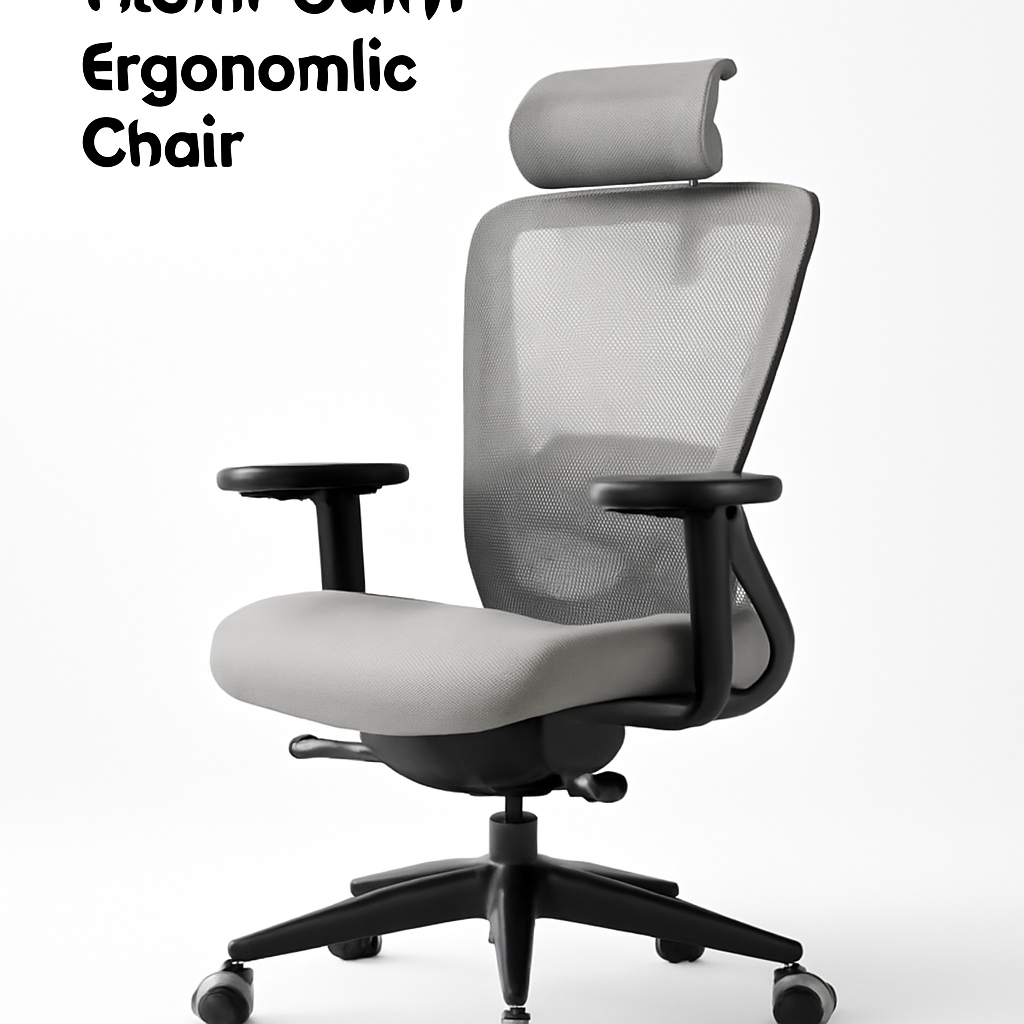
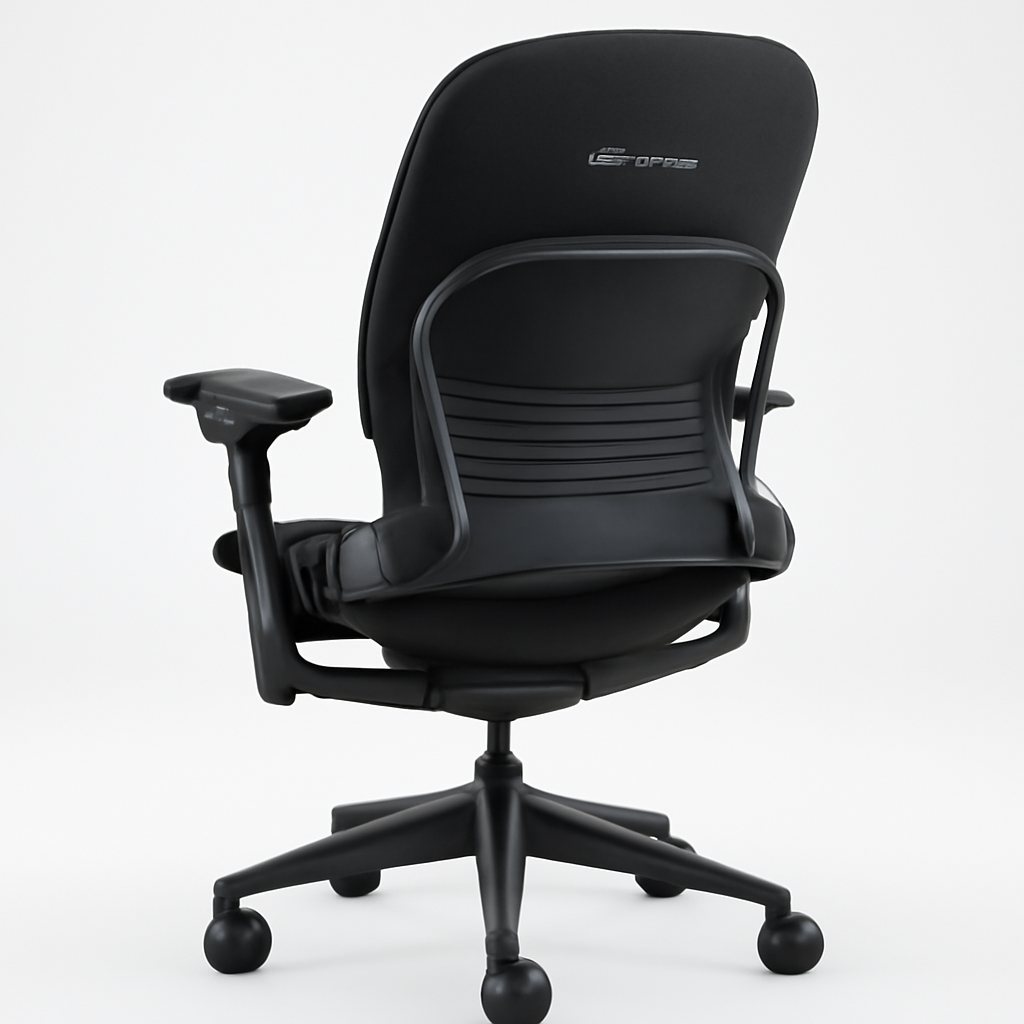
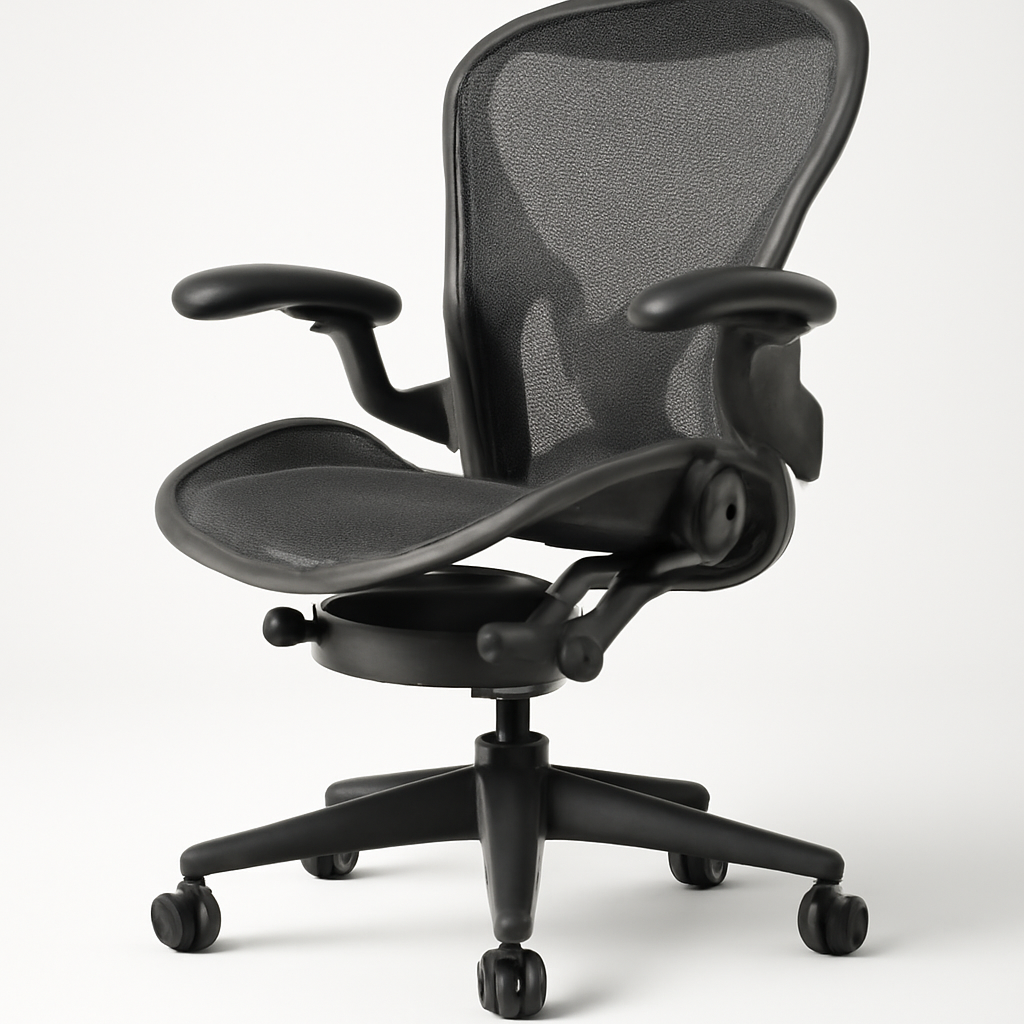
If you’re working from home and your back is aching by 2 PM, your chair is the culprit. A good desk chair combines lumbar support, adjustable armrests, breathable materials, and smooth mobility—and you don’t need to spend $2,000 to get it. The Herman Miller Aeron offers professional-grade ergonomics, the Steelcase Leap delivers all-day comfort, the SIDIZ T50 hits the sweet spot for budget-conscious buyers, and the Autonomous Premium Ergonomic Chair provides solid value under $400. We’ve tested dozens to help you find the right fit.
—
What to Look For in a Home Office Desk Chair
Choosing a desk chair isn’t just about aesthetics—it’s an investment in your spine, posture, and productivity. Here’s what actually matters:
Lumbar Support
Your lower back needs support, especially during 8-hour workdays. Look for chairs with adjustable lumbar curves that match your natural spine shape. Fixed lumbar support is better than none, but adjustable is best.
Seat Height and Depth
Your feet should rest flat on the floor with thighs parallel to the desk. Seat depth matters too—there should be 2-3 inches between the back of your knees and the seat edge. Most good chairs offer pneumatic height adjustment (no tools needed).
Armrest Quality
Non-adjustable armrests are basically worthless. Look for 4D adjustable armrests (height, width, angle, and depth). Your elbows should rest at a 90-degree angle with relaxed shoulders.
Material and Breathability
Mesh backs prevent heat buildup during long sessions. Leather looks professional but gets hot. Mesh + cushioned seat = the sweet spot for comfort and durability.
Tilt Mechanism and Lock
A chair that reclines smoothly with an adjustable tilt tension (the resistance as you lean back) prevents you from feeling locked upright or stuck in a permanently reclined position.
Base and Wheels
A 5-point base (5 wheels) is the minimum. Look for smooth-rolling wheels suited to your flooring—hard casters for carpet, soft wheels for hardwood.
Adjustability Range
The more you can adjust, the better the fit. Height, tilt, tension, lumbar, armrests, and seat tilt are all valuable features.
—
Best Overall Desk Chairs for Comfort & Support
Herman Miller Aeron [CHECK PRICE]
The Aeron is the gold standard in home office chairs. Originally designed in 1994, it’s been refined through decades of research and still outperforms many newer competitors.
Why it’s a top pick:
– PostureFit technology targets lower back support without over-firmness
– Fully adjustable in every dimension (12 adjustment points)
– All-mesh design keeps you cool during marathon work sessions
– Available in three sizes (A, B, C) for different body types
– Warranty: 12 years (an indicator of durability)
Pros:
– Superior lumbar support based on biomechanical research
– Incredibly durable—many users report 10+ years of daily use
– Distributes weight evenly, reducing pressure points
– Fits a wide range of body sizes
Cons:
– Premium price tag (around $1,400+)
– Minimalist aesthetic (not for everyone’s décor)
– Steep learning curve on adjustments
– Overkill if you only work 2-3 hours daily
Best for: Professionals who sit 6+ hours daily, people with chronic back pain, remote workers planning to use the same chair for 10+ years.
—
Steelcase Leap [CHECK PRICE]
A close competitor to the Aeron, the Leap focuses on active seating—allowing your body to move naturally rather than forcing stillness.
Why it’s strong:
– LiveBack technology automatically adjusts lumbar support as you move
– Synchro-tilt mechanism lets your seat and back move together
– Weight-activated seat promotes micro-movements (healthier than static sitting)
– Available with options for fabric or mesh
Pros:
– More intuitive adjustments than Aeron
– Lighter weight (easier to move)
– Excellent for active workers who shift positions frequently
– Better armrest design out-of-the-box
Cons:
– Similar price to Aeron ($1,300+)
– Bulkier footprint than competitors
– Less visually sleek than Aeron
– Overkill for occasional home workers
Best for: People who fidget, those with dynamic jobs (freelancers, creatives), users who want a chair that adapts to movement rather than locking you in place.
—
SIDIZ T50 [CHECK PRICE]
Korean ergonomic furniture maker SIDIZ has gained serious traction. The T50 offers 80% of the premium chair experience at 40-50% of the cost.
Why it’s worth considering:
– Adjustable lumbar support with locked tension control
– 4D adjustable armrests
– Breathable mesh with high-density foam cushioning
– Excellent weight capacity (up to 300 lbs)
– Mid-range price ($600-$800)
Pros:
– Outstanding value for the features
– Lightweight and easy to assemble
– Excellent customer service and warranty
– Performs close to Herman Miller at fraction of cost
Cons:
– Less refined than Aeron after 3+ years
– Fewer adjustment options
– Smaller community of reviews/user feedback
– Some reported durability issues past year 5
Best for: Budget-conscious remote workers, those wanting professional ergonomics without premium pricing, people needing a replacement chair in the next 5-7 years.
—
Budget-Friendly Desk Chairs Under $300
Not everyone can justify $1,000+ on a chair. These options deliver solid ergonomics without draining your budget.
Autonomous Premium Ergonomic Chair [CHECK PRICE]
Autonomous, the standing desk makers, released their own ergonomic chair at an aggressive price point ($250-$350).
What you get:
– High-density foam seat
– Adjustable lumbar support
– 360-degree swivel and smooth rolling
– Basic but adequate armrest adjustment
– Weight capacity: 275 lbs
Reality check: You’re not getting the durability of Herman Miller, but you are getting legitimate lumbar support and adjustability. Think of it as a 5-year chair rather than a 10-year investment.
—
Budget Comparison Table
| Product | Best For | Price Range | Lumbar Support |
| Autonomous Premium | Cost-conscious buyers | $250-$350 | Adjustable |
| SIDIZ T50 | Quality value-seekers | $600-$800 | Adjustable |
| Steelcase Leap | Active workers | $1,300+ | Adaptive |
| Herman Miller Aeron | Long-term investment | $1,400+ | PostureFit |
—
Ergonomic Chairs for All-Day Comfort
If you’re sitting 8+ hours daily, ergonomics aren’t optional—they’re mandatory.
What Makes a Chair “Ergonomic”
Real ergonomic chairs have:
– Independently adjustable lumbar support (not just a fixed curve)
– Seat tilt independent of backrest tilt (prevents awkward angles)
– Height-adjustable armrests (reduces shoulder strain)
– Breathable materials (prevents heat-related discomfort)
– Neutral spinal alignment (no forced postures)
Top Ergonomic Picks
Herman Miller Aeron remains unbeaten for research-backed ergonomics. Every element is optimized.
Steelcase Leap edges ahead for active sitting and dynamic movement accommodation.
SIDIZ T50 covers 85-90% of ergonomic bases at 40% the cost.
Autonomous Premium Ergonomic Chair surprises at the budget level with proper lumbar adjustment and reasonable support.
Pro Tip for All-Day Comfort
Ergonomics alone aren’t enough. Use the 20-20-20 rule: Every 20 minutes, look at something 20 feet away for 20 seconds. Stand for 2-3 minutes each hour. Even the best chair shouldn’t keep you seated continuously.
—
Stylish Desk Chairs That Match Any Décor
Professional ≠ ugly. These chairs look great in your home office without sacrificing comfort.
Herman Miller Aeron (Revisited for Design)
Available in colors beyond basic black: Natural, Mineral, Graphite. The minimalist wireframe design complements modern, industrial, and Scandinavian offices beautifully.
Design verdict: Sophisticated and timeless. Looks like designer furniture, not corporate equipment.
—
Steelcase Leap (Design Appeal)
Cleaner, more refined silhouette than Aeron. Feels less “gaming chair” and more “mid-century modern.” Comes in multiple fabric and color options.
Design verdict: Works in upscale offices, creative studios, and modern homes.
—
Mid-Range Stylish Options
Look for chairs with:
– Neutral fabric upholstery (gray, tan, black) instead of mesh
– Metal or wood armrests instead of plastic
– Pedestal base instead of prominent wheels
– Minimal visible mechanisms (clean lines, hidden adjustments)
Brands like SIDIZ (Korean minimalism) and Fully (modern simplicity) nail this balance.
—
Gaming vs. Office Chairs: Which Is Right for You?
You’ve probably seen gaming chairs online—sleek, aggressive designs in racing-inspired colors. Here’s the real breakdown:
Gaming Chairs
What they offer:
– High padding (super soft)
– Reclining back (reclines to near-flat)
– Lumbar and neck pillows (add-on support)
– Aggressive aesthetics
Why they’re not ideal for work:
– Overstuffed padding feels good initially but breaks down quickly (1-2 years)
– Extreme recline encourages slouching during work
– Pillows are gimmicks—they don’t target real ergonomic support
– Loud aesthetic clashes with professional home offices
– Heavy and difficult to adjust on the fly
Office Chairs
What they offer:
– Precision engineering for productivity
– Thoughtful support (not just padding)
– 8-12 year durability
– Professional appearance
– Quick, intuitive adjustments
Why they’re better for home office work:
– Built for 8-hour workdays, not 2-hour gaming sessions
– Materials are chosen for durability, not initial softness
– Adjustments are designed to be used frequently
– Lumbar support is anatomical, not decorative
The Verdict
Gaming chairs are for gaming. If you work full-time from home, get an office chair. If you want a dual-purpose chair for 4 hours of work + casual gaming, a mid-range ergonomic office chair still beats gaming chairs.
The one exception: If your office is your gaming rig and you’re doing mostly that, a quality gaming chair like a SecretLab Omega might actually be the right call—but expect to pay $400-$600 for a decent one.
—
How to Maintain and Care for Your Desk Chair
A $600+ chair can last a decade with proper care. Here’s how:
Regular Cleaning
Weekly: Wipe down armrests and seat with a damp microfiber cloth.
Monthly: Vacuum mesh back with a soft brush attachment to remove dust buildup.
As needed: Spot-clean stains with mild soap and water. Never soak mesh or fabric.
Mechanical Care
Quarterly: Check all bolts and connections. Tighten if they’ve loosened (normal with use).
As needed: Oil squeaky joints with a small amount of silicone lubricant (not WD-40—it attracts dust).
When wheels stick: Check for hair wrapped around the axles. Unwind and clean.
Adjustments Check
Every 6 months:
– Test height adjustment (should move smoothly)
– Check tilt mechanism (no grinding sounds)
– Verify armrest stability (no wobbling)
– Ensure lumbar support mechanism works smoothly
If adjustments feel rough, it’s usually dust accumulation—compressed air works well.
Lifespan Expectations
Budget chairs ($200-$400): 4-6 years with maintenance
Mid-range chairs ($600-$1,000): 7-10 years
Premium chairs ($1,200+): 10-15+ years
Parts availability matters—Herman Miller and Steelcase sell replacement parts. Cheaper brands often don’t.
—
Our Verdict
Here’s who should buy what:
Best Overall Pick: Herman Miller Aeron [CHECK PRICE]
If you can afford it and plan to work from home long-term, this is the one. You’re paying for research, durability, and a chair that will support your back for a decade. The ergonomics are unmatched. Yes, it’s expensive. Yes, it’s worth it.
Best Value Pick: SIDIZ T50 [CHECK PRICE]
If $1,400 feels insane but $300 feels risky, this is Goldilocks. You get 80% of the premium experience at half the cost. Perfect for workers who plan to upgrade in 7 years or relocate.
Best Budget Pick: Autonomous Premium Ergonomic Chair [CHECK PRICE]
If you need something now and have a tight budget, this delivers. Genuine lumbar support, adjustable armrests, and solid build quality for under $350. Treat it as a 5-year chair and you’ll be thrilled.
Best for Active Workers: Steelcase Leap [CHECK PRICE]
If you can’t sit still and want a chair that moves with you, the Leap’s active seating approach is unmatched. It’s slightly more intuitive than the Aeron and feels less rigid.
—
Final Thoughts
The best desk chair is the one you’ll actually adjust and use properly. A $1,400 Aeron sitting in the highest, firmest position defeats the purpose. A $300 Autonomous chair properly adjusted will outperform it.
Prioritize:
1. Adjustable lumbar support (non-negotiable for 8+ hour days)
2. Armrest quality (prevents shoulder and wrist pain)
3. Breathable materials (comfort during long hours)
4. Your budget (a $600 chair you’ll keep for 7 years beats a $200 chair you’ll replace in 2)
Your future back will thank you.