# Best Desk Chair for Sciatica in 2026 | Top Picks
Quick Answer
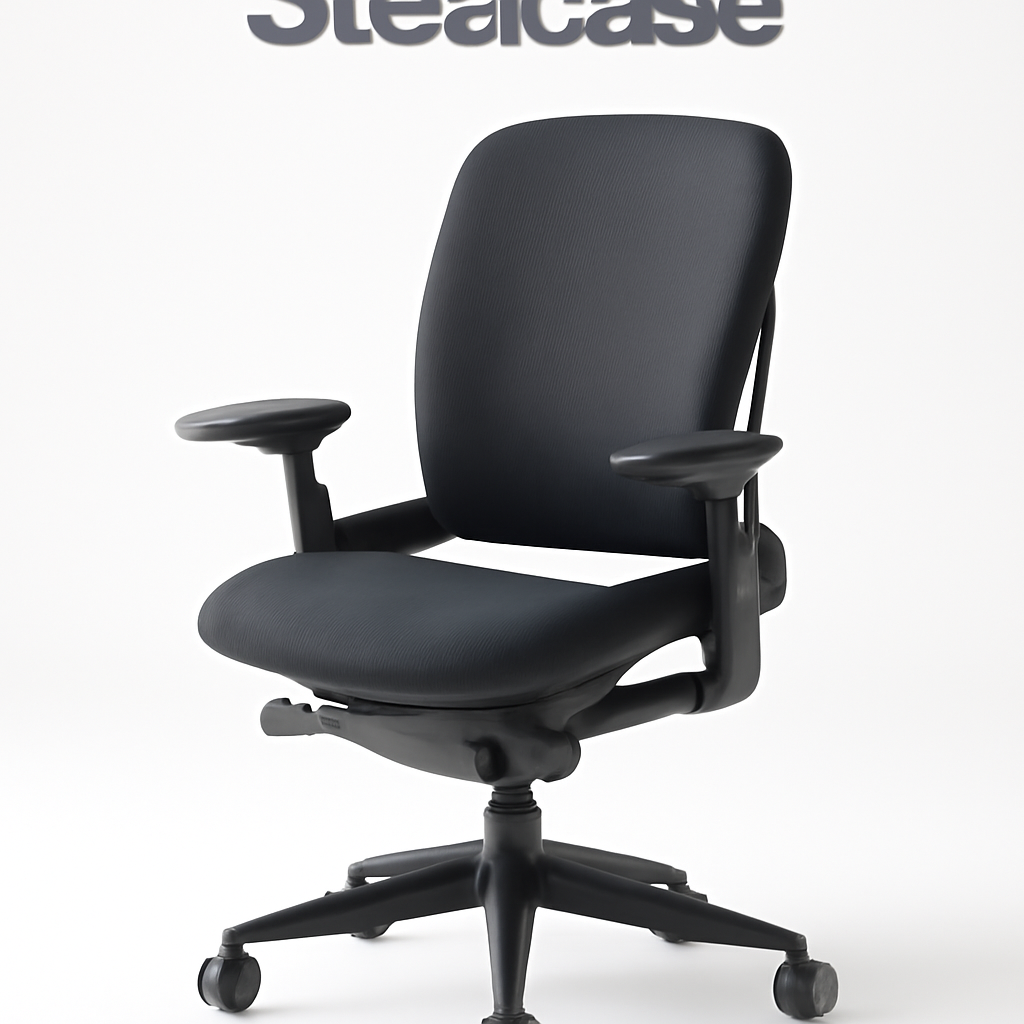
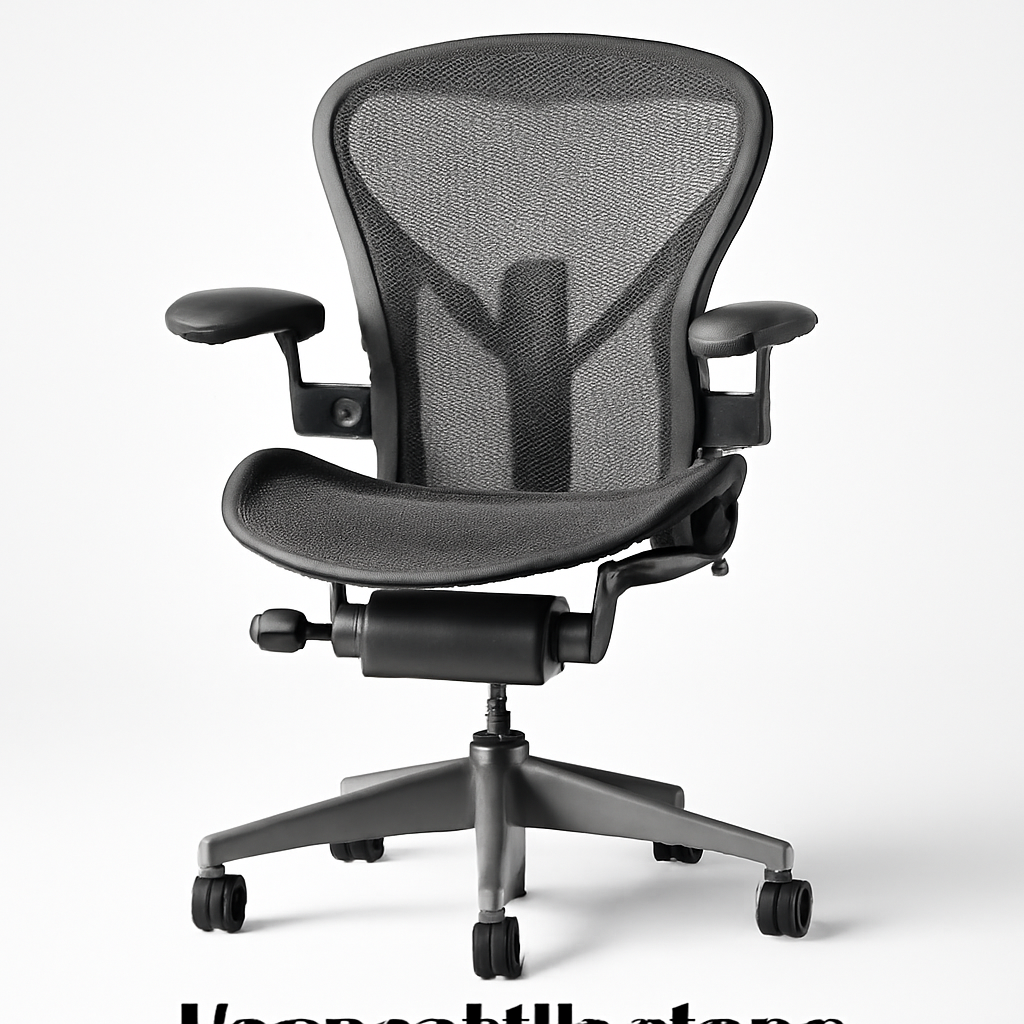
If you suffer from sciatica, you need a desk chair with proper lumbar support, adjustable height, deep cushioning, and a seat depth that doesn’t compress your thighs. The Herman Miller Aeron CHECK PRICE] is the gold standard for long-term comfort, while the [Steelcase Leap CHECK PRICE] offers exceptional support at a mid-range price. For budget-conscious buyers, the [SIDIZ T50 [CHECK PRICE] delivers excellent ergonomics without breaking the bank.
The key is finding a chair that doesn’t put pressure on the sciatic nerve—which means avoiding shallow seats, poor lumbar curves, and rigid designs that force your spine into unnatural positions.
—
What to Look for in a Sciatica-Friendly Desk Chair
Sciatica pain radiates from your lower back, through your buttocks, and down your leg. It happens when your sciatic nerve gets pinched or irritated, often by tight hip muscles or a misaligned spine. Your desk chair either helps or hurts this condition.
Here’s what matters:
Lumbar Support is Non-Negotiable
Your lower back has a natural curve (called lumbar lordosis). A sciatica-friendly chair supports this curve actively—not just with a pillow, but with built-in support that adjusts to your body. Chairs with passive lumbar support (a pillow you wedge behind your back) don’t cut it for 8-hour workdays.
Seat Depth and Width
This is where most people go wrong. A seat that’s too deep pushes your knees forward, which compresses your sciatic nerve. Ideally, there should be 2-3 inches between the edge of your seat and the back of your knees when you sit upright. Wider seats (18-20 inches) distribute pressure more evenly across your buttocks.
Cushioning Matters, But Not How You Think
You don’t want rock-hard cushioning (it creates pressure points) or memory foam that feels like sitting in quicksand. The sweet spot is medium-firm foam that holds its shape, distributes weight evenly, and prevents you from “bottoming out” after a few months. Better chairs use high-density foam that lasts 5+ years without sagging.
Adjustability
Everyone’s body is different. You need:
– Seat height adjustment (pneumatic cylinders are standard)
– Lumbar support depth and height adjustment
– Armrest height and width adjustment
– Recline tension control
– Tilt-lock to prevent unwanted reclining
Armrests That Reduce Shoulder Tension
When armrests are too high or too low, you compensate with your shoulders and neck, which creates tension that radiates down to your sciatic nerve. Adjustable 3D armrests let you position them exactly at elbow height.
Material and Breathability
You’re sitting for hours. A chair with breathable mesh or woven fabric keeps you cooler and prevents heat buildup, which can aggravate inflammation around the sciatic nerve. Leather or vinyl gets hot and traps moisture.
—
Top Desk Chairs for Sciatica Relief in 2026
| Product | Best For | Price Range |
| Herman Miller Aeron | Premium long-term comfort; severe sciatica | $1,395-$1,645 |
| Steelcase Leap | Mid-range quality; daily pain relief | $1,000-$1,300 |
| SIDIZ T50 | Budget-conscious buyers; good support | $600-$800 |
| Branch Ergonomic Chair | Direct-to-consumer value | $400-$550 |
1. Herman Miller Aeron [CHECK PRICE]
Best for: Premium long-term comfort; severe sciatica
The Aeron is the industry standard for a reason. It’s been refined since 1994, and the 2026 version includes:
– Adjustable Lumbar Support: Depth and height controls let you dial in exactly where your curve needs support
– PostureFit Technology: Targets your sacral spine and pelvis, preventing forward slouching
– 8Z Pelvis: The seat’s contoured shape prevents nerve compression by distributing weight across your entire sitting surface
– Fully Adjustable Armrests: 3D movement ensures they don’t create shoulder tension
– 12-Year Warranty: Herman Miller backs this chair completely
Pros:
– Adjustable lumbar support that actually works for different body types
– Exceptional durability (still sold on secondary markets at 20+ years old)
– Mesh breathability prevents heat buildup
– Reclines smoothly without pinching your lower back
– Excellent for all-day work sessions
Cons:
– High initial investment ($1,395-$1,645)
– Steep learning curve on all the adjustment options
– Some users find it too firm initially (takes 2-3 weeks to break in)
– Overkill if you only sit 3-4 hours per day
—
2. Steelcase Leap [CHECK PRICE]
Best for: Mid-range quality; daily pain relief
Steelcase engineered the Leap specifically for people who sit all day. It competes directly with Herman Miller but costs less.
– Adjustable Lumbar Support: Height and depth adjustment similar to the Aeron
– LiveBack Technology: The backrest moves with you, maintaining support even when you recline
– Weight-Activated Recline: The chair’s tension automatically adjusts based on your body weight
– Seat Slide Function: Moves the seat forward up to 2 inches, reducing pressure on your thighs
– Breathable Mesh: Standard on all models
Pros:
– Better value than the Aeron (usually $200-400 cheaper)
– Seat slide is a game-changer for sciatica sufferers
– LiveBack technology actually feels responsive
– Lighter than the Aeron (easier to move/adjust)
– 12-year warranty
Cons:
– Lumbar adjustment is slightly less precise than Aeron
– Takes more effort to find your ideal settings
– Slightly narrower seat than Aeron (17.8″ vs. 18.5″)
– Some users report the armrests feel less stable
—
3. SIDIZ T50 [CHECK PRICE]
Best for: Budget-conscious buyers; good support
SIDIZ is a Korean ergonomic furniture company that’s less known in the US but makes solid chairs. The T50 is their ergonomic workhorse.
– 3D Lumbar Support: Adjustable depth, height, and angle
– Deep, Contoured Seat: 19.7 inches wide with excellent thigh support
– Tension Control: Adjust how much force is needed to recline
– Breathable Mesh: Standard
– Adjustable Armrests: Not 3D, but they move up/down and slide in/out
Pros:
– Excellent value ($600-800)
– Wider seat than competitors at this price point
– Lumbar support is surprisingly adjustable
– Breathable mesh prevents heat buildup
– 5-year warranty
Cons:
– Armrests aren’t as adjustable as premium options
– Fewer customization options overall
– Harder to find local retailers (mostly online)
– Some users report the seat compresses after 3-4 years
– English customer service can be inconsistent
—
4. Branch Ergonomic Chair [CHECK PRICE]
Best for: Direct-to-consumer value
Branch sells directly online, cutting out the retail markup. Their main ergonomic chair is surprisingly good for the price.
– Adjustable Lumbar Support: Height and depth adjustment
– 18.9-inch Seat Width: Good for most body types
– Tension and Tilt Control: Customize recline feel
– Breathable Mesh Back: Mesh seat bottom too
– Adjustable Armrests: Height and width adjustment
Pros:
– Lowest price of quality ergonomic chairs ($400-550)
– 30-day trial period (very rare)
– Lifetime warranty on the frame
– Direct customer service (no retail middleman)
– Decent adjustability for the price
Cons:
– Lumbar support isn’t as fine-tuned as premium chairs
– Seat padding is thinner (may not be ideal for 8+ hour days)
– Build quality is good but not premium
– Smaller company means less availability if you need a replacement part
– Armrests feel slightly plastic-y
—
Lumbar Support Features That Matter Most
Here’s where most sciatica sufferers make their first mistake: they assume any lumbar support is better than none. It’s not. Wrong lumbar support makes sciatica worse.
Active vs. Passive Lumbar Support
Passive = a fixed foam curve built into the backrest. Your spine has to conform to the chair, not the other way around.
Active = adjustable lumbar support you control. You dial in the curve’s depth, height, and sometimes angle.
For sciatica, active is essential. Your sciatic nerve lives in a different spot than someone else’s. A fixed curve might push support too high or too low, actually compressing your nerve.
The Sweet Spot: Depth and Height
Lumbar support should:
– Depth: Press gently into your lower back, not aggressively. If it feels like someone’s poking you, it’s too deep. Ideally 2-3 inches of protrusion.
– Height: Sit at your natural lumbar curve (usually 2-4 inches above where your butt meets the backrest, depending on your height)
Quick Test: Sit in the chair. Place your hand in the small of your back. You should feel gentle support, not pressure.
Brand-Specific Lumbar Technologies
– Herman Miller Aeron: Postured lumbar with two-point adjustment (depth + height). Very precise.
– Steelcase Leap: LiveBack tech automatically maintains support when reclining. Great if you move around.
– SIDIZ T50: Standard 2-point adjustment, similar to Aeron but less refined.
—
Seat Depth and Cushioning for Sciatica Comfort
This is the #1 overlooked factor for sciatica relief.
Seat Depth: Why It Matters
When the seat is too deep, the edge presses into your thighs, cutting off blood flow and compressing the sciatic nerve (which runs through your hamstrings). When it’s too shallow, you lack support and end up slouching.
Your ideal seat depth:
1. Sit upright in the chair
2. Place four fingers behind your knees (palm flat)
3. There should be 2-3 fingers of space between the seat edge and your knee
Most quality ergonomic chairs are 17-19 inches deep. If you’re on the shorter side, look for 16-17 inch options. Taller? 19-20 inches.
Cushioning: The Goldilocks Zone
Too Hard = Pressure points on your tailbone and sit bones. Pain after 2-3 hours.
Too Soft = You sink in, losing support. Your posture collapses. Sciatic nerve gets compressed under the weight of your torso.
Just Right = Medium-firm, high-density foam (3-4 inches) that compresses initially but holds its shape.
Test for cushioning quality:
– Push on the seat with your palm
– It should depress 0.5-1 inch under pressure
– It should bounce back immediately when you release
– If it stays compressed, the foam is too low-density
Seat Surface Material
| Material | Breathability | Durability | Cost | Best For |
| Mesh | Excellent | Good (5+ years) | Mid | Hot climates; all-day sitting |
| Woven Fabric | Good | Good (5+ years) | Mid | Balance of comfort and airflow |
| Leather | Poor | Excellent (10+ years) | High | Professional look; cool touch |
| Memory Foam Cushion | Moderate | Fair (2-3 years) | Low-Mid | Initial comfort; poor long-term |
For sciatica, mesh or woven fabric is better because heat aggravates inflammation. Memory foam feels great initially but compresses within 1-2 years, creating the pressure points you want to avoid.
—
Armrest and Recline Options for Pain Management
Why Armrests Affect Sciatica
When your armrests are wrong:
– Too high → you shrug your shoulders → tension radiates to your lower back
– Too low → you lean forward to rest on them → lumbar curve collapses
– Not adjustable → you either adapt (wrong) or ignore them (also wrong)
Best armrest setup:
– Elbows should be at 90 degrees when your hands rest on the rests
– Your shoulders should be relaxed, not elevated
– The rests should support your forearms, not your wrists
The Herman Miller Aeron and Steelcase Leap both have fully adjustable 3D armrests (up/down, in/out, forward/backward). This is the gold standard.
Recline: Necessary or Gimmick?
Reclining can help sciatica if done right:
– A 10-15 degree recline reduces pressure on your lumbar spine
– Deeper reclines (30+ degrees) can aggravate sciatica by compressing your sciatic nerve
Best recline features:
1. Tension Control: Adjust how much force is needed to recline. Too loose = unintended reclining. Too tight = can’t move back.
2. Tilt-Lock: Lock the chair in an upright position if you don’t want to recline (helpful for focus work).
3. LiveBack Technology (Steelcase): The backrest moves with you, so lumbar support doesn’t shift when you recline.
Avoid chairs with unlimited recline or those that rock excessively. Most people with sciatica spend 90% of their time upright, so recline is a bonus feature, not essential.
—
How to Set Up Your Chair for Maximum Sciatica Relief
Even the best ergonomic chair won’t help if it’s set up wrong. Here’s the step-by-step process:
Step 1: Seat Height
– Feet flat on floor or footrest
– Knees at 90-degree angle (or slightly lower, 85-95 degrees)
– Hips level with or slightly higher than knees
– Thighs parallel to the floor or angling slightly downward
Why it matters: If your hips are lower than your knees, your lumbar spine rounds backward, pinching the sciatic nerve.
Step 2: Lumbar Support Positioning
1. Adjust the lumbar support height so it aligns with your natural curve (usually 2-4 inches above your tailbone)
2. Adjust depth so it presses gently into your lower back without feeling aggressive
3. Sit for 5 minutes and assess. You should feel supported, not poked.
Hint: Most people position lumbar support too low. It should be higher than you think.
Step 3: Armrest Height
1. Sit with relaxed shoulders
2. Raise your arms to 90 degrees at the elbow
3. Adjust armrests so your forearms rest on them without shrugging
4. Shoulders should feel relaxed and dropped
Step 4: Backrest Angle
– Recline 10-15 degrees (tilt tension should feel slightly resistant)
– Lock tilt if you prefer to stay fully upright
– Avoid deep reclines during focus work
Step 5: Monitor Your Setup for One Week
After 3-5 days of sitting, reassess:
– Do you feel relief in your sciatic nerve by end of day?
– Are you sitting upright or slouching?
– Is your lower back supported without pain?
– Do your shoulders feel relaxed?
If not, adjust one variable at a time. Don’t change seat height and lumbar support simultaneously.
—
Budget-Friendly vs. Premium Options: Which Is Worth It?
Let’s be honest: the price difference between a $400 chair and a $1,400 chair is real. Is it worth it?
The Budget Option: Branch Ergonomic Chair ($400-550)
When it’s worth it:
– You sit 4-5 hours per day (not 8+)
– You’re trying ergonomic seating for the first time
– You want to test the market before investing heavily
– You have space for replacement if it doesn’t work
Long-term reality:
– Seat padding compresses after 2-3 years
– Lumbar support is less customizable (one-size-fits-most approach)
– You might outgrow it as your sciatica needs change
– Warranty is decent, but frame is your only 10+ year component
Effective lifespan for sciatica relief: 3-