# Best Smart Home Devices 2026 | Tech Buyer’s Guide
Quick Answer
Smart home devices automate everyday tasks through internet-connected gadgets controlled via smartphone apps, voice commands, or automation routines. The best 2026 setups combine a reliable hub (like Amazon Echo or Apple HomePod), smart lights, thermostats, and security cameras. Budget $200–$500 for a basic system, or $1,500+ for comprehensive whole-home automation.
—
What Are Smart Home Devices and How Do They Work?
Smart home devices are internet-connected gadgets that let you control your home remotely or set them to work automatically. Instead of manually adjusting your thermostat or flipping light switches, these devices do it for you—often learning your habits and preferences along the way.
Here’s the basic flow:
1. Device connects to your Wi-Fi – The smart device pairs with your home network
2. Cloud server receives commands – You give commands through an app or voice assistant
3. Device executes the action – Your lights dim, your door locks, your AC adjusts
4. Data syncs across devices – Multiple devices “talk” to each other through a central hub or cloud service
The magic happens through automation routines. For example, you can set your lights to turn on at sunset, your thermostat to cool to 72°F at 6 PM, and your coffee maker to brew at 7 AM—all triggered by a single “Good Morning” routine.
Most smart home ecosystems run on one of three major platforms:
– Amazon Alexa (most popular, widest device compatibility)
– Google Home (excellent voice recognition, tight Gmail/Calendar integration)
– Apple HomeKit (strongest privacy focus, requires Apple devices for full automation)
—
Top Smart Home Devices for 2026
Smart Speakers and Displays
Smart speakers are the foundation of most smart homes. They’re your voice interface and often serve as the hub that connects other devices.
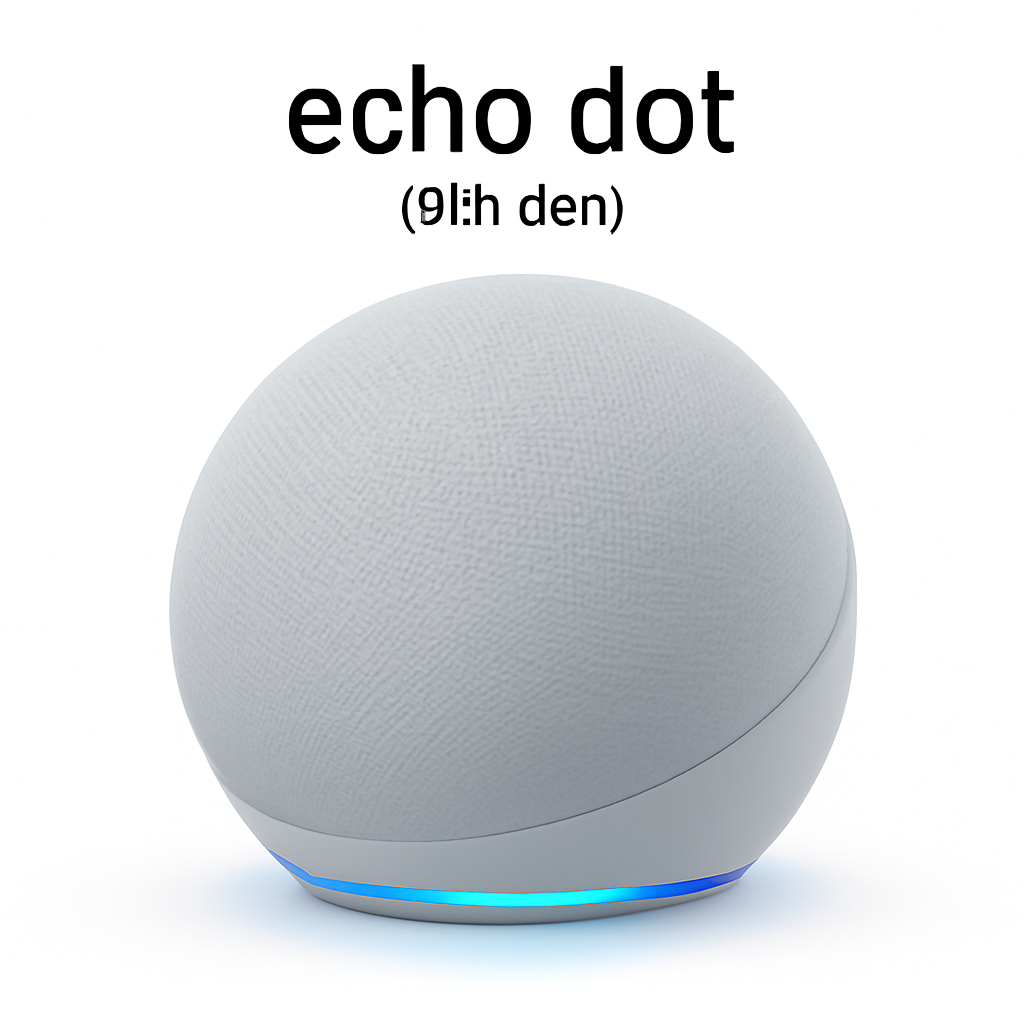
Amazon Echo Dot (5th Generation)&tag=pulseprotocol-20) [CHECK PRICE]
Best entry point for Alexa-based homes. Compact, affordable, and surprisingly good sound for its size. Works great as a secondary speaker in bedrooms or kitchens.
Google Nest Hub Max [CHECK PRICE]
Combines a 10-inch touchscreen with Google Assistant. Superior video calling, YouTube integration, and Home app control. Better for visual feedback than pure voice.
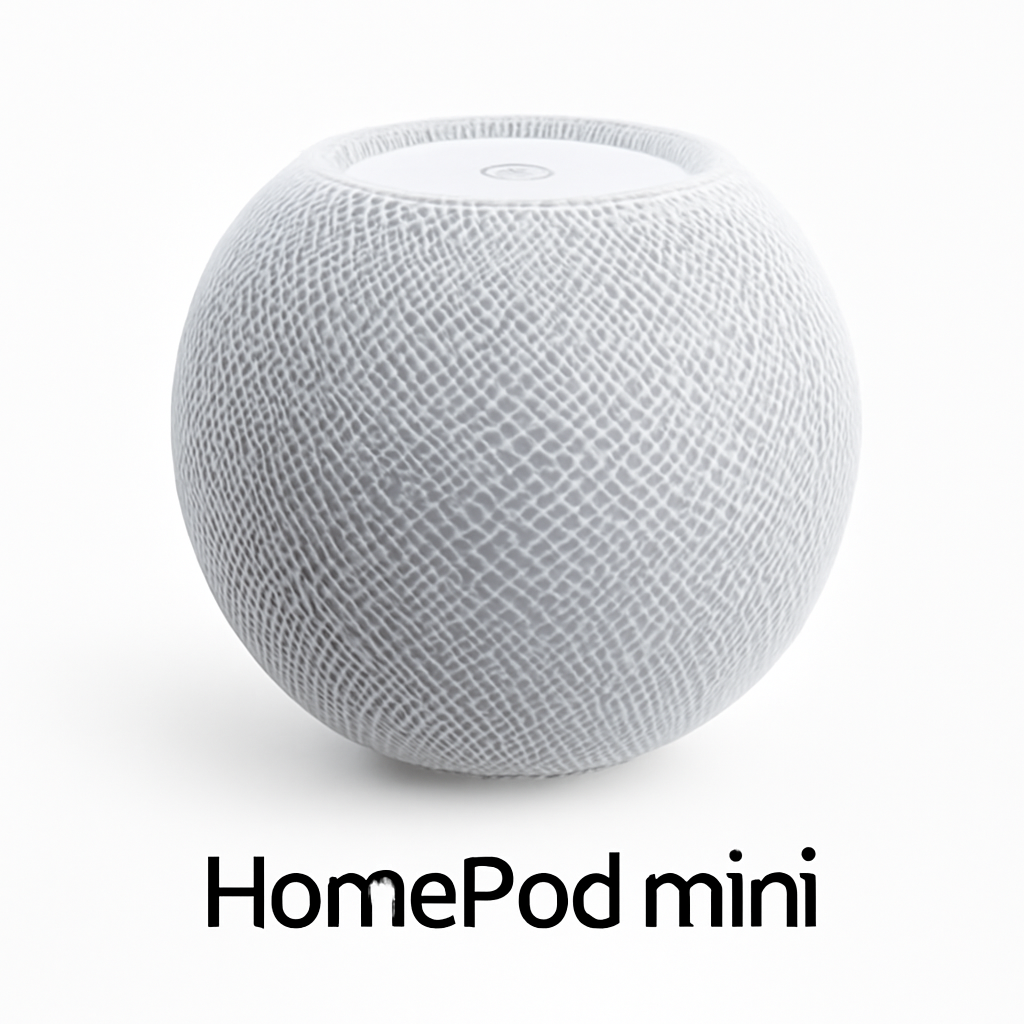
Apple HomePod Mini [CHECK PRICE]
If you’re invested in Apple’s ecosystem, this is your go-to. Best Siri integration, solid sound quality, and essential for HomeKit automations. Requires at least one HomePod as a home hub for remote control.
Smart Lighting
Lighting is often the first device people automate—it’s intuitive and immediately useful.
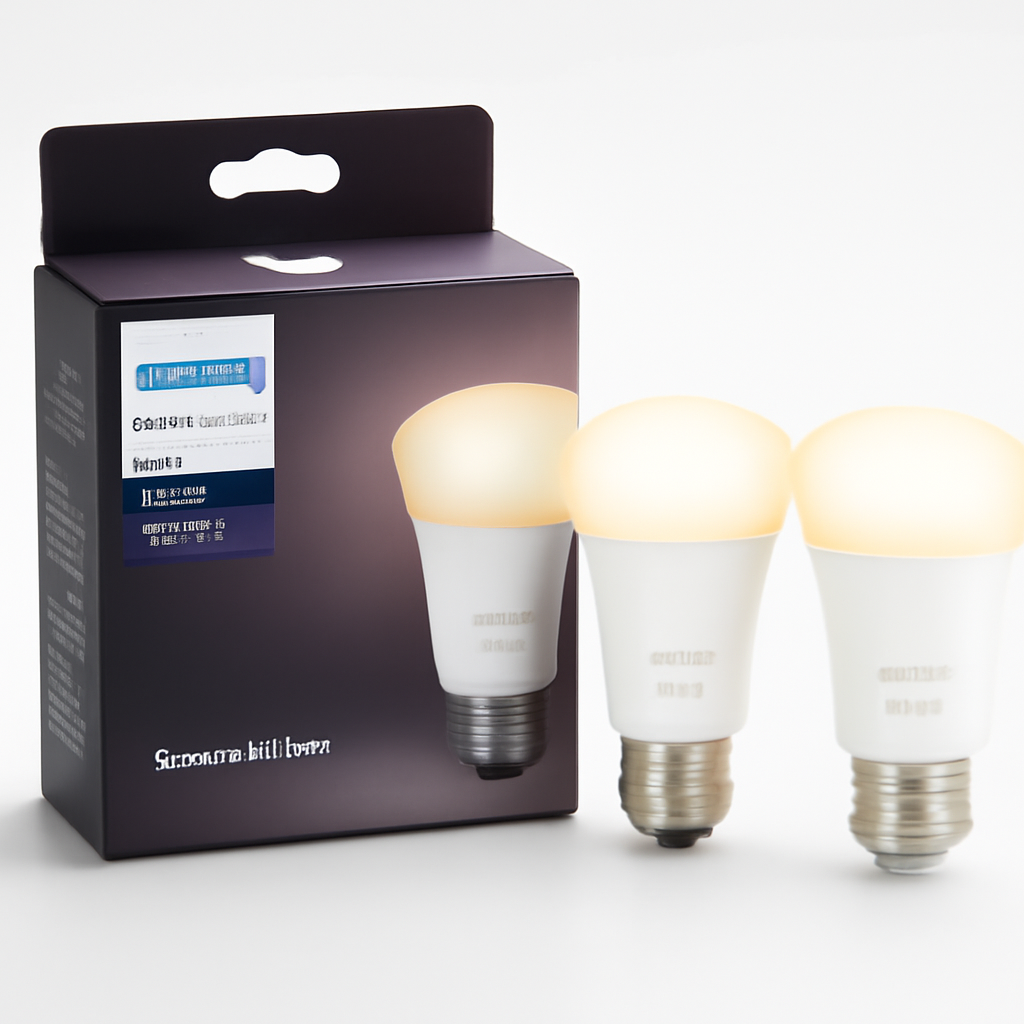
Philips Hue Smart Bulbs [CHECK PRICE]
Industry standard. 16 million color options, excellent scheduling, and seamless integration across Alexa, Google, and HomeKit. Requires a Hue Bridge hub (usually included in starter kits).
Nanoleaf Light Panels [CHECK PRICE]
Modular LED panels for accent lighting. Great for aesthetics and gaming setups. App-controlled colors and rhythm sync (responds to music). Works with all major platforms.
LIFX Color A19 Bulbs [CHECK PRICE]
Direct Wi-Fi connection—no hub required. Reliable, fast response times, and compatible with Alexa, Google, and HomeKit. Cheaper than Hue but slightly less extensive features.
Smart Thermostats
Heating and cooling is typically your largest energy expense, making smart thermostats an excellent investment.
Nest Learning Thermostat [CHECK PRICE]
Learns your schedule and adjusts automatically. Great energy reports. Google integration is seamless if you use other Google products.
Ecobee SmartThermostat with Voice Control [CHECK PRICE]
Built-in Alexa speaker, remote temperature sensors (you can monitor multiple rooms), and strong HomeKit support. Better for multi-floor homes.
Smart Locks
Keyless entry is convenient and can improve security if used properly.
August Smart Lock Pro [CHECK PRICE]
Retrofit over your existing deadbolt—no door modification needed. Supports all three major platforms. Guest access and activity logs included.
Level Lock+ [CHECK PRICE]
Installs inside your existing lock. Invisible from the outside. Requires more technical installation but looks seamless.
Smart Security Cameras
Cameras add peace of mind whether you’re home or away.
Logitech Circle View Wired [CHECK PRICE]
Excellent for HomeKit users. Local storage on the hub means no monthly subscriptions (for HomeKit Secure Video). 24/7 continuous recording.
Google Nest Cam [CHECK PRICE]
Works outdoors and indoors. Free 3-hour event history without a subscription. Excellent person/pet detection and familiar face recognition.
—
Comparison Table: Top Smart Home Devices at a Glance
| Product | Best For | Price Range | Ecosystem |
| Amazon Echo Dot | Budget-conscious Alexa users | $30–$60 | Amazon Alexa |
| Google Nest Hub Max | Video calls + visual control | $180–$250 | Google Home |
| Apple HomePod Mini | Apple ecosystem users | $80–$100 | HomeKit |
| Philips Hue Starter Kit | Premium lighting | $80–$150 | All ecosystems |
| Nest Learning Thermostat | Energy savings + learning | $200–$280 | Google Home |
| Ecobee SmartThermostat | Multi-room homes | $180–$250 | Alexa/HomeKit |
| August Smart Lock Pro | Easy retrofit locks | $200–$300 | All ecosystems |
| Logitech Circle View | HomeKit security | $150–$200 | HomeKit |
| Google Nest Cam | Easy outdoor monitoring | $100–$180 | Google Home |
—
Smart Home Hubs and Controllers Explained
A smart home hub is a central device that communicates with all your smart devices and enables remote control and automation. Not all hubs are required, but they unlock full automation potential.
Why You Need a Hub
– Remote access: Control devices when you’re away from home
– Automations: Create “if this, then that” routines
– Local processing: Some hubs process commands locally (faster, more private)
– Device communication: Devices talk to each other through the hub
Hub Options by Platform
Amazon Alexa Hub (Echo Dot, Echo Show, Echo Flex)
– Free with any Echo device
– Most versatile device compatibility
– Cloud-based processing
Google Home Hub (Nest Hub, Nest Hub Max)
– Any Google Home device acts as hub
– Best voice assistant accuracy
– Cloud-based with local device control options
HomeKit Hub (Apple TV 4K, HomePod, HomePod Mini)
– Requires Apple TV 4K or HomePod ($80+)
– Strongest privacy (local processing)
– Limited to HomeKit-certified devices
– Requires iCloud+ subscription for full features
Smartthings Hub (Samsung)
– Standalone device ($70–$100)
– Works with Alexa and Google separately
– Good for Samsung device owners
Hubitat Elevation
– Standalone, ultra-private (no cloud required)
– Steeper learning curve
– Best for power users who want complete control
Pro Tip
If you’re just starting, use the hub that comes with your smart speaker (free). Upgrade to a dedicated hub later only if you need advanced automations or better local privacy.
—
Compatibility and Integration: Making Devices Work Together
The biggest frustration with smart homes is fragmentation. Not all devices work with all platforms.
The Compatibility Hierarchy (2026)
Tier 1: Universal Compatibility
– Amazon Alexa (most devices)
– Google Home (nearly as many)
– Matter protocol (emerging standard for cross-ecosystem control)
Tier 2: Two-Ecosystem Support
– HomeKit + Alexa
– HomeKit + Google
– Alexa + Google
Tier 3: Ecosystem Exclusive
– HomeKit exclusive devices
– Samsung SmartThings exclusive
– Proprietary ecosystems
Matter: The Future of Smart Homes
Matter is an open standard released in 2022 that allows devices to work across ecosystems without relying on cloud servers. By 2026, major brands like Apple, Google, Amazon, and Samsung all support it.
Current Matter devices include:
– Eve smart switches and outlets
– Nanoleaf panels (Matter support added)
– Various thermostats and locks (adoption increasing)
Future benefit: Buy any Matter-certified device knowing it will work with your hub, regardless of ecosystem.
Practical Integration Tips
1. Pick one primary ecosystem – Choose Alexa, Google, or HomeKit based on what you already own (phones, tablets, etc.)
2. Buy devices that work with your choice – Check compatibility before purchasing
3. Use Matter for flexibility – If a device you love is exclusive to another ecosystem, check if it supports Matter
4. Plan for expansion – Choose a hub that supports two ecosystems if you think you’ll add HomeKit devices later
—
Budget-Friendly vs. Premium Smart Home Devices
The Budget Approach ($200–$400)
What you get:
– One smart speaker (Amazon Echo Dot)
– 2–3 smart bulbs (LIFX or Nanoleaf)
– One smart plug for dumb devices
– Basic smartphone control
Realistic outcome: You’ll automate a few lights and maybe set up one routine. Limited voice control. No real security layer.
Best for: Renters, apartment dwellers, people testing the waters.
Recommended starter kit:
– Amazon Echo Dot: $50
– LIFX Color Bulbs (3-pack): $80
– Smart plugs (2-pack): $25
– Philips Hue outdoor lights: $80
– Total: ~$235
The Mid-Range Setup ($500–$1,000)
What you get:
– Smart speaker with display (Google Nest Hub Max)
– Multiple smart light zones
– Smart thermostat
– One door/window lock
– 2–3 cameras (indoor only)
Realistic outcome: Meaningful automation. “Good Morning” routines that adjust lights, temperature, and start your coffee. Remote door control. Motion-based lighting.
Best for: Homeowners committed to automation, people who want tangible energy savings.
Recommended bundle:
– Google Nest Hub Max: $229
– Ecobee SmartThermostat: $200
– August Smart Lock: $250
– Nest Cam indoor (2): $200
– Smart lights (Philips Hue starter): $100
– Total: ~$979
The Premium Setup ($1,500+)
What you get:
– Multiple hubs across platforms (redundancy)
– Full-home lighting zones
– Outdoor + indoor cameras with 24/7 recording
– Smart locks on all doors
– Smart blinds and shades
– Whole-home audio system
– Advanced automations with multiple triggers
Realistic outcome: Highly personalized home that anticipates your needs. Professional-grade security. Significant energy optimization. Impressive to visitors.
Best for: Tech enthusiasts, security-conscious homeowners, people planning to stay in their home long-term.
Which Should You Choose?
– Budget tier: If you rent or want to test smart home waters
– Mid-range: The sweet spot for most homeowners (best ROI)
– Premium: If you have the budget and want a genuinely integrated system
—
Installation and Setup Guide for Beginners
Most smart home devices are designed for DIY installation. Here’s the general process:
Pre-Purchase Checklist
– [ ] Check device compatibility with your primary ecosystem
– [ ] Confirm your Wi-Fi router can handle additional devices (usually supports 20–50 devices)
– [ ] Verify your internet speed is adequate (25 Mbps download minimum)
– [ ] Read the return policy (in case something doesn’t work)
Step-by-Step Setup
1. Choose Your Hub First
Install and configure your hub before buying other devices. This is your foundation.
– Download the app (Alexa, Google Home, or Home app for HomeKit)
– Create your account
– Connect to your Wi-Fi
– Designate a room location
2. Install Connected Devices
For each new device:
– Plug in or install device
– Open the companion app or add via your hub app
– Pair via Wi-Fi (enter your password)
– Assign to a room
– Test basic controls
3. Set Up Automations
Once 3+ devices are installed:
– Open your hub’s app
– Go to Automations or Routines
– Create a “Good Morning” routine (lights on, coffee maker on, thermostat to wake temp)
– Create an “Away” routine (all lights off, thermostat to eco mode, locks checked)
– Test before relying on them
Common Setup Problems and Fixes
| Problem | Solution |
| Device won’t connect to Wi-Fi | Restart device, ensure 2.4GHz band is enabled, move closer to router |
| Device connects but app shows offline | Check Wi-Fi stability, restart hub, reinstall app |
| Automations aren’t triggering | Verify hub is online, check automation conditions, test manually first |
| Slow response times | Reduce number of connected devices, upgrade Wi-Fi router |
| Device shows on app but won’t respond to voice | Restart device, re-add to hub, check microphone permissions in app |
Pro Tips for Beginners
– Start with 3–4 devices – Don’t buy your entire system at once. Get comfortable with basics first.
– Use manufacturer apps before hub app – Some devices are easier to set up in their own apps first, then add to hub.
– Test automations during the day – Don’t set up “Good Night” routines at midnight when you’re tired.
– Name devices descriptively – “Living Room Lamp” not just “Lamp.” Voice control depends on clear naming.
– Keep Wi-Fi password simple – Smart devices sometimes struggle with special characters.
—
Security and Privacy Considerations for Smart Homes
Smart homes are powerful, but they come with security and privacy tradeoffs. Here’s what you need to know:
Major Security Risks
1. Weak Passwords
– Risk: Hackers access your devices and account
– Solution: Use a strong password (16+ characters, mix of types), enable two-factor authentication
2. Unsecured Wi-Fi Network
– Risk: Attackers intercept device communications
– Solution: Use WPA3 encryption, change default router password, hide SSID broadcast (optional)
3. Cloud Data Storage
– Risk: Your activity data lives on company servers
– Solution: Review privacy policies; HomeKit offers local storage option
4. Outdated Device Firmware
– Risk: Known vulnerabilities aren’t patched
– Solution: Enable automatic updates in app settings
5. Oversharing Guest Access
– Risk: Anyone with guest link can control devices
– Solution: Limit guest access duration, revoke access when done
Privacy Comparison: The Three Ecosystems
| Aspect | Amazon Alexa | Google Home | Apple HomeKit |
| Cloud Processing | Yes (default) | Yes (default) | Local + encrypted |
| Data Retention | 90 days (customizable) | Variable by device | Minimal (on device) |
| Audio Recording | Stored in cloud | Stored in cloud | Not stored |
| Ad Targeting | Uses data | Uses data | No ad targeting |
| Subscription for Full Features | No | No | Yes (iCloud+) |
| Best Privacy Overall | 3rd place | 2nd place | 1st place |
Practical Privacy Best Practices
1. Use local processing where possible – HomeKit’s local storage, some Alexa devices with processing
2. Disable unnecessary microphones – Use physical mute buttons on speakers
3. Review app permissions – Don’t grant location access unless necessary
4. Check privacy settings yearly – Policies change; review what data you’re sharing
5. Use strong, unique passwords – Especially for hub account
6. Consider a separate Wi-Fi network – Advanced users: dedicate a network to smart devices
7. Review third-party integrations – If you connect Alexa to Spotify or other services, check permissions
Security Features to Look For
– Local processing (faster, more private)
– End-to-end encryption (only you can read data)
– Automatic security updates (devices patch vulnerabilities automatically)
– Privacy modes (physical mute buttons, ability to disable features)
—
Our Verdict
Best Overall Smart Home Setup for 2026
For most homeowners: Start with the mid-range Google Home approach (Google Nest Hub Max + Ecobee SmartThermostat + basic cameras). Google’s voice recognition is the