# Best Comfortable Desk Chairs 2026 | Top Picks
Quick Answer
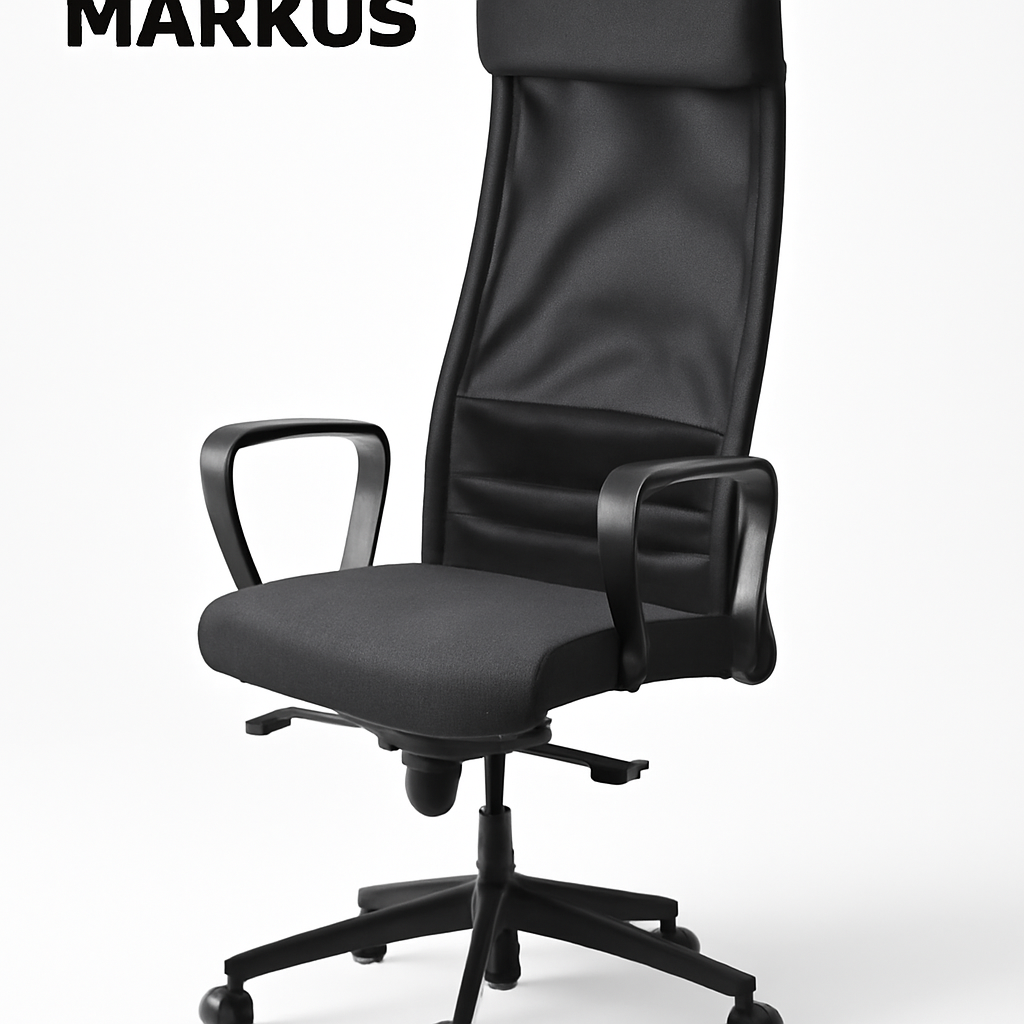
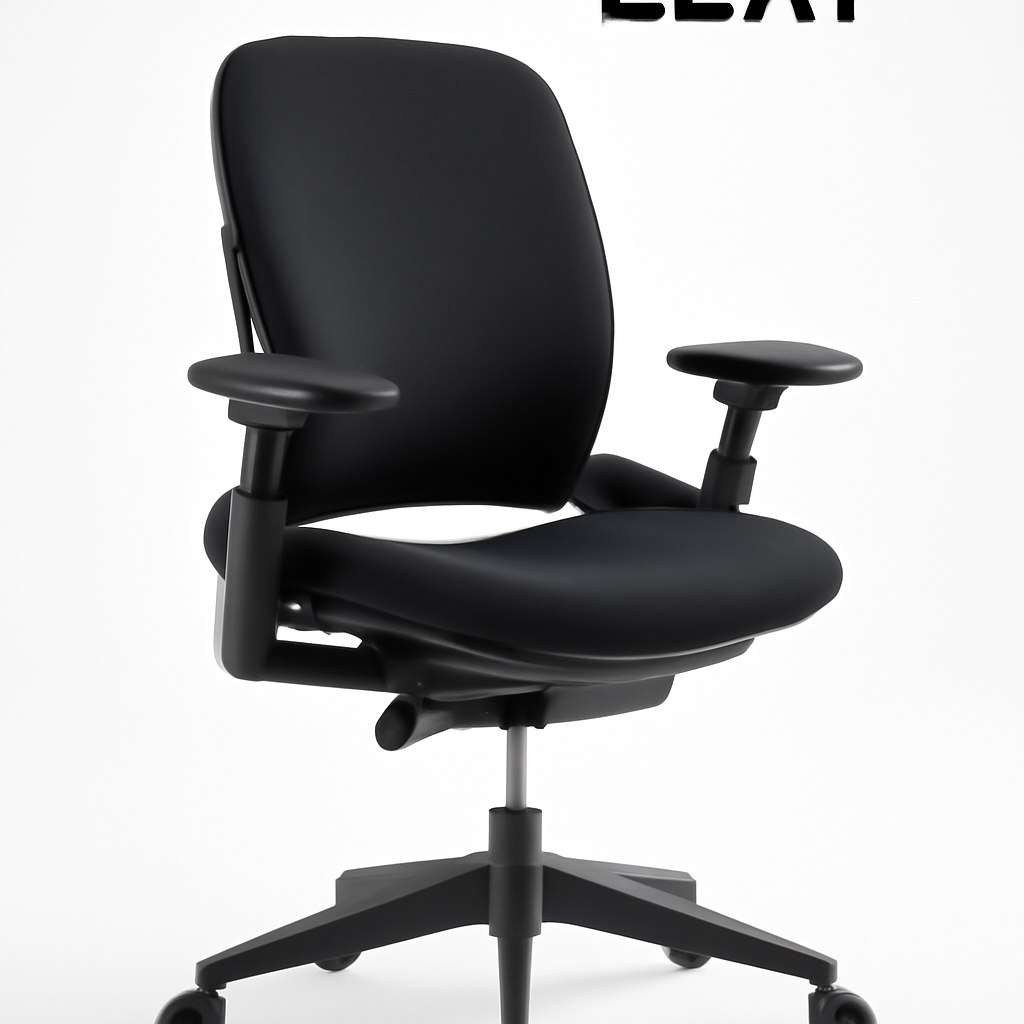
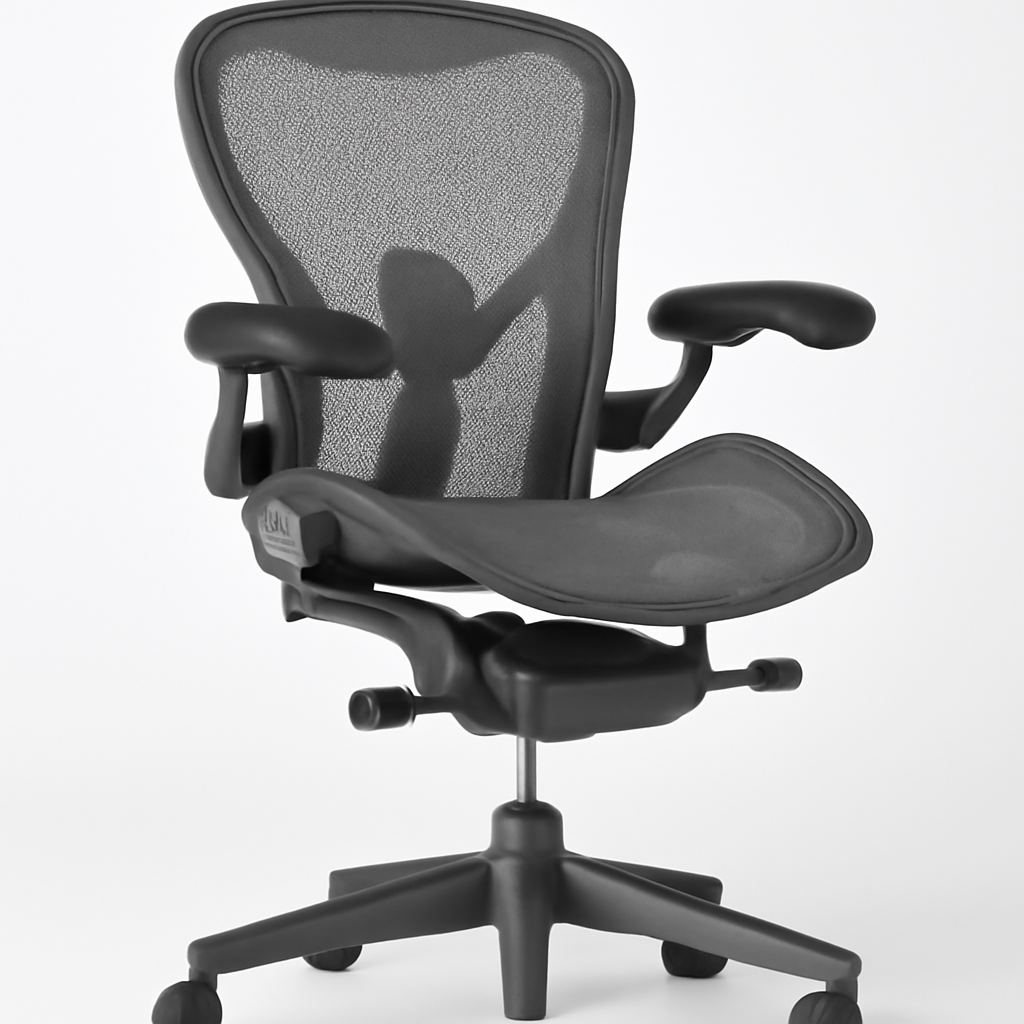
If you spend most of your day sitting, a quality desk chair isn’t a luxury—it’s essential. The best comfortable desk chairs combine proper lumbar support, adjustable features, breathable materials, and ergonomic design. Our top recommendations include the Herman Miller Aeron CHECK PRICE], [Steelcase Leap CHECK PRICE], [SIDIZ T50 CHECK PRICE], and [IKEA Markus [CHECK PRICE] for different budgets and needs.
The difference between a mediocre chair and a great one? You’ll feel it in your back, neck, and overall productivity within the first week.
—
What Makes a Desk Chair Comfortable? Key Features Explained
Comfort isn’t subjective when it comes to office seating. It’s built into specific design elements that work together to support your body and prevent pain.
Lumbar Support: The Foundation of Comfort
Your lower back has a natural curve (called lordosis). When you sit in a chair without proper support, your spine flattens, straining the discs and muscles. A comfortable desk chair features:
– Built-in lumbar curve that matches your spine’s natural shape
– Adjustable lumbar support so you can customize the depth and firmness
– Proper curve height positioned at your L4-L5 vertebrae (roughly where your wallet sits)
Chairs with static lumbar support work fine, but adjustable systems let you fine-tune the fit to your unique body.
Seat Depth and Width
Your thighs need to rest fully on the seat without pressure at the back of your knees. The ideal seat should:
– Be deep enough for your full thigh (typically 16-18 inches)
– Have a slight waterfall edge (curved front) to reduce pressure on the underside of your thighs
– Provide enough width for comfortable movement without being too loose
Armrest Design
Your arms shouldn’t dangle or press into your ribs. Quality desk chairs offer:
– Height-adjustable armrests that reach your elbow height when your shoulders are relaxed
– Width adjustment so they don’t interfere with your desk
– Optional removal if you need the space
Recline and Tilt Mechanism
A good recline feature lets you move without losing support. Look for:
– Multi-position locking so you can recline and lock at different angles
– Tilt tension adjustment to customize how much force you need to recline
– Forward tilt option for tasks requiring you to lean toward your screen
—
Top Rated Comfortable Desk Chairs for Every Budget
Top Picks at a Glance
| Product | Best For | Price Range | Key Feature |
| Herman Miller Aeron [CHECK PRICE] | Premium long-term investment | $1,395-$1,795 | Fully adjustable, 12-year warranty |
| Steelcase Leap [CHECK PRICE] | All-day comfort, active sitting | $1,016-$1,400 | LiveLumbar technology, responsive support |
| SIDIZ T50 [CHECK PRICE] | Value meets quality | $600-$900 | Korean ergonomics, excellent support |
| IKEA Markus [CHECK PRICE] | Budget-conscious buyers | $149-$249 | High-back design, good basic support |
—
Ergonomic Support: Lumbar, Neck & Posture Benefits
When you sit in an ergonomically designed chair for 8+ hours, your body doesn’t have to fight gravity. Instead, the chair’s features work with your skeleton to maintain proper alignment.
How Lumbar Support Prevents Back Pain
A study by the National Institute for Occupational Safety and Health (NIOSH) found that proper lumbar support reduces lower back pain by up to 54%. Here’s why:
– Your lumbar spine naturally curves forward (a 40-degree angle is ideal)
– Without support, you slouch, reversing this curve and creating disc pressure
– Proper support maintains this angle, distributing your weight evenly
The Herman Miller Aeron [CHECK PRICE] features PostureFit technology, which supports your sit bones specifically, encouraging your pelvis to tilt forward naturally. This cascades up your spine, improving your entire posture.
Cervical (Neck) Support
Your neck supports 10-12 pounds of head weight. A chair without neck support forces your neck muscles to work constantly, leading to tension headaches and stiffness.
Quality desk chairs offer:
– Integrated headrests (not separate attachments) positioned at the base of your skull
– Height adjustability so the headrest doesn’t push your chin down
– Width adjustment to prevent pushing your head forward
The Steelcase Leap [CHECK PRICE] includes optional headrest compatibility, and most models can be retrofitted based on your needs.
Active Sitting and Micro-Movements
The best chairs encourage what’s called “active sitting”—subtle repositioning throughout the day rather than static stillness. Features that enable this include:
– Responsive backrests that move with you rather than locking rigidly
– Seat-back angle adjustment independent of recline
– Smooth swivel and tilt for reaching different areas of your desk
—
Best Desk Chairs for Long Work Hours (8+ Hours Daily)
If you’re regularly in your chair for a full workday or longer, you need features that go beyond basic comfort.
Essential Features for Extended Sitting
1. Dynamic Lumbar Response
Static lumbar support is fine for 4-5 hours, but after that, your muscles need reactive support that adjusts as you move.
The SIDIZ T50 [CHECK PRICE] uses what’s called “synchronous tilt”—the backrest and seat move together at a mathematical ratio, keeping your lumbar curve supported as you recline. This prevents the common problem where lumbar support feels great upright but disappears when you lean back.
2. Premium Padding Without Softness
This sounds contradictory, but here’s the key: soft padding feels great for 30 minutes, then compresses and stops supporting you. The best chairs use:
– High-density foam (3+ inches thick) that maintains its shape over years
– Balanced firmness—supportive without feeling hard
– Fabric that breathes so you don’t overheat during long sessions
3. Advanced Tilt Mechanisms
Look for chairs with:
– Tilt-lock with infinitely adjustable positions (not just a few preset angles)
– Synchronized tilt where seat and back move together
– Forward-tilt option for times you need to lean toward your desk
Comparing Long-Hour Leaders
Herman Miller Aeron [CHECK PRICE]
– Pros: Fully adjustable in 12 dimensions, excellent airflow in mesh, 12-year warranty, proven in corporate environments
– Cons: Premium price point, minimal padding (mesh-only seating), steep learning curve for all adjustments
Steelcase Leap [CHECK PRICE]
– Pros: LiveLumbar technology continuously adapts to your movement, excellent for active users, responsive backrest
– Cons: Similar price to Aeron, fewer color/material options initially
—
Material & Breathability: Mesh vs. Leather Comfort
Your choice of material impacts comfort in ways people often overlook.
Mesh: Maximum Breathability
Best for: Hot environments, all-day sitting without breaks, users who sweat easily
How it works: Mesh chairs have an open weave that allows air circulation. Your back doesn’t sweat against the material, keeping you cool and comfortable.
Trade-offs:
– Excellent temperature regulation
– Easy to clean (vacuum debris, wipe with damp cloth)
– Shows dust/lint more visibly
– Less sound dampening (more creaky noises)
The Herman Miller Aeron [CHECK PRICE] pioneered modern mesh office seating and remains the gold standard. Its 8Z Pellicle mesh is specifically engineered for ergonomic seating, not generic mesh.
Leather: Premium Durability
Best for: Executive offices, leather desk environments, users who prefer traditional aesthetics
How it works: Genuine leather (not faux leather) molds to your body over time, providing customized comfort.
Trade-offs:
– Excellent durability (lasts 10+ years easily)
– Professional appearance
– Requires maintenance (conditioning every 6-12 months)
– Can feel sticky in hot weather
– More expensive than mesh
Hybrid Approaches
Many 2026 chairs combine materials:
– Mesh back with leather seat (breathable where you need it, durable where you sit)
– Breathable synthetic leather (faux leather with microscopic pores for air flow)
– Mesh panels with padded sections (support where needed, breathability elsewhere)
The SIDIZ T50 [CHECK PRICE] offers both mesh and leather options, letting you choose based on your climate and preference.
—
How to Choose the Right Size & Fit for Your Body
An expensive, highly-rated chair won’t be comfortable if it doesn’t fit your frame. Here’s how to find your match.
Key Measurements to Know
Your height determines:
– Seat height range needed
– Whether you need a tall or standard backrest
– Armrest positioning
Your weight determines:
– Chair weight capacity (check the manufacturer spec—most office chairs support 250-300 lbs)
– Caster type (heavier users may need reinforced bases)
– Padding thickness needed
Your proportions matter:
– Seat depth for your thigh length
– Armrest width for your shoulder width
– Backrest height for your torso length
The Measurement Guide
| Measurement | How to Measure | Why It Matters |
| Height | Stand barefoot, measure from floor to top of head | Determines seat height and backrest size |
| Inseam | Inside leg measurement | Affects ideal seat depth |
| Torso length | Sit upright, measure from seat to top of head | Backrest should support from sit bones to mid-shoulder |
| Shoulder width | Measure across back between shoulder joints | Armrests should be slightly narrower than this |
Testing Before Buying
If possible, visit a showroom to sit in chairs for 10-15 minutes. Pay attention to:
– Does your lower back feel supported naturally (not pushed)?
– Can you fit 2-3 fingers between the seat edge and back of your knees?
– Are your feet flat on the floor with hips slightly higher than knees?
– Do the armrests meet your elbows naturally?
Many online retailers like Amazon offer free returns, and specialty dealers often have in-store trials before purchase.
—
Setup Tips: Positioning Your Comfortable Desk Chair Correctly
Even the best chair in the world won’t be comfortable if it’s set up wrong. Here’s the professional setup guide.
The Ideal Sitting Position (The 90-90-90 Rule)
– Hips: 90-degree angle (your thighs parallel to floor)
– Knees: 90-degree angle (feet flat on floor or footrest)
– Elbows: 90-degree angle (arms parallel to floor, wrists neutral)
This neutral position distributes pressure evenly and prevents strain on any single area.
Step-by-Step Setup Process
1. Set Seat Height First
– Adjust so your feet rest flat on the floor (or footrest)
– Your knees should be level with or slightly lower than your hips
– Adjust casters so you can sit comfortably with your full thigh supported
2. Adjust Lumbar Support
– Locate the lumbar adjustment dial or lever
– Position it so it contacts your lower back curve (roughly at bra-strap level)
– Adjust depth/firmness until it feels like gentle support, not pressure
– Test by sitting back fully—you should feel supported, not pushed
3. Position Armrests
– Adjust height so your elbows rest at 90 degrees when shoulders are relaxed
– Adjust width/angle so they support your forearms without forcing your arms inward
– You should be able to move them slightly without your elbows touching the desk
4. Set Recline Tension
– Adjust tilt tension dial so the chair feels responsive but not too loose
– You want slight resistance so the chair doesn’t recline unexpectedly
– Lock into position for tasks requiring stability (typing), unlock for reading/thinking tasks
5. Fine-Tune Backrest Angle
– Recline to a comfortable angle (usually 100-110 degrees)
– Lock in position or adjust angle based on your work tasks
– Your head and neck should feel supported, not strained
Monitor and Desk Positioning
Your chair’s setup only works if your desk and monitor are positioned correctly:
– Screen distance: 20-26 inches from your eyes (at arm’s length)
– Screen height: Top of monitor at or slightly above eye level
– Keyboard/mouse: On your desk at elbow height
– Desk height: Typically 28-30 inches, adjusted so your elbows are at 90 degrees
Movement Throughout the Day
Even in the most comfortable chair, staying still for 8+ hours isn’t healthy. Best practices:
– Every 30 minutes: Change position slightly (recline, adjust angle, shift weight)
– Every hour: Stand and stretch for 2-3 minutes
– Every 2 hours: Walk away from desk for 5+ minutes
– Daily: Take a 10-minute walking break
—
Additional Considerations for 2026
Smart Features in Modern Desk Chairs
2026 office chairs increasingly include:
– Posture tracking via built-in sensors that alert you to slouching
– Heat/cool functions for temperature regulation
– Memory foam inserts that conform to your body shape
– Synchronized height adjustment with standing desks
While these features add cost, they can reduce the learning curve for new users.
Warranty and Support
Before purchasing, check:
– Warranty length (Herman Miller: 12 years; Steelcase: 12 years; most budget chairs: 1-3 years)
– What’s covered (do mechanical parts have separate coverage?)
– Return policy (can you return if uncomfortable after 30 days?)
– Local support (do they have service centers in your area?)
Sustainability
If environmental impact matters to you:
– Look for chairs made from recycled materials
– Check if the manufacturer accepts old chairs for recycling
– Verify sustainable forestry certifications for wooden components
– Consider durability (a chair lasting 10 years beats one lasting 3)
—
Our Verdict
Choose based on your situation:
If budget is primary: The IKEA Markus [CHECK PRICE] isn’t luxury, but it provides legitimate lumbar support and sits hundreds of thousands of people comfortably daily. Expect to replace it in 4-5 years.
If you want quality at mid-range: The SIDIZ T50 [CHECK PRICE] hits a sweet spot—excellent Korean ergonomics, adjustable features that rival premium chairs, and a price tag 30-40% lower. This is where value lives in 2026.
If you sit 8+ hours daily: Either the Herman Miller Aeron [CHECK PRICE] or Steelcase Leap [CHECK PRICE]. Both offer adjustability in 12+ dimensions, responsive support systems, and 12-year warranties. The Aeron prioritizes breathability and precision adjustments; the Leap excels at dynamic lumbar support. Try both if possible.
The reality: A comfortable desk chair is one of the highest-ROI investments you can make for your health and productivity. You spend roughly 2,000 hours per year in your office chair. That works out to about $0.70 per hour for a $1,400 chair used over 10 years—less than the cost of a coffee.
Don’t settle for discomfort. Measure your body, test when possible, and invest accordingly.